At 4,000 rows your Rails report worker finishes in 900 ms. At 400,000 rows it gets OOM-killed, the Sidekiq retry storms three times, and the finance team opens a half-written file that Excel refuses to repair. Nothing in the stack changed except the size of the data — but the gem you picked was never designed for the job you gave it.
Ruby’s spreadsheet ecosystem looks like one category and is actually two: readers and writers, with almost no overlap. Roo reads. Caxlsx and WriteXLSX write .xlsx. The spreadsheet gem reads and writes the ancient .xls binary format under a GPL license. Choosing by GitHub stars instead of direction is the most common way teams ship a broken export path.
This guide compares the four gems that still matter in 2026, with current release data, real code from each project’s own repository, and the failure modes you only discover in production.
TL;DR — Quick Verdict
- Reading
.xlsx,.xls,.odsor.csvfrom user uploads: use Roo. It auto-detects the format, supports streaming row iteration for large files, and is the only mature multi-format reader in Ruby. - Writing
.xlsxwith charts, styles and validation: use Caxlsx (v4.5.0, actively maintained, MIT). It is the community continuation of the original Axlsx and the default answer for anything report-shaped. - Writing
.xlsxwith a huge feature surface and a Perl-flavoured API: use WriteXLSX. It is a faithful port of Perl’sExcel::Writer::XLSXand excels at sparklines, shapes, macros and rich string formatting. - Reading or writing legacy
.xls(BIFF8) files: use the Spreadsheet gem — and read the GPLv3 section below before you ship it inside a commercial product. - Never reach for
spreadsheetto write.xlsx. It cannot. It writes.xlsonly, and the exception you get at runtime is not obvious from the gem name.
Side-by-Side Comparison
All figures pulled from GitHub on 2026-11-24.
| Library | Latest release | Stars | Last push | License | Direction | Formats | Charts | Streaming read |
|---|---|---|---|---|---|---|---|---|
| Roo | v4.0.0 (2026-10-22) | 2,875 | 2026-11-20 | MIT | Read only | .xlsx, .xls, .ods, .csv | No | Yes (each_row_streaming) |
| Caxlsx | v4.5.0 (2026-06-09) | 654 | 2026-11-23 | MIT | Write only | .xlsx | Bar, line, pie, scatter, 3D | N/A |
| WriteXLSX | no tagged release | 303 | 2026-09-15 | MIT | Write only | .xlsx | Column, bar, line, pie, area, scatter, stock, radar | N/A |
| Spreadsheet | no tagged release | 1,148 | 2026-04-21 | GPL-3.0 | Read + write | .xls (BIFF8) only | No | Partial |
Two things stand out. First, star count is inversely correlated with fitness here: the most-starred gem in the table is the one that only handles a format Microsoft deprecated in 2007. Second, release cadence matters more than version numbers — Roo and Caxlsx both shipped within the last two months, while the .xls gems move slowly because the format itself is frozen.
Decision Matrix: Pick in Ten Seconds
| Your use case | Use | Why |
|---|---|---|
| Parse customer-uploaded spreadsheets (any format) | Roo | Format auto-detection via Roo::Spreadsheet.open; CSV and ODS included |
| Nightly finance export with a chart on sheet 2 | Caxlsx | Chart builder is a first-class API, not an afterthought |
| Generate 200k-row XLSX in a background worker | Caxlsx with StringIO, or CSV | Both writers hold rows in memory; CSV is the only constant-memory option |
| Reproduce a complex workbook with sparklines and shapes | WriteXLSX | Perl port ships the widest worksheet feature list |
Import a 15-year-old .xls ledger | Spreadsheet | Nothing else reads BIFF8 reliably |
Convert .xls to .xlsx | Spreadsheet + Caxlsx | Read with one, write with the other — no single gem does both |
| Commercial closed-source SaaS | Roo / Caxlsx / WriteXLSX | MIT. The Spreadsheet gem’s GPLv3 is a licensing decision, not a technical one |
Roo — The Reader That Does Not Pretend to Write
Roo’s job is narrow and it does it well: turn a spreadsheet file into Ruby objects. Roo::Spreadsheet.open inspects the extension and dispatches to Roo::Excelx, Roo::Excel, Roo::OpenOffice or Roo::CSV, so an upload endpoint accepting “any spreadsheet” needs one line:
| |
each_row_streaming is the reason Roo wins for imports. Unlike each_row, it does not materialise the whole sheet: Nokogiri pulls rows out of the XLSX XML as they are needed, which is the difference between a 40 MB upload costing 40 MB or 900 MB of resident memory. Two options earn their keep — offset: skips the header without a manual counter, and pad_cells: true guarantees every row array has the same length, so a trailing empty column cannot shift your indexes.
Roo also accepts a File object and an explicit extension (extension: :xlsx) for uploads that arrive without a suffix, and Roo::Excelx.new(path, expand_merged_ranges: true) for workbooks where merged header cells would otherwise produce a single value and a wall of nils.
Caxlsx — The Default Writer, and Rightly So
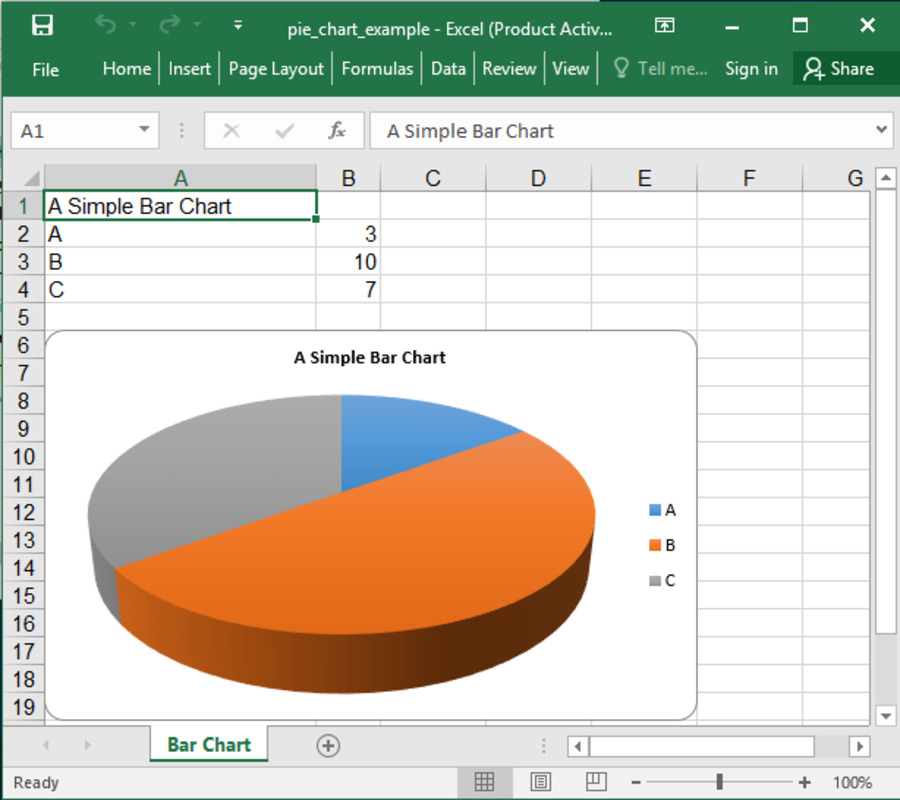
Caxlsx generates Office Open XML with charts, images, conditional formatting, data validation, autofilters, defined names and workbook-level password protection (via the ooxml_crypt gem, MRI only). It is a fork of the abandoned Axlsx gem under the community caxlsx organisation — which is why the namespace is still Axlsx::.
The README example is the shortest honest demo of what separates a real writer from a CSV with a .xlsx extension:
| |
For production reports, define styles once and reuse them:
| |
The pitfall that bites everyone: create every style before you add the first row that references it. Axlsx resolves style indexes when a row is created; styles defined later either land on the wrong cells or raise once the workbook starts serialising. Build a style registry at the top of your report class, not inline in the row loop.
Serialising to disk is not your only option. p.to_stream returns a StringIO, which lets a Rails controller stream the file without touching the filesystem — the pattern to use when the export runs inside a web request:
| |
WriteXLSX — The Perl Port With the Widest Feature Set
WriteXLSX is converted from Perl’s Excel::Writer::XLSX, so its API will feel unfamiliar if you learned Caxlsx first: formats are objects, coordinates are zero-based (row, col) integers, and charts are assembled separately then inserted.
| |
Where WriteXLSX leaves Caxlsx behind is breadth: sparklines, shapes, macros, tables, rich string formats with per-run fonts, panes, grouping and outlines. If your report has to look like a workbook a human built by hand, the Perl-derived feature list usually has the primitive you need. It has no tagged releases, so pin the gem version and test upgrades deliberately rather than trusting bundle update.
The Spreadsheet Gem — Legacy Format, Real Licensing Trap
The spreadsheet gem is a complete rewrite of the old Spreadsheet::Excel and ParseExcel libraries, and it is the only realistic way to read BIFF8 .xls files from Ruby.
| |
Two things to internalise. It only supports .xls; as one of the gem’s own README notes put it, it does not support XLSX. And it is GPL-3.0 — the maintainers sell commercial licences separately. Bundling it into a proprietary closed-source product is a legal decision that no benchmark justifies, so use it in GPL-compatible projects or buy the licence.
Pitfalls That Only Surface in Production
- Writers hold the workbook in memory. Caxlsx and WriteXLSX both accumulate rows before serialising. A 500k-row export is a memory incident, not a slow query. Push anything above roughly 100k rows to CSV, or shard the export into per-month files.
- Readers return data, not formatting. Roo gives you cell values and types. Charts, images, conditional formats and column widths are discarded — do not build an “xlsx in, xlsx out” pipeline on top of it.
- Dates are the classic silent bug. Roo returns
Date/DateTimeobjects derived from the workbook’s epoch; a 1900-versus-1904 epoch mismatch shifts every date by four years and one day. Assert one known date from the file before importing a quarter’s worth of data. .xlsand.xlsxare different formats with different gems. Routing an.xlsupload to Caxlsx raises at parse time, not at boot, so it passes CI and fails in production on the one customer who exports from an old ERP.- Style ordering in Caxlsx is not optional. Define the style registry before rows, as above.
- CSV is still the right answer for machine-to-machine exchange. None of these gems will beat
CSV.foreachon memory or speed. Use a spreadsheet library when a human will open the file.
If your Ruby service also produces documents in other formats, our Ruby PDF library comparison covers Prawn, HexaPDF and CombinePDF with the same criteria. For the cross-language view of the same problem, see spreadsheet generation libraries across Python, Go and PHP — and if the export is triggered from a background job, the Ruby background job processor comparison explains which queue survives a 10-minute export.
FAQ
Which Ruby gem should I use to read an xlsx file?
Use Roo. Roo::Spreadsheet.open detects the format automatically and supports .xlsx, .xls, .ods and .csv through one API. For files above a few tens of thousands of rows, iterate with each_row_streaming instead of each_row so the workbook is not fully materialised in memory.
Can Caxlsx read Excel files?
No. Caxlsx is a writer only — it generates .xlsx documents. Reading requires a separate gem, normally Roo. A typical pipeline uses Roo to read incoming files and Caxlsx to produce the outgoing report in the same job.
Is the Ruby Spreadsheet gem free for commercial use?
It is released under GPL-3.0, which is a copyleft licence. Using it inside a proprietary closed-source application generally requires a commercial licence from the maintainers. Roo, Caxlsx and WriteXLSX are all MIT-licensed and carry no such obligation.
Why does my generated xlsx open with missing styles or wrong colours?
In Caxlsx, styles must exist before the rows that reference them are created, because style indexes are resolved at row creation time. Build a single style registry at the top of your report builder and reuse those style objects for every row.
How do I export 500,000 rows to Excel from Ruby?
Do not do it in one workbook. Both Caxlsx and WriteXLSX accumulate the document in memory, so a 500k-row export is a memory problem before it is a performance problem. Write CSV for large machine-readable exports, or split the output into per-month or per-region workbooks.
💰 想测试你的市场判断力?我用 Polymarket 做预测市场交易——这是全球最大的预测市场平台,从大选结果到 技术监管时间线,什么都可以押注。和赌博不同,这是真正的信息市场:你懂的信息越多,胜率越高。我靠预测技术相关事件的走向已经赚了不少。用我的邀请链接注册:Polymarket.com