There is a specific silence that follows the command restic restore latest --target /. It is the silence of someone discovering that three years of nightly backups contain a database dump that was never consistent, a /etc directory with the wrong permissions, and no copy of the encryption key that makes any of it readable.
Backups fail quietly and restores fail loudly. The gap between the two is a plan: how much data you can afford to lose (RPO), how long you can afford to be down (RTO), and the regular, boring practice of proving both numbers are real. This guide builds that plan for a self-hosted stack and maps each tier to tooling that is actually maintained in 2026.
TL;DR — the verdict
Set two tiers, not one. Tier 1 is a fast local snapshot with a 1–4 hour RPO and a 30-minute RTO — that is what saves you from a bad upgrade at midnight. Tier 2 is an immutable, off-site copy with a 24-hour RPO and a 4–24 hour RTO — that is what saves you from ransomware, a dead disk, or a provider losing your VPS. Use restic (37,301 stars) or Kopia (14,746 stars) for files and application data, pgBackRest (4,502 stars) for PostgreSQL, and Velero (10,380 stars) if Kubernetes is involved. Then run a restore drill every quarter, because an untested backup is a hypothesis, not a recovery plan.
The two numbers that define everything else
RPO (recovery point objective) is how much data you can lose, expressed in time. A nightly backup at 03:00 means your RPO is 24 hours — every write since 03:00 is gone if the disk dies at 02:59.
RTO (recovery time objective) is how long recovery may take, measured from “the service is down” to “the service is serving traffic again.” Downloading 400 GB from object storage at 50 MB/s takes over two hours before you have even started restoring.
Both numbers are business decisions, not technical ones. A family photo library tolerates a 24-hour RPO and a weekend RTO. A password vault tolerates neither. The mistake is assigning one set of numbers to the whole server.
| Tier | RPO | RTO | Mechanism | Where it lives | Typical cost |
|---|---|---|---|---|---|
| Tier 0 — replica | seconds | minutes | streaming replica, live failover | second host | 1× server |
| Tier 1 — local snapshot | 1–4 h | 15–60 min | restic/Kopia to local disk or NAS | same rack | disk only |
| Tier 2 — off-site immutable | 12–24 h | 4–24 h | restic/Kopia to S3-compatible, append-only | different provider | $5–20/mo |
| Tier 3 — cold archive | 30 days | days | quarterly full to cold storage | offline/rotated media | negligible |
Most self-hosters need Tier 1 plus Tier 2. Tier 0 is for services where minutes of downtime cost money; Tier 3 matters for compliance, not for homelabs.
Decision matrix: match the mechanism to the workload
| Workload | Primary mechanism | Why | Restore test |
|---|---|---|---|
| PostgreSQL / MariaDB | pgBackRest or native dump + WAL archive | Point-in-time recovery, consistent snapshots | Restore to a scratch instance, run pg_verifybackup |
| Photo and media libraries | restic or Kopia, filesystem-level | Content-addressed, deduplicated, resumable | Restore a random 1% sample and compare checksums |
Application config (/etc, compose files) | Git repository plus restic | Small, textual, reviewable | Clone the repo on a clean host |
| Container volumes (named volumes) | restic with a pre-backup stop, or app-native export | Live volume copies can be inconsistent | Restore volume into a fresh stack |
| Kubernetes workloads | Velero with CSI snapshots | Captures both objects and volumes | Restore into a separate namespace |
| Secrets and encryption keys | Password manager plus paper copy | Losing the key loses the backup | Open the repo with the key from the paper copy |
Tooling: what each piece is actually for
restic is the default choice for file-level backups. Single binary, encrypted by default, deduplicated, and it writes to almost anything: local disk, SFTP, S3, Backblaze B2, or a cheap object store. Its repository format is content-addressed, so incremental backups are cheap and corruption is detectable with restic check.
| |
Kopia (14,746 stars) is the closest alternative, with a stronger policy engine and a native UI. It shines when you want per-path retention policies and snapshot scheduling without writing cron wrappers.
borgbackup (13,938 stars) remains excellent on a local or SSH target. It is append-only-capable with --append-only on the server side, which is one of the simplest ransomware defences available: the client cannot delete history.
pgBackRest (4,502 stars) is the right tool for PostgreSQL specifically. It handles full, differential, and incremental backups, WAL archiving for point-in-time recovery, and parallel compression. A database restored from a raw file copy is a database you will be repairing with pg_resetwal at 3 a.m.
| |
Velero (10,380 stars) covers Kubernetes: it backs up API objects and, with CSI snapshots, persistent volumes, and restores them into a namespace or a different cluster.
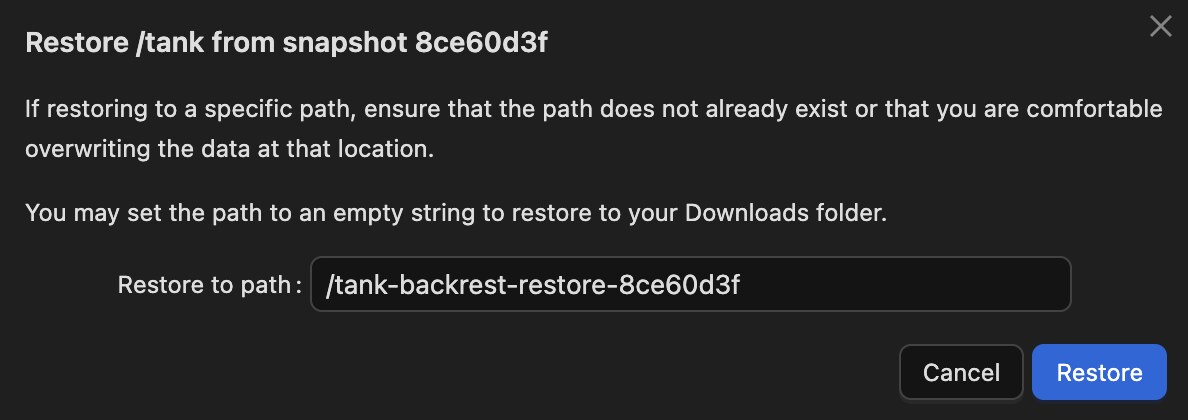
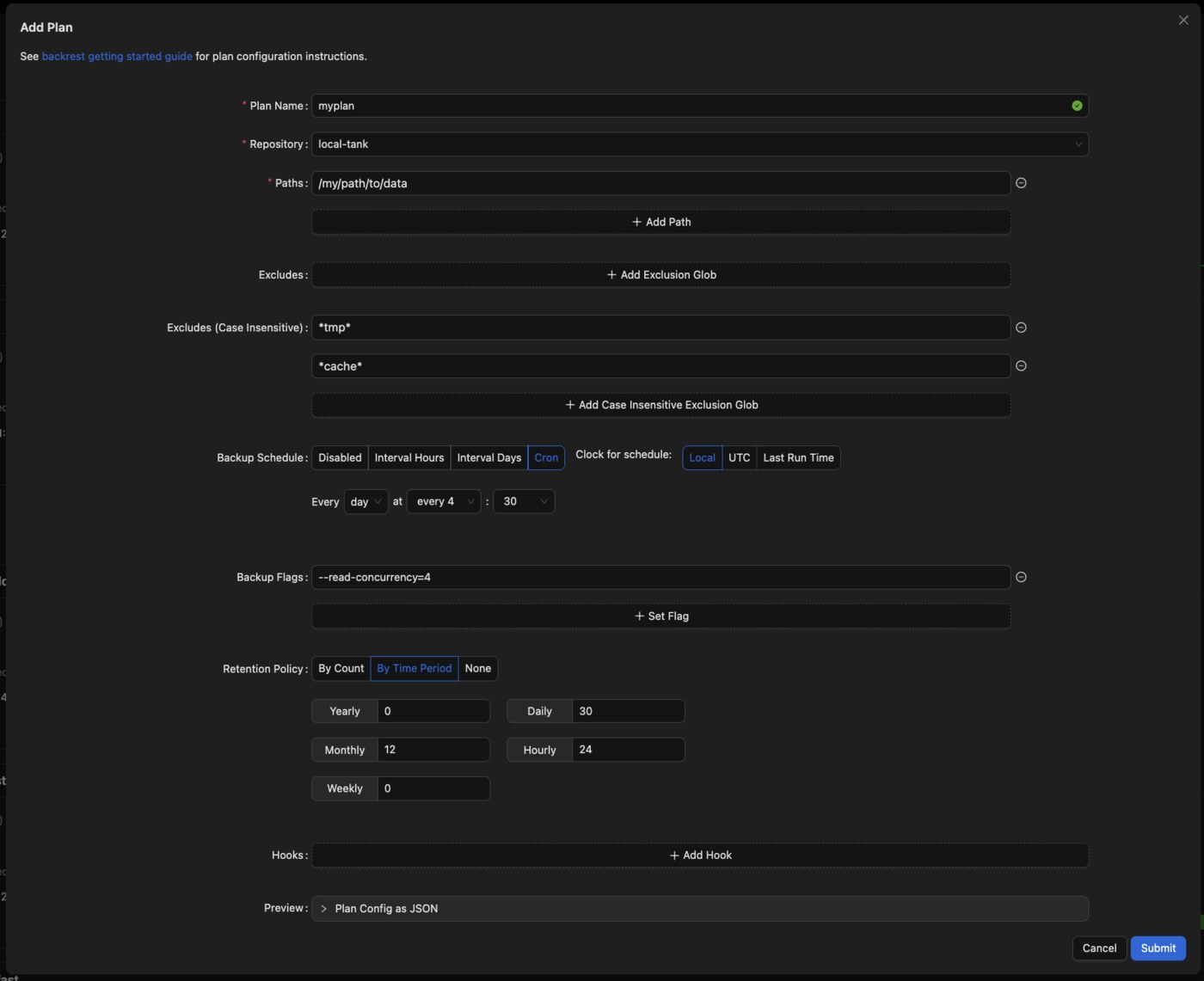
Backrest (7,938 stars) is a web UI on top of restic. It is the pragmatic choice if you want scheduled plans, retention, and restore browsing without hand-writing systemd timers — with the caveat that its last push was September 2026, so pin a version and keep the CLI path documented as a fallback.
The 3-2-1-1-0 rule, translated for self-hosters
The classic rule has grown two digits, and both matter:
- 3 copies — production, local backup, off-site backup.
- 2 media — for example, a local SSD and object storage; not two directories on the same disk.
- 1 off-site — a different provider or a different building.
- 1 immutable or offline — a copy that cannot be deleted or encrypted by a compromised host.
- 0 errors on verification — proven by an automated check, not by hope.
The immutable copy is the one people skip. If your backup host mounts the repository read-write and accepts the same credentials your production host uses, ransomware that reaches production can encrypt the backups too. Object storage with object lock, or Borg’s --append-only, breaks that chain.
| |
Compliance mode cannot be overridden even by the account root. That is the property you want: a bad night cannot erase your history.
Restore drills: the only proof that counts
A restore drill has three measurable outputs: did it restore, how long did it take, and what was missing. Run it on a schedule, into a scratch location, never over production.
| |
Record the duration. A 20-minute restore in a drill becomes a 40-minute restore under pressure, and the number you publish to yourself should be the pessimistic one.
For databases, the drill is different: restore the base backup and replay WAL to a chosen timestamp, then run a consistency check.
| |
If that last query returns a plausible number, your RPO claim is real. If it errors, you have found the problem during a drill instead of during an outage — which is the entire point.
What actually breaks during a restore
Database consistency. Copying live data files with rsync produces a torn backup. Either dump logically (pg_dump -Fc), archive WAL, or stop the service for the copy.
File ownership and permissions. Restoring /etc or application data without preserving uid/gid produces services that start and then fail on write. Always restore with ownership preserved, and verify against the original with getfacl when ACLs are in play.
Missing secrets. Application data is useless without the encryption keys, API tokens, and TLS private keys that live outside the data directory. Back up /etc/letsencrypt, .env files (in a password manager, not the repository), and the restic password itself.
DNS and certificates. A restored stack that comes up on the old IP with expired certificates is not recovered. Include the proxy configuration and certificate state in the backup set.
The backup password. If the restic or Borg passphrase exists only on the failed host, the repository is a brick. Store it in a password manager and on paper, in two places.
Pitfalls that turn a plan into a false sense of security
Backing up to the same disk you protect. A RAID array is availability, not backup. RAID mirrors a deletion and mirrors corruption.
Trusting “success” exit codes alone. A backup job can exit 0 after copying an empty directory because a mount did not come up. Validate file counts and sizes, not just exit status.
Never testing the encryption key. Repositories are only readable with the password. Run restic key list and a small restore on a clean machine once a year.
Ignoring retention costs. Keeping daily snapshots forever turns a $5/month bucket into a $200/month bucket. Use restic forget --keep-daily 7 --keep-weekly 4 --keep-monthly 12 --prune, and remember --prune rewrites packs, so it needs write access — run it from a host you trust.
Scheduling backups at the same moment as other jobs. Backup I/O competing with a database checkpoint or a photo import produces slow, sometimes inconsistent snapshots. Stagger the schedule.
No monitoring on the backup job itself. A backup that silently stopped three weeks ago looks identical to one that works — until you need it. Emit a heartbeat on success and alert when it disappears.
For a deeper comparison of repository backends — including running your own restic/Borg server instead of object storage — see our backup repository server comparison. Integrity verification deserves its own read: restic, Borg and borgmatic verification compared covers checksum strategies in detail, and if you run etcd, the etcd disaster recovery guide walks through the snapshot and restore path for the cluster’s own state.
FAQ
What is a realistic RPO for a self-hosted homelab? Twenty-four hours for media and documents, one to four hours for databases and password vaults. Anything tighter than an hour requires either continuous WAL archiving or a replica, and both add operational work that most homelabs do not sustain.
How long should an RTO be? As short as the service’s value justifies. A password vault should be back within an hour; a media server can take a day. Write the number down per service, then measure it during drills — unmeasured RTOs are wishes.
Is restic or Borg the better choice in 2026? restic for off-site and object storage, because it writes to any S3-compatible endpoint and needs no server-side component. Borg for local or SSH targets where you want server-enforced append-only mode. Both are actively maintained and both are safe when the key is stored separately.
Do I need a separate backup for PostgreSQL if I snapshot the whole VM? Yes. A VM snapshot without quiescing the database can be crash-consistent at best. Use pgBackRest or a logical dump so you can recover to a specific point in time rather than to “whatever the disk looked like.”
How often should I run a restore drill? Quarterly for Tier 1 and Tier 2, and after any major upgrade to the backup tooling itself. Keep the results — date, duration, data verified — because the trend matters more than any single drill.
Does immutable storage really stop ransomware? It stops the most common attack, which is deleting or encrypting the backup repository with stolen credentials. Object Lock in compliance mode or Borg’s append-only mode make deletion impossible for the retention window, even with valid credentials.
💰 想测试你的市场判断力?我用 Polymarket 做预测市场交易——这是全球最大的预测市场平台,从大选结果到技术监管时间线,什么都可以押注。和赌博不同,这是真正的信息市场:你懂的信息越多,胜率越高。我靠预测技术相关事件的走向已经赚了不少。用我的邀请链接注册:Polymarket.com