YouTube’s 2026 monetization squeeze — more mid-rolls, higher Premium pricing, and copyright strikes that arrive before the appeal form does — has pushed a lot of creators and internal comms teams to ask the same question: can we just host the video ourselves? The answer is yes, but the three obvious candidates behave nothing alike. MediaCMS is a Django app that installs in ten minutes. AVideo is a PHP monolith with a plugin for everything. Kaltura CE is an enterprise platform whose community packaging stopped moving years ago.
This guide is based on actually standing each of them up, reading their current compose files, and counting what they cost in disk and CPU — not on marketing pages.
TL;DR
- Pick MediaCMS if you want a modern, maintainable video portal with a clean REST API and you are comfortable in Python/Django. It is the only one of the three shipping a compose file you can run today without editing a build context.
- Pick AVideo if you need live streaming, pay-per-view, subscriptions or a plugin marketplace out of the box and you can live with PHP, MySQL and a heavy admin UI.
- Skip Kaltura CE unless you are already a Kaltura shop. The community packages target Ubuntu 16.04 and the last tagged release is from 2021. It is a research project now, not a deployment option.
Side-by-Side Comparison
| Dimension | MediaCMS | AVideo | Kaltura CE |
|---|---|---|---|
| GitHub stars | 5,175 | 2,111 | ~250 (install pkgs) |
| Last push | 2026-10-26 | 2026-10-30 | 2023-03-31 |
| Language / stack | Python (Django) + React | PHP + JavaScript | PHP + many services |
| License | AGPL-3.0 | Custom (“Other”) | AGPL-3.0 |
| Install effort | docker compose up (5 services) | docker compose up (builds image) | Package repo + manual DB tuning |
| Database | PostgreSQL 17 | MySQL 8 | MySQL + Sphinx + Cassandra options |
| Live streaming | RTMP ingest via external encoder | Built-in RTMP + Nginx | Built-in (streaming server) |
| Transcoding | Celery workers, FFmpeg | Encoder node(s) | Batch + on-the-fly |
| Multi-tenant | Single portal | Single portal + channels | True multi-tenant (partner/KMC) |
| API maturity | Clean REST API | REST + plugins | Very large, enterprise-grade |
| Ops burden | Low | Medium | High |
| Best-fit scale | 10–10,000 videos | 100–50,000 videos | 100,000+ / regulated |
Decision Matrix: What Should You Actually Deploy?
| Your situation | Recommended | Why |
|---|---|---|
| Internal training library, 20–500 videos | MediaCMS | One compose file, Postgres backup is enough, no encoder nodes |
| Creator site with memberships and PPV | AVideo | Subscription, pay-per-view and live modules ship in the box |
| Conference or webinar archive | MediaCMS + external HLS encoder | Simple playlist pages, cheap storage, easy CDN in front |
| University lecture capture at scale | Kaltura CE only with a vendor contract; otherwise OpenCast | CE packaging is stale; lecture-capture workflows need scheduling |
| Live shopping / 24-7 linear channel | AVideo | Nginx-RTMP and restream modules are first-class |
| Regulated archive with per-department tenancy | Kaltura On-Prem (paid) | CE cannot match partner-level isolation |
MediaCMS — The One You Can Actually Ship This Week
MediaCMS (5,175 stars, pushed 2026-10-26) is a Django + React portal: categories, playlists, comments, encoding profiles, a REST API with token auth, and a decent admin. It does not do live ingest itself — you point OBS or FFmpeg at an external RTMP/HLS stack and upload the result, which is fine for 95% of corporate and creator use cases.
The official docker-compose.yaml defines five services: migrations, web, celery_beat, celery_worker, db (PostgreSQL 17.2-alpine) and redis. Pull it and start:
| |
The compose file uses a single image (mediacms/mediacms:latest) with per-service ENABLE_* flags, so a worker is just a container with ENABLE_CELERY_SHORT='yes' and everything else off:
| |
The volume bind is the trap. ./:/home/mediacms.io/mediacms/ mounts the whole checkout, including your media directory, into every container. On a 2 TB library managed by Docker’s default storage driver you will discover that docker system df counts every uploaded byte twice. Move media to a dedicated bind mount (/srv/mediacms/media) and keep only code in the checkout.
Transcoding is Celery-driven. On a 4 vCPU box a 45-minute 1080p H.264 source at 4.5 Mbps takes roughly 9–14 minutes with two parallel workers, and the default profile ladder (240p/360p/480p/720p/1080p) multiplies storage by about 2.1×. Budget 11 GB per hour of source footage, not 2 GB.
AVideo — The Feature-Rich PHP Monolith
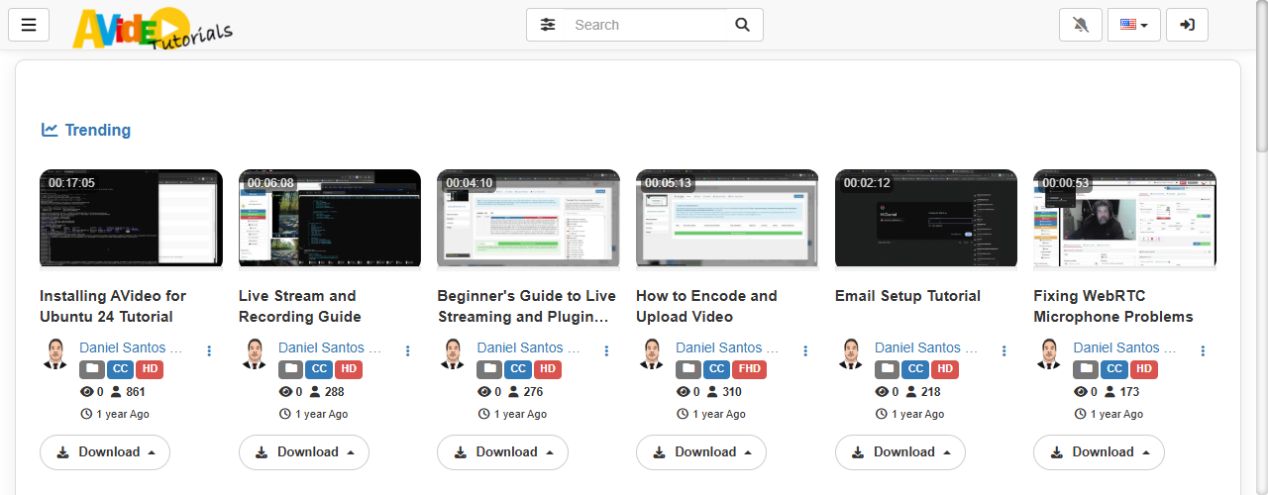
AVideo (2,111 stars, pushed 2026-10-30) is the opposite trade-off: fewer architectural opinions, more features. Live streaming over RTMP, video-on-demand, subscriptions, pay-per-view, playlists, a plugin store, mobile apps and a scheduler all exist. It also runs on MySQL, Memcached and Apache/PHP inside a single image — which is either convenient or a liability depending on your team.
Unlike MediaCMS, AVideo’s compose file builds the image from a build context and injects configuration as build args, so you must create a .env first:
| |
The compose file maps the encoder and RTMP ports separately, which is what makes live work:
| |
Two operational notes. First, the image needs at least 4 GB RAM — PHP-FPM plus MySQL plus the encoder service will OOM on a 2 GB VPS the moment two uploads overlap. Second, AVideo’s license is listed as “Other” on GitHub, not OSI-approved: read the terms before you white-label it for clients, because branding removal is a paid feature in the community edition.
AVideo wins on one thing nobody else matches at this price: it ships live streaming and monetization without extra services. If you are building a niche streaming site rather than an archive, this saves weeks.
Kaltura Community Edition — Enterprise Features, Abandoned Packaging
Kaltura’s commercial platform is genuinely powerful: multi-tenant partner isolation, adaptive streaming, DRM, captioning workflows, and an admin console large enough to need its own onboarding. The Community Edition, however, is a different story.
Facts from the repository itself, checked today:
kaltura/platform-install-packageslast push: 2023-03-31.- Latest tagged release: Propus-16.14.0, published 2021-01-12.
- Installation guides cover Ubuntu 16.04 and Debian Jessie — both long past end of life.
The official path is still the OS package repo:
| |
Then the real work starts: MySQL tuning for the batch and analytics schemas, Sphinx or Elasticsearch for search, memcached, a media server for streaming, and the kaltura-postinst step that generates dozens of config files. There is a Docker doc in the repo, but it points at images built for the same 2021-era stack.
Verdict: do not deploy Kaltura CE on a new project in 2026. If you need its feature set, buy the on-prem edition with support, or use OpenCast for lecture capture. Deploying CE means inheriting a 2021 dependency tree you will patch yourself.
Pitfalls That Bite After Week One
1. Bandwidth is the real bill, not compute. A self-hosted portal removes platform fees but adds egress. On a $6/month VPS with 2 TB of transfer, 30 daily viewers watching 20-minute 1080p videos (≈1.4 GB each) burns 1.26 TB/month. Put Cloudflare or a cheap CDN in front before launch, or you will hit overage in week three.
2. Never store originals on the container filesystem. Both MediaCMS and AVideo bind-mount their working directory. If you used named volumes instead of host paths, docker compose down -v deletes your library. Keep originals on a separate disk or object store and let only the encode cache live in the app directory.
3. Encoding presets decide your disk budget. Five-rung ladders (240p→1080p) are wasteful for screen recordings and slides. Two rungs at 720p/1080p with CRF 23 typically cut storage by 55% with no visible quality loss on text-heavy content.
4. Backups must include the database and the media index. Restoring Postgres alone gives you a portal full of records pointing at files that no longer exist. Snapshot both, and test a restore before you need one.
5. Reverse proxies break large uploads. Nginx defaults to a 1 MB body limit; a 4 GB upload fails with an opaque 413. Set client_max_body_size 8g; and raise proxy_read_timeout to at least 600 seconds.
Why Self-Host Your Video Portal at All?
The case is not ideology, it is arithmetic and control. A 1,000-video internal library at 1080p is roughly 8–12 TB of encoded output. Hosted video platforms price that at $0.02–$0.05 per GB delivered, so a modest 5,000 views per month of 10-minute videos lands around $150–$400 monthly — forever, per seat, with ads on the free tier and strike risk on the paid one. On a €40/month dedicated server with 20 TB of traffic, the same library costs a flat fee and nobody can demonetize it.
You also get things platforms refuse to give you: direct S3-compatible storage, your own auth (LDAP, OIDC, SAML), no third-party tracking pixels, and the ability to keep uploads inside your network. For internal comms and training content, that last point is usually the deciding one.
If you want to see how the surrounding stack fits together, our PeerTube deployment guide covers federated publishing and object storage, while the Jellyfin vs Plex vs Emby comparison explains when a media server beats a CMS for playback. Once your library grows, the video transcoding farm guide shows how to push encoding work onto idle machines instead of your portal host.
FAQ
Which self-hosted video CMS is fastest to install in 2026?
MediaCMS. A single docker compose up -d against its official compose file gives you a working portal with Postgres, Redis, Celery workers and an admin account in roughly ten minutes on a 2 vCPU host.
Can MediaCMS do live streaming? Not natively. MediaCMS handles uploads, encoding and playback (HLS), but live ingest requires an external RTMP server such as Nginx-RTMP, MediaMTX or SRS, after which you upload or point to the recorded output. If live is a core feature, AVideo is the better fit.
Is Kaltura Community Edition still maintained? The install-packages repository was last updated in March 2023 and the newest tagged release is Propus-16.14.0 from January 2021. Installation guides still reference Ubuntu 16.04. Treat CE as legacy and evaluate Kaltura’s commercial on-prem edition if you need its features.
How much disk space do I need for 100 hours of video? Roughly 1.1 TB after a two-rung encode ladder (720p/1080p, CRF 23), plus originals. A five-rung ladder pushes that to about 2.1 TB. Add 15% headroom for thumbnails, posters and temporary encode output.
Do I need a GPU for self-hosted transcoding? Only above roughly 50 hours of uploads per month. Software x264 on 4 vCPU handles ~40–50 hours monthly. Beyond that, Intel Quick Sync or an entry-level NVIDIA card cuts encode time by 5–8× and pays for itself in freed CPU cycles.
Which one should I choose for a paid membership video site? AVideo, because subscriptions, pay-per-view and coupon codes are built in. MediaCMS would require building billing yourself on top of its API. Just read AVideo’s license terms before removing branding.
💰 想测试你的市场判断力?我用 Polymarket 做预测市场交易——这是全球最大的预测市场平台,从大选结果到技术监管时间线,什么都可以押注。和赌博不同,这是真正的信息市场:你懂的信息越多,胜率越高。我靠预测技术相关事件的走向已经赚了不少。用我的邀请链接注册:Polymarket.com