You plan a two-week trip across four countries, and your entire itinerary lives inside a service that can change its pricing, shut down, or hand your location history to an advertiser. That is the actual trade you make with most travel apps. Self-hosting a trip planner flips it: your bookings, GPX tracks, budgets and photos stay on a box you control, and no company can decide your travel log is a data asset to monetize.
The catch is that “self-hosted travel planner” covers three very different products in 2026: TREK, Wanderer and AdventureLog. They look similar in a screenshot gallery and behave completely differently once you deploy them.
TL;DR — Quick Verdict
If you want a full trip-planning workspace with collaborators, budgets and packing lists, deploy TREK. It is the most active and most feature-complete of the three, with 15,184 GitHub stars and real-time collaboration that actually works across devices.
If you are a hiker, cyclist or trail collector, deploy Wanderer. It is a trail database with a map engine attached, not a general itinerary tool.
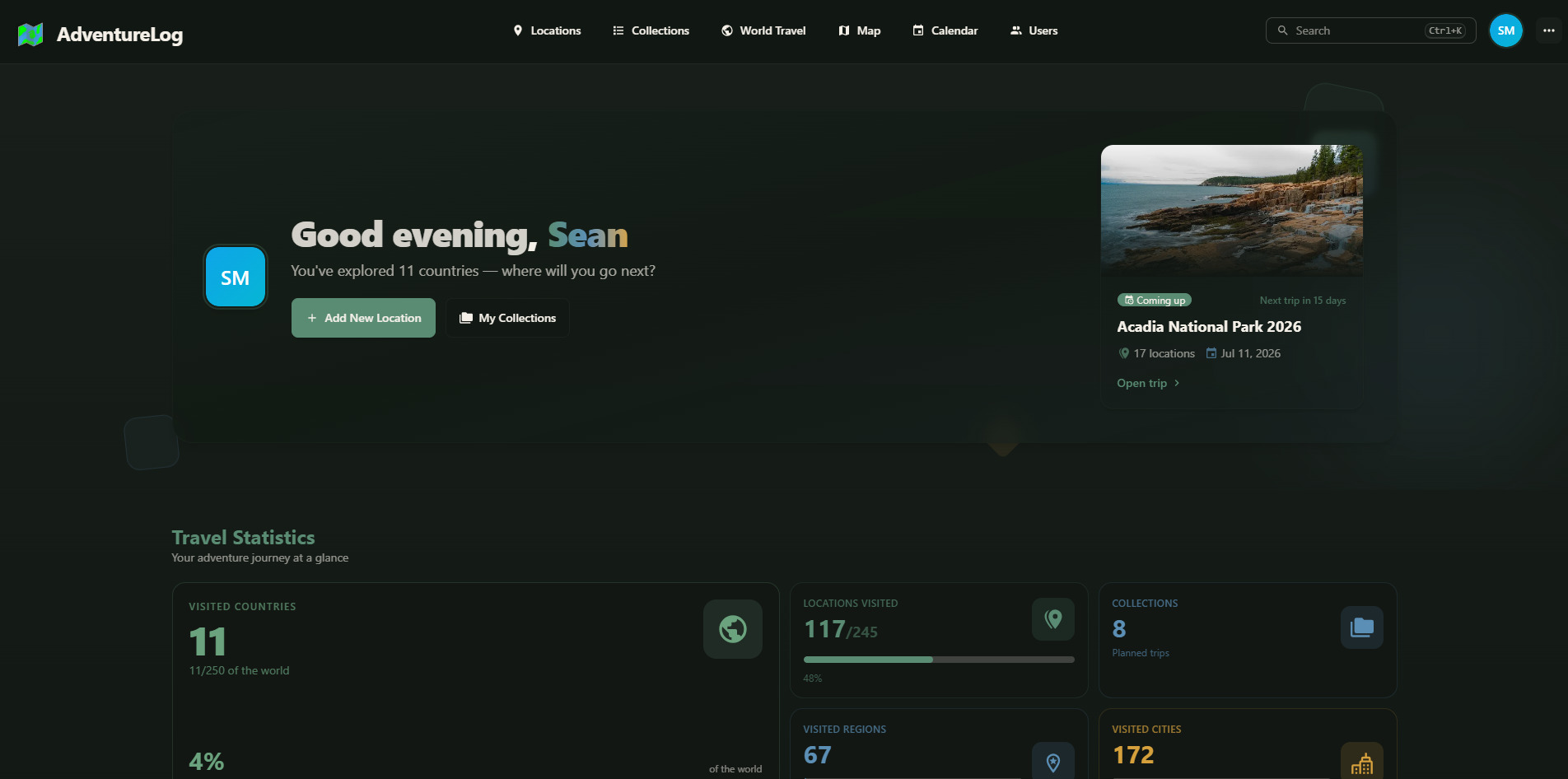
If you want the simplest possible “where have I been” tracker — a world map, visits, countries and itineraries — deploy AdventureLog. Single app container plus PostGIS, up in five minutes, and the cleanest data model of the three.
None of them is a drop-in replacement for the others. Pick by data model, not by screenshot.
Comparison Table (verified 2026-10-28)
| Dimension | TREK | Wanderer | AdventureLog |
|---|---|---|---|
| GitHub stars | 15,184 | 4,030 | 3,841 |
| Primary language | TypeScript | Go | Svelte |
| License | AGPL-3.0 | AGPL-3.0 | GPL-3.0 |
| Last push | 2026-10-28 | 2026-10-28 | 2026-10-27 |
| Forks | 1,306 | 204 | 264 |
| Open issues | 14 | 76 | 241 |
| Data store | SQLite in app volume | PocketBase + Meilisearch | PostgreSQL + PostGIS |
| Map dependency | Configurable tile/places provider | Overpass, Valhalla, Nominatim | Own tile config |
| Real-time collaboration | Yes | No | No |
| Budgets and packing lists | Yes | No | Partial (itinerary only) |
| Trail/route database focus | No | Yes | No |
| SSO / OIDC | Yes | No | No |
| Deployment complexity | 1 container | 3 containers | 2 containers |
| Best for | Group trip planning | Trail and route logging | Travel history map |
The issue counts tell you something the star counts hide: TREK has 14 open issues against 15K stars, which means a maintainer who closes things. AdventureLog has 241 open issues against 3.8K stars — a smaller team absorbing a lot of feature requests. Neither is a red flag, but if you depend on a tool for years, maintenance responsiveness matters more than a logo.
Decision Matrix — Pick in 10 Seconds
| Your situation | Recommended tool | Why |
|---|---|---|
| Planning a multi-city trip with friends or family | TREK | Shared lists, live updates, budgets, packing lists, per-day itinerary |
| Logging hikes, bike tours and via ferrata routes | Wanderer | Built around trails, coordinates and GPX, with search over 4K+ route records |
| “I just want a map of where I have been” | AdventureLog | Countries, visits, itineraries; no planning overhead |
| You need SSO for a household or small team | TREK | Native OIDC support; the others have none |
| You run on a 1 GB VPS | AdventureLog | Two containers, PostGIS only, no separate search engine |
| You want full-text search over your own notes | Wanderer | Meilisearch is part of the stack |
| You refuse plugins and want a small surface | AdventureLog | No plugin system, no background worker |
| You want the largest community and fastest fixes | TREK | 15K stars, 1.3K forks, daily commits |
TREK — The Full Planning Workspace
TREK is the closest thing to a commercial trip planner that you can run yourself. The feature list is unusually deep for a self-hosted project: real-time collaborative editing of an itinerary, interactive maps, PWA install for offline-ish access, reservation and accommodation records, day-by-day plans, budgets per category, packing checklists, and an in-app help wiki that ships inside the image.
The repository is AGPL-3.0 and moved 15,184 stars with 1,306 forks — that fork count is a strong signal, because people fork planners when they intend to customize them.
Deployment is a single container. The official compose file is security-hardened: read-only root filesystem, no-new-privileges, all capabilities dropped and only four added back for the init handoff.
| |
Generate the encryption key before first start, because rotating it later invalidates stored secrets:
| |
Note TREK_PLACES_ENABLED: since 4.3.0, place search can call a hosted places service. If you want zero outbound calls from search, set it to false and TREK falls back to OpenStreetMap or your own Google/Amap key. This is exactly the kind of switch you should decide before you invite other users.
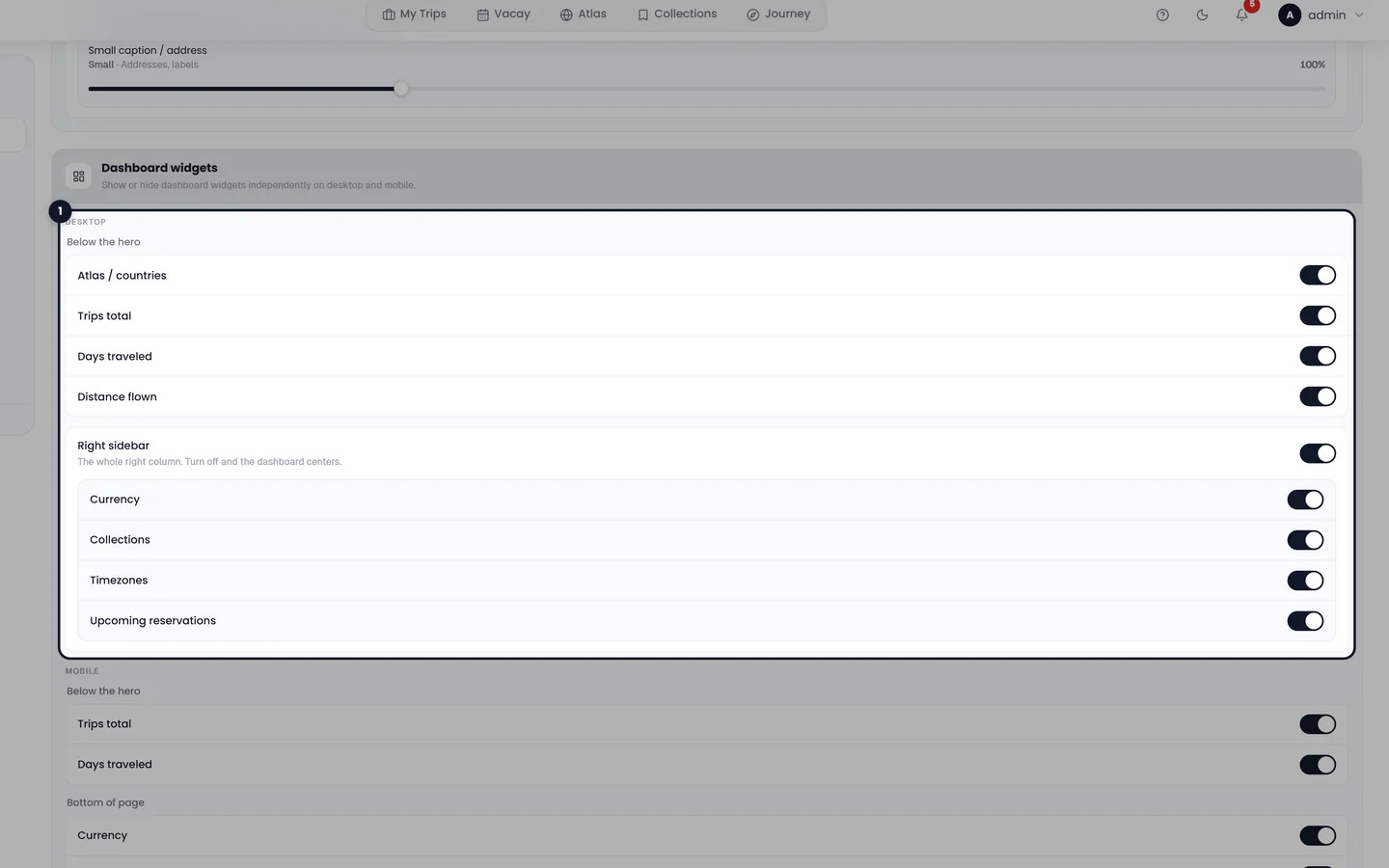
Verdict: pick TREK unless you specifically need a trail database. It is the only one of the three that a non-technical travel companion can use without training.
Wanderer — A Trail Database, Not an Itinerary App
Wanderer describes itself as a self-hosted trail database: save your adventures, attach routes, browse them on a map. Under the hood it is Go plus three services — PocketBase for data, Meilisearch for search, and SvelteKit for the web UI.
The compose file is the most interesting part of the project, because it shows the real cost of “just add search”:
| |
Two things to notice. First, the default compose points routing and geocoding at public OSM services (overpass-api.de, valhalla1.openstreetmap.de, nominatim.openstreetmap.org). Those are donated infrastructure with strict rate limits; if your instance gets popular, you will be the one abusing them. Run your own Valhalla and Nominatim if the instance is more than personal — the compose file even ships a commented-out Valhalla block for exactly that.
Second, BODY_SIZE_LIMIT defaults to 2 GB because GPX and photo uploads are the normal case. That single line has more operational impact than any feature bullet: your reverse proxy needs matching limits or uploads will fail with a 413 that looks like a Wanderer bug.
Verdict: excellent at trails, weak at planning. If your trips are “drive to a trailhead, hike, log it,” Wanderer’s data model is a better fit than TREK’s itinerary grids.
AdventureLog — The Five-Minute Travel Map
AdventureLog is the smallest of the three and the one I would hand to a non-technical person. Its scope is travel tracking: countries visited, individual visits, itineraries, collections of places. It uses PostgreSQL with PostGIS, which means geographic queries are native rather than bolted on.
The official compose is short enough to read in one sitting:
| |
The healthcheck is worth copying rather than trusting: it waits 120 seconds before the first check, because the app runs migrations on boot and a naive 30-second healthcheck will restart the container mid-migration and corrupt your first-run state.
Verdict: if you want a travel history and nothing else, this is the correct answer. It is also the one with the most open feature requests, so expect a busier changelog than TREK.
Pitfalls, Migration Notes and Operational Traps
Do not put any of these behind a public URL without auth. All three are single-tenant by design. TREK has real accounts and OIDC; Wanderer and AdventureLog expect you to keep the instance private. A public AdventureLog means anyone can register and start adding to your database.
Map tiles are the hidden bill. TREK, Wanderer and AdventureLog all render maps, and all three will hammer whatever tile source you configure. Self-host tiles or use a paid provider — do not point a shared family instance at a free public tile server and then wonder why images stop loading.
Back up the database, not the container. For TREK that is ./data; for Wanderer it is ./data/pb_data plus ./data/data.ms (a search index you can rebuild, but rebuilding costs time); for AdventureLog it is the postgres_data volume. A docker compose down -v on any of them is unrecoverable.
Pin image tags in production. TREK ships mauriceboe/trek:latest, Wanderer ships flomp/wanderer-* without a tag, AdventureLog ships :latest. A rebuild after six months can silently jump several major versions. Pin to a digest once you are happy.
GPX is the migration path. If you ever want to move between these tools, export routes as GPX. None of the three offers a clean import of another’s database, and asking for one in an issue tracker is a good way to wait a year.
Why Self-Host a Travel Planner at All?
Travel data is a behavioural record: where you slept, when your house was empty, what you spent, who travelled with you. A hosted planner knows all of it and you have no visibility into retention. Self-hosting removes the third party from that relationship for the price of a small VPS.
It also survives the app economy. Planners get acquired, pivoted to subscriptions, or abandoned. A Docker compose file plus a nightly pg_dump is a plan that keeps working in 2031.
If you are already running mapping infrastructure, the pieces line up nicely: our self-hosted routing engines comparison covers Valhalla, OSRM and GraphHopper, which is exactly what Wanderer wants behind VALHALLA_URL. For trip photos, the LibrePhotos vs Immich vs PhotoPrism guide covers the storage side. And if you care about public transport data for itinerary planning, the OneBusAway vs OpenTripPlanner article is the relevant read.
Running all three is not crazy, by the way — TREK for planning, Wanderer for trails, AdventureLog for the long-term map. They are small enough to coexist on one 4 GB VPS if you give Meilisearch a memory cap.
FAQ
Which self-hosted travel planner is best for a family trip?
TREK. It is the only one of the three with collaborative editing, budgets, packing lists and per-day itineraries, plus native OIDC if you want the household to log in with an existing identity provider. Wanderer and AdventureLog are single-user tools by comparison.
Can Wanderer replace TREK for itinerary planning?
No. Wanderer is a trail and route database. It is excellent at GPX tracks, map browsing and full-text search over routes, but it has no day-by-day itinerary, no budget tracking and no packing lists. Use it for hiking and cycling, not for planning a city break.
Does AdventureLog need PostgreSQL?
Yes. AdventureLog runs against PostgreSQL with PostGIS, and the official compose file starts postgis/postgis:16-3.5 alongside the app. There is no SQLite mode, so budget roughly 300-500 MB of RAM for the database alone.
How much RAM do these planners need?
AdventureLog is the lightest at roughly 700 MB total for app plus PostGIS. TREK runs comfortably in about 500 MB. Wanderer needs the most because Meilisearch alone wants 300-500 MB, so plan for 1.2-1.5 GB if you keep the default stack.
Are these tools safe to expose to the internet?
Only TREK is designed for multi-user exposure, and even then you should put it behind a reverse proxy with TLS and enforce SSO. Wanderer and AdventureLog have no meaningful multi-tenant isolation; keep them on a VPN, Tailscale or an authenticated proxy such as Authelia.
What happens to my data if the project is abandoned?
Because all three store data locally — SQLite or PocketBase files, or a PostgreSQL volume — you keep the raw data regardless of project status. Export routes as GPX and keep nightly database dumps; a Postgres dump plus GPX files is a portable archive that any future tool can ingest.
💰 想测试你的市场判断力?我用 Polymarket 做预测市场交易——这是全球最大的预测市场平台,从大选结果到技术监管时间线,什么都可以押注。和赌博不同,这是真正的信息市场:你懂的信息越多,胜率越高。我靠预测技术相关事件的走向已经赚了不少。用我的邀请链接注册:Polymarket.com