You can run Xray-core with a 40-line JSON file. You cannot run 400 clients, six protocols and three edge nodes on hand-edited JSON without eventually locking yourself out of your own server at 2 a.m. That is the exact problem the current generation of proxy control panels solves — and the three that dominate GitHub in 2026 solve it in completely different ways.
This is a deployment-level comparison, not a feature-list copy-paste. Every star count, release tag and config snippet below was pulled from the upstream repositories on 2026-10-25.
Quick Verdict
- Pick 3X-UI if you want one binary, SQLite by default, and per-client quotas with Fail2ban enforcement. It is the most actively developed of the three (48.5K stars, v3.10.2 shipped 2026-10-14) and the only one where the Docker path is first-class.
- Pick Marzban if your workflow is API-first. Its REST API and
marzban cliare the cleanest for automation, and the single-container Compose file is the least surprising thing you will deploy this month. - Pick Hiddify Manager if you need many protocols behind one subscription link and you are willing to accept an opinionated, script-installed Django stack that wants to own the whole host.
If you only have one VPS and fewer than 20 users, 3X-UI. If you are building something resellers touch, Marzban. If users must never think about which protocol they are on, Hiddify.
Side-by-Side Comparison
| Dimension | 3X-UI | Marzban | Hiddify Manager |
|---|---|---|---|
| GitHub stars (2026-10-25) | 48,539 | 7,477 | 9,406 |
| Latest release | v3.10.2 (2026-10-14) | v0.8.4 (2025-01-09) | v14.0.5 (2026-10-20) |
| Language / stack | Go, single binary | Python (FastAPI) | Python (Django) |
| License | GPL-3.0 | AGPL-3.0 | GPL-3.0 |
| Storage | SQLite (default) or PostgreSQL | SQLite under /var/lib/marzban | SQLite + internal config |
| Deployment | Native script or Docker Compose | Docker Compose (host network) | Bash installer (owns the host) |
| Protocol breadth | VLESS, VMess, Trojan, SS, WireGuard, AmneziaWG, TUIC v5, Hysteria2, MTProto, HTTP/SOCKS, TUN | Whatever you write into XRAY_JSON | 20+ presets incl. REALITY, Telegram proxy |
| Per-client accounting | Yes, plus IP/HWID limits | Yes, plus data limits & expiry | Yes, plus per-domain routing |
| Subscription output | Raw / JSON / Clash, auto by User-Agent | Yes, path configurable | Yes, multi-format |
| Multi-node | Yes (panel-to-node, inbound cloning) | Single instance per node | Yes (multi-proxy backends) |
| API / bots | REST API with scoped tokens, Telegram + Discord bots | REST API, Telegram bot, CLI | REST API, Telegram bot |
| Upgrade risk | Low — single binary + DB file | Medium — image tag pinning matters | High — installer rewrites host config |
Decision Matrix: Match the Panel to the Job
| Your situation | Recommended | Why |
|---|---|---|
| Homelab, < 20 users, single VPS | 3X-UI | One binary, SQLite, QR codes and share links without touching JSON |
| Small reseller with per-client quotas | 3X-UI or Marzban | Both do traffic accounting; 3X-UI adds IP/HWID limits and Fail2ban |
| Everything driven from Ansible/Terraform | Marzban | The REST API is the product; the dashboard is a client of it |
| Users on phones, mixed networks, want one link | Hiddify Manager | One subscription URL fans out to 20+ protocols |
| Existing Nginx/Traefik reverse proxy on the host | 3X-UI (Docker) | You can publish a single panel port and keep certs outside |
| Host must stay clean (no global Python/Django) | Marzban | Container-only deploy, state in one volume |
| You need PostgreSQL for audit logging | 3X-UI | --profile postgres in the shipped Compose file |
3X-UI: The Go Panel That Ate the Ecosystem
48,539 stars, v3.10.2, GPL-3.0, written in Go. The repository ships a real docker-compose.yml — not a wiki page telling you to write your own — and the container runs the panel plus Xray in one process tree.
The Compose file in the upstream repo is worth reading before you deploy, because two of its settings decide whether your IP limits actually work:
| |
Notes that the README buries:
NET_ADMINandNET_RAWare not optional if you enable Fail2ban. Without them, a ban is written to the status page and never applied to iptables — you get all the confidence of enforcement with none of the enforcement.$PWD/acme/persistsacme.shstate. Skip it and certificate auto-renewal silently re-registers from scratch on every container recreation.- The Postgres profile is a legitimate migration path when your SQLite file passes ~1 GB or you want SQL-level audit queries:
docker compose --profile postgres up -d, then uncommentXUI_DB_TYPEandXUI_DB_DSN. - AmneziaWG runs in-process over a userspace netstack, so it needs no kernel module and no DKMS — a genuinely useful property on locked-down VPS kernels.
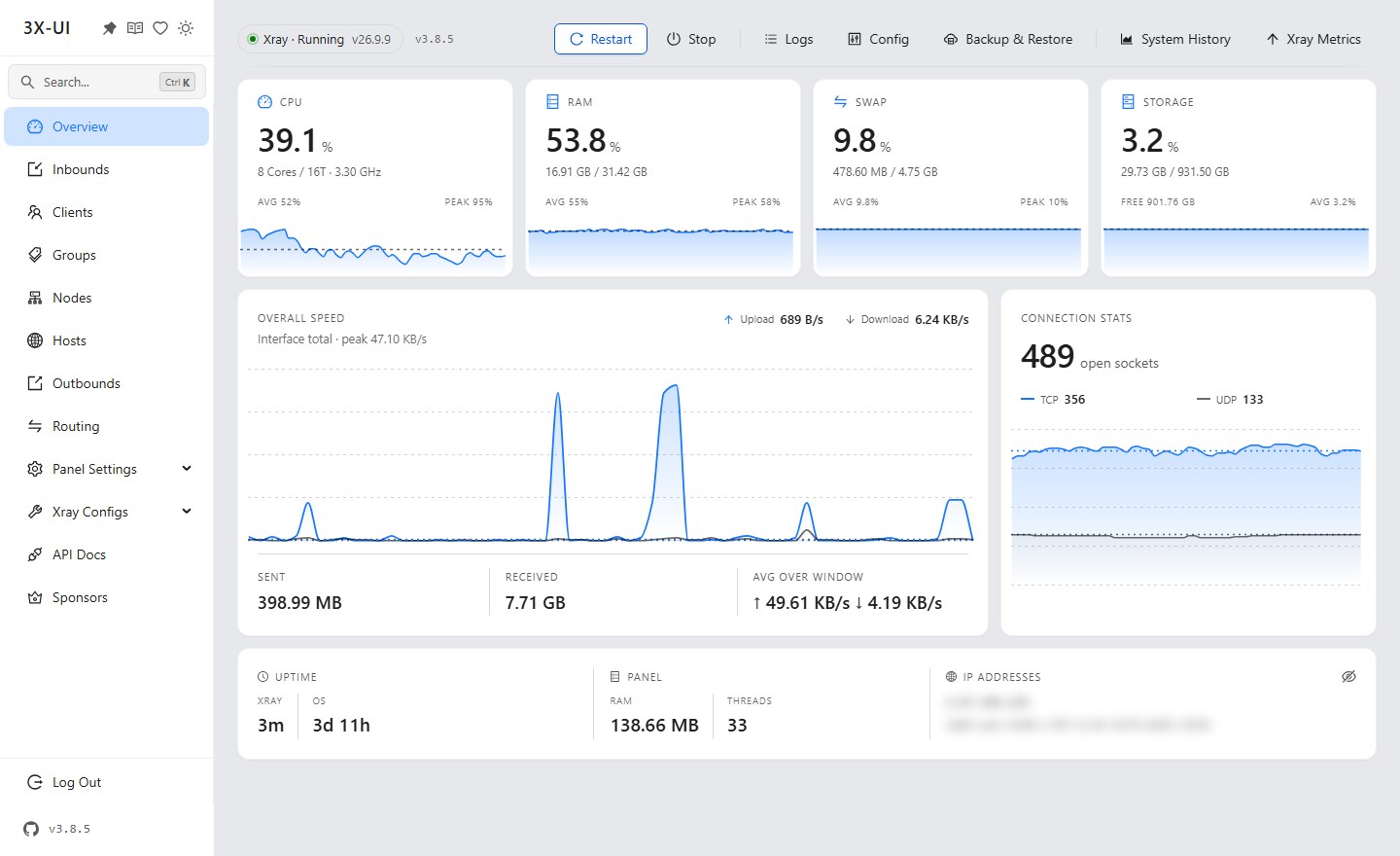
For a native install without Docker, the release tarball carries the same binary the container runs; the panel then manages /etc/x-ui/x-ui.db and expects you to place certs in /root/cert/.
Marzban: The API-First Panel
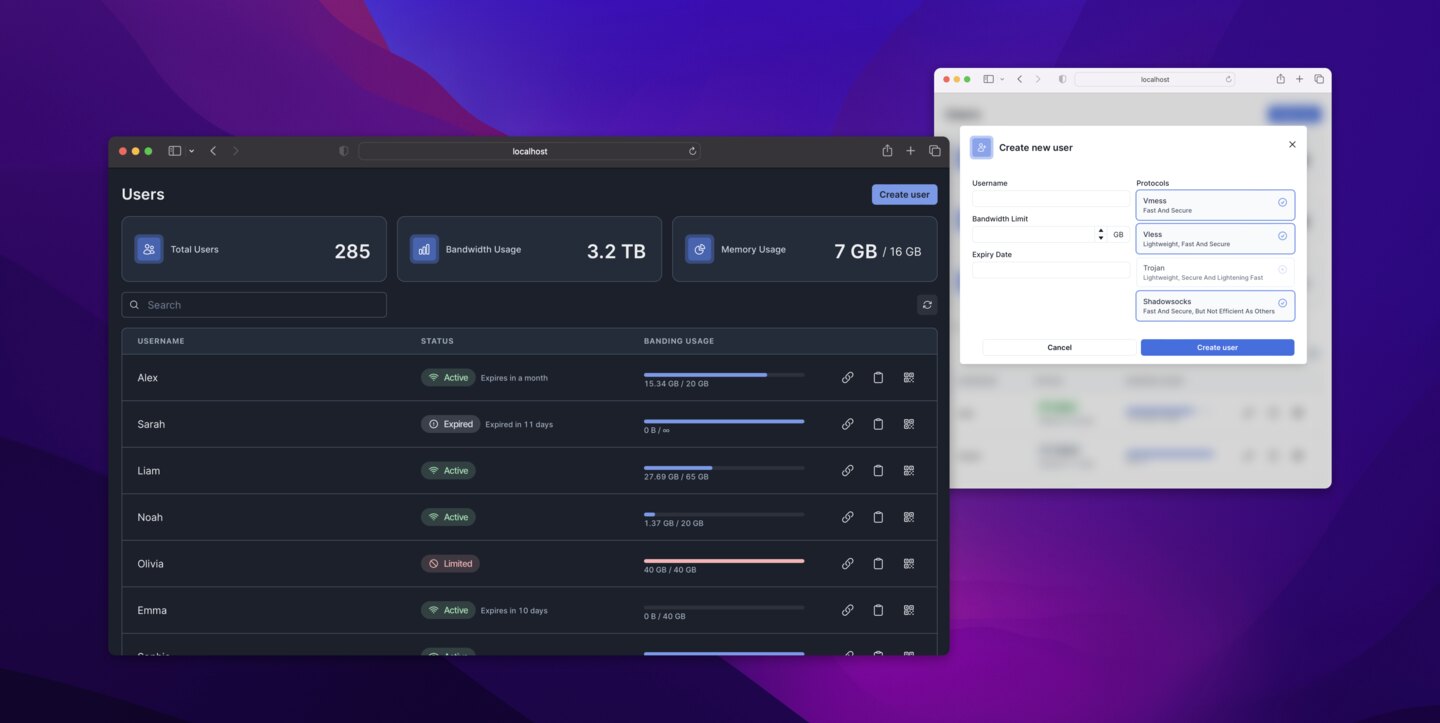
7,477 stars, v0.8.4, Python/FastAPI. Marzban’s design bet is that you will automate it, so the dashboard is deliberately thin and the API is complete. The whole deployment is one service with host networking:
| |
The .env file is where the actual architecture lives:
| |
Two things to internalize:
network_mode: hostis intentional. Xray needs to bind arbitrary ports for inbounds; bridging the container means every inbound port needs its own published mapping. This also means Marzban cannot coexist cleanly with another service that grabs the same ports.- Everything is in
/var/lib/marzban— the SQLite database, generated Xray config, and certs. Back up that one directory and you can rebuild the host in minutes. That single-volume property is why Marzban is the easiest of the three to reason about operationally.
Create the first admin with the CLI inside the container rather than the SUDO_USERNAME/SUDO_PASSWORD env vars, which the upstream .env.example explicitly discourages as hard-coded credentials:
| |
The trade-off: v0.8.4 dates from 2025-01-09 while the Xray core it drives keeps moving. Pin the image tag, subscribe to releases, and plan a manual upgrade window — latest is a decision, not a default.
Hiddify Manager: One Subscription, Twenty Protocols
9,406 stars, v14.0.5 (2026-10-20), Python/Django. Hiddify is the most opinionated of the three: it installs system packages, configures Nginx, and manages multiple proxy backends so that a single subscription link can hand a client several working paths at once. It is optimized for users who should never have to choose a protocol.
That power costs you host ownership. Hiddify’s installer is not a container — it configures the machine, and upgrading means letting it reconfigure the machine again. On a dedicated VPS that is fine. On a host that also runs your reverse proxy, database and monitoring stack, it is a fight you will lose slowly.
Its protocol presets (REALITY, Hysteria2, TUIC, Telegram MTProto, WireGuard-based options among 20+) and per-domain routing make it the strongest choice when client compatibility, not server purity, is the constraint.
Migration and Operations Traps
- Port 443 collisions. All three want TLS on 443. If Nginx or Caddy already owns it, either terminate TLS at the reverse proxy and forward to the panel, or move the panel to 2053 and keep the proxy on 443. Deciding this after deployment means reissuing certificates and re-sending every subscription link.
- REALITY keys are not portable between panels. Exporting a client config from 3X-UI and importing it into Marzban does not work at the JSON level — the short IDs, dest targets and private keys are panel-scoped. Migrate by re-creating inbounds and re-issuing subscriptions, then keep both panels running for a week before cutting over.
- Traffic counters reset on inode change. If you restore a SQLite snapshot from a different path or replace the DB file, per-client usage may reset to zero, which silently un-enforces quotas. Snapshot the DB while the panel is stopped, or use the panel’s own export.
- Subscription URLs behind a CDN must have the subscription path excluded from caching, or clients will fetch a stale config for hours. Set
XRAY_SUBSCRIPTION_URL_PREFIX/DASHBOARD_PATHexplicitly rather than relying on auto-detection behind a proxy. - Do not expose the panel port to the internet and then wonder why your inbound list changes weekly. All three support IP allow-listing or a private listener; use it.
Why Self-Host the Control Plane at All?
The panel is the part of the stack that holds credentials, quotas and billing — that is exactly the layer you should not outsource to somebody else’s SaaS. Running it yourself gives you the audit trail, the ability to migrate nodes, and the option to keep per-client accounting when a provider’s ToS changes under you.
For the data-plane side of the same stack, our sing-box vs Xray-core vs Hysteria2 comparison covers which core to put underneath these panels, and the Shadowsocks vs V2Ray vs Trojan vs Hysteria guide explains the protocol trade-offs that decide your inbound list. If your clients are mostly laptops and phones on WireGuard rather than Xray, the wg-easy vs WireGuard-UI vs wg-gen-web comparison is the closer analogue.
FAQ
Which of the three is fastest for a single VPS?
3X-UI, marginally — it is a Go binary with no Python runtime between you and the Xray process, and it starts in under a second. But the difference is noise compared to protocol and transport choice. Pick 3X-UI for operational simplicity, not for a throughput number you will never measure.
Can I run two of these panels on the same server?
Yes, if you give each its own ports, certificate directory and database path, and only one of them owns 443. In practice this is how people migrate: run the new panel on 2053, recreate inbounds, hand out new subscriptions, then retire the old one. Do not share /var/lib/marzban or /etc/x-ui/ between instances.
Does Marzban support PostgreSQL?
No. Marzban stores state in SQLite under /var/lib/marzban. If PostgreSQL is a hard requirement, 3X-UI ships a postgres Compose profile, and Hiddify manages its own database internally.
How many clients can one panel handle?
The panel is not the bottleneck; the Xray core and the NIC are. Panels comfortably manage thousands of client records, but per-client traffic accounting writes to the database, so with Postgres-backed 3X-UI or a tuned SQLite you should still keep accounting intervals sane rather than logging every connection.
Is it safe to expose the dashboard publicly?
Only behind TLS with a non-default path and IP allow-listing, and never on the same port as your inbounds. All three panels are administrative interfaces for credentials — treat them like you would treat a database admin console, because that is what they are.
💰 想测试你的市场判断力?我用 Polymarket 做预测市场交易——这是全球最大的预测市场平台,从大选结果到技术监管时间线,什么都可以押注。和赌博不同,这是真正的信息市场:你懂的信息越多,胜率越高。我靠预测技术相关事件的走向已经赚了不少。用我的邀请链接注册:Polymarket.com