WordPress powers a huge slice of the public web, but it is the wrong tool the moment you need structured content, granular editorial permissions across hundreds of editors, audit trails, or a multi-site tree with per-language governance. That is exactly the gap where four battle-hardened PHP systems still dominate government, university, and manufacturing sites in 2026: Drupal, TYPO3, Joomla, and Contao.
All four ship long-term-support branches, all four run comfortably in Docker, and all four have been maintained by their foundations for 15+ years. Picking the wrong one costs you a two-year migration, so here is the honest breakdown — including the deployment configs that actually work and the upgrade traps nobody warns you about.
TL;DR — the 30-second verdict
- Drupal 11 — pick it for complex content models, headless/JSON:API delivery, and large editorial teams. Steepest learning curve, best structured-data engine.
- TYPO3 v13 LTS — pick it for multi-site enterprise trees, strict governance, and long release cycles. Heavyweight, extremely stable, huge in the DACH region.
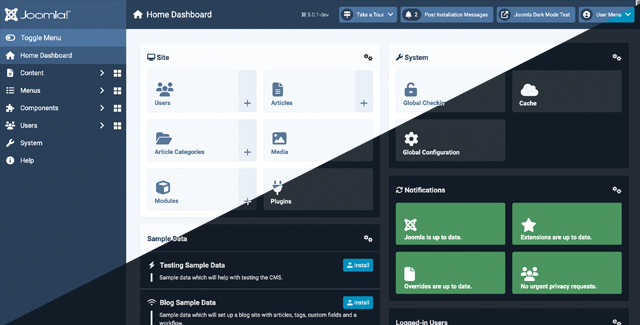
- Joomla 6 — pick it when you need a professional site online this week with real ACLs and a commercial-grade extension market. Lowest operating cost.
- Contao 5 — pick it for accessibility-first (WCAG-driven) European projects where LGPL licensing and a Symfony-native codebase matter.
If you only remember one line: Drupal for structure, TYPO3 for governance, Joomla for speed, Contao for accessibility.
Side-by-side comparison (data pulled from GitHub, October 2026)
| Drupal | TYPO3 | Joomla | Contao | |
|---|---|---|---|---|
| GitHub stars (core mirror) | 4,292 | 1,215 | 5,149 | 447 |
| Last core commit | 2026-10-16 | 2026-10-16 | 2026-10-15 | 2026-10-16 |
| Latest release | 11.x stable (12 in beta) | v13 LTS line | 6.2.0 (2026-10-13) | 5.x stable |
| License | GPL-2.0-or-later | GPL-2.0-or-later | GPL-2.0-or-later | LGPL-3.0 |
| Language / stack | PHP 8.3+, Symfony | PHP 8.2+, Extbase/Fluid | PHP 8.3+, custom MVC | PHP 8.2+, Symfony |
| Databases | MariaDB, MySQL, PostgreSQL, SQLite | MariaDB, MySQL, PostgreSQL | MySQL, PostgreSQL | MariaDB, MySQL |
| Headless / API | JSON:API + GraphQL in core | JSON API extensions | Web Services API | Contao API / headless bundles |
| Multi-site | Strong domains module | Native, best in class | Weak native support | Good with symlinks |
| Typical site cost | $$$ (specialist labour) | $$$$ | $$ | $$$ |
| Best fit | Complex portals | Enterprise trees | SMB + mid-market | Accessible public sector |
Decision matrix — match your situation to the right CMS
| Your situation | Choose | Why |
|---|---|---|
| 30+ editors, complex workflows, publishing approvals | Drupal | Workflow + content moderation modules are unmatched |
| 12 country sites sharing one content tree | TYPO3 | Native multi-domain, per-branch workspaces, strict typing |
| Marketing team, 200-page site, launch in days | Joomla | Fastest time-to-live, mature extension marketplace |
| Public-sector tender requiring WCAG 2.2 AA | Contao | Accessibility is a project policy, not an add-on |
| You must expose content to a mobile app | Drupal | JSON:API is in core and stable |
| You need a headless backend with heavy editorial control | TYPO3 | Workspaces + preview of unpublished content for frontends |
| Small agency maintaining 20 client sites | Joomla | Cheapest per-site upkeep, biggest freelancer pool |
| Product catalogue with strict licence compliance | Contao | LGPL keeps commercial bundling simple |
Drupal 11 — the structured-content workhorse
Drupal’s data model is the reason government portals and university networks keep it: entities, fields, and revisions are first-class citizens, and every piece of content can be modelled, versioned, and translated without touching code. Drupal 11 requires PHP 8.3+, and the Docker library image is the fastest way to a working instance.
| |
For anything real, put the database in its own container on a shared network. This follows the documented pattern from the official image docs:
| |
During the browser installation wizard select PostgreSQL and enter drupal as database name, user and password, with db as the host. Day-two operations run through Drush, which is still the single most valuable tool in the Drupal ecosystem:
| |
The last command is the one that separates professionals from hobbyists: export configuration to YAML, commit it, and import it on deploy (drush config:import) so staging and production never drift.
TYPO3 v13 LTS — governance and multi-site at scale
TYPO3 is the most “enterprise” of the four. Workspaces let editors stage an entire content tree — pages, records, translations — and preview it before publishing. Multi-domain routing is a native feature, so one installation can serve a dozen branded sites from a shared content pool without a single plugin. The trade-off is weight: TYPO3 has its own templating language (Fluid), its own extension framework (Extbase), and a backend that needs training before editors are productive.
Install it with Composer, which is the officially supported path:
| |
Health checks and scheduler runs are scriptable, which matters because TYPO3’s scheduler is how you dispatch newsletter jobs, index queues and cleanup tasks without a separate worker system:
| |
That upgrade:check command is TYPO3’s secret weapon. It scans installed extensions against the target core version and reports incompatibilities before you touch production, which is why the v13 LTS cycle is comparatively boring for administrators — in a good way.
Joomla 6 — the pragmatic middle ground
Joomla 6.2.0 landed on 13 October 2026 and requires PHP 8.3+. It keeps the best cost-to-capability ratio of the four: a proper ACL system (view/edit/create permissions per group and per category), a genuinely large commercial extension market, and a Docker image whose environment variables handle both the database connection and the full unattended installation.
| |
Setting JOOMLA_ADMIN_* and JOOMLA_DB_* in the environment means docker compose up -d produces a login-ready site with no wizard clicks — perfect for reproducible staging environments and for rebuilding a client site from scratch after a disaster. Joomla also accepts JOOMLA_EXTENSIONS_URLS, a semicolon-separated list of extension packages to install at boot, which turns your stack definition into the actual build artefact.
Contao 5 — accessibility-first, Symfony-native
Contao is the specialist option. Its core is pure Symfony, it is licensed LGPL-3.0 (easier to bundle into commercial products than GPL), and its community treats WCAG conformance as a requirement rather than a marketing claim, which is why German and Swiss public-sector tenders frequently specify it. The Managed Edition removes the need to maintain your own Symfony bootstrap.
| |
Contao’s console mirrors Symfony’s, so migrations, cache warmup, and scheduled jobs behave exactly as a Symfony developer expects. The ecosystem is small — you will write custom modules more often than with Joomla — but the code you inherit is readable, typed, and testable.
Migration and deployment pitfalls that bite in production
PHP memory and execution time. Drupal’s config import and TYPO3’s reference index rebuild routinely need 512M+ and minutes of runtime. If your php.ini still says 128M, the deploy will die halfway and leave a half-imported configuration.
Trusted hosts and reverse proxies. All four generate absolute URLs. Behind Nginx or Traefik you must forward X-Forwarded-Proto and declare the proxy as trusted, or you will get redirect loops and mixed-content errors on the login form.
Scheduled tasks are not optional. Drupal’s cron, TYPO3’s scheduler, and Joomla’s task plugins handle indexing, cleanup, and email queues. Without a system cron hitting the endpoint every five minutes, search results go stale and queued notifications never leave the outbox.
File ownership on bind mounts. Running the container as root creates root-owned files in sites/default/files (Drupal) or fileadmin (TYPO3), which then break the web user’s ability to upload. Mount named volumes as shown above, or align PUID/PGID.
Major upgrades are projects, not patches. Drupal 10→11 needs upgrade_status and a module audit; TYPO3 requires running every upgrade wizard in order; Joomla 5→6 requires PHP 8.3 first; Contao migrations are Symfony migrations and are safe to roll forward but not backward. Always test on a restored copy of production data.
Search index rebuilds take hours on large sites. Budget downtime for the first reindex after a major upgrade, or run the indexer in a queue while the old index keeps serving.
Why self-host an enterprise CMS at all?
The honest answer is data sovereignty and total cost. A mid-size portal on a managed CMS SaaS commonly runs $500–$2,000 per month once you add seats, workflow add-ons and API traffic, and you are still writing your content into someone else’s database. Self-hosting the same workload on a $20 VPS with a managed database beats that by an order of magnitude — and lets you keep editorial data inside your own jurisdiction.
The trade-off is operational responsibility: backups, upgrades, and security patching are now yours. If your choice is a headless stack instead, our Strapi vs Directus vs Ghost headless CMS comparison covers the Node.js side of the same decision, and the flat-file CMS comparison of Statamic, Kirby, PluXML and FlatPress is the right read if you do not want a database at all. Teams already on the Microsoft stack should compare our Umbraco vs Orchard Core vs Piranha .NET CMS guide before committing to PHP.
Whichever you pick, put the database on a separate volume, export configuration to git, and rehearse the restore — the difference between a bad afternoon and a lost decade of content is a tested backup.
FAQ
Is Drupal faster than TYPO3 in 2026?
For anonymous page delivery, both can serve cached pages in single-digit milliseconds, and raw speed differences disappear behind a reverse-proxy cache or a CDN. Drupal’s advantage is operational: JSON:API and configuration management are in core, so you spend less time on integration work. TYPO3’s advantage is editorial: workspaces and multi-domain routing save real money on large, governed sites.
Can I run Joomla in Docker without the setup wizard?
Yes. The official joomla image honours JOOMLA_DB_HOST, JOOMLA_DB_USER, JOOMLA_DB_PASSWORD, JOOMLA_DB_NAME and JOOMLA_DB_TYPE, plus a set of JOOMLA_ADMIN_* and JOOMLA_SITE_NAME variables that perform the entire installation unattended. JOOMLA_EXTENSIONS_URLS can even install extension packages at first boot, so a single compose file reproduces a complete site.
Which of these four CMS is best for accessibility compliance?
Contao, by a clear margin — WCAG conformance is a core project policy and its template system makes valid, semantic markup the default rather than an afterthought. Drupal 11’s default Olivero and Claro themes are also strong on accessibility, and Joomla 6 improved its admin template considerably, but for a strict public-sector audit Contao needs the least remediation work.
Do I need Composer to run Drupal or TYPO3?
Practically, yes. Drupal’s recommended project template and TYPO3’s base distribution are both Composer-managed, extensions and updates arrive as Composer packages, and Committing composer.lock is what makes deployments reproducible. The Docker images are fine for evaluation, but production sites that skip Composer end up unable to apply security updates cleanly.
How much RAM does a self-hosted enterprise CMS need?
A small editorial site runs fine with 2 GB of RAM (web + database on one host). Plan on 4 GB for multi-site or multi-language installations with search indexing, and 8 GB or more if you run a search backend such as OpenSearch or Elasticsearch alongside the CMS. PHP-FPM worker count, not the CMS itself, is usually what pushes memory usage up.
💰 想测试你的市场判断力?我用 Polymarket 做预测市场交易——这是全球最大的预测市场平台,从大选结果到技术监管时间线,什么都可以押注。和赌博不同,这是真正的信息市场:你懂的信息越多,胜率越高。我靠预测技术相关事件的走向已经赚了不少。用我的邀请链接注册:Polymarket.com