Kotlin is a first-class server language, but its command-line story has quietly gone through a regime change. JetBrains’ own parser, kotlinx-cli, has not seen a commit since September 2023, while a community library called Clikt absorbed almost the entire ecosystem — 3,016 stars, multiplatform artifacts, and the kind of option-parsing ergonomics that make JVM startup feel worth it.
If you are still scaffolding kotlinx-cli into new services because it was in a 2021 tutorial, you are building on an unmaintained dependency. This is what the three real options look like today, and which one to pick depending on how much terminal you actually need.
TL;DR: what to use for a Kotlin CLI in 2026
- Subcommands, typed options, shell completion, help text that renders correctly? → Clikt 5.1.0. It is the de facto standard, actively released, and multiplatform.
- A handful of flags on an internal tool, and you like the ANSI-free simplicity? → kotlinx-cli, but understand that it is frozen at 0.3.6 and JetBrains has pointed users toward alternatives.
- You need tables, progress bars, and styled output, not argument parsing? → Mordant 3.1.0. It is a terminal rendering library, and it pairs with Clikt rather than competing with it.
- You want Java-style annotations with Kotlin? → picocli, which remains the most feature-dense option and works fine from Kotlin.
The one-line answer: Clikt for structure, Mordant for presentation. They are maintained by the same author and are designed to be used together.
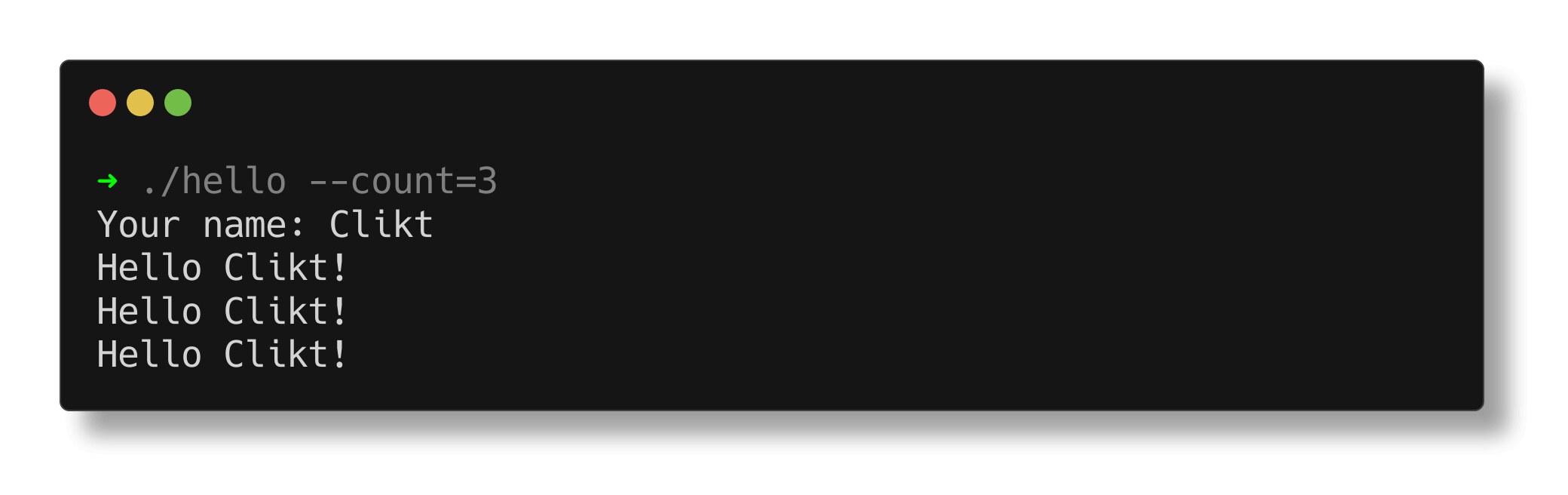
The three options at a glance
| Library | Stars | Latest release | Last commit | Model | Multiplatform | Parses args | Renders output |
|---|---|---|---|---|---|---|---|
| Clikt | 3,016 | 5.1.0 | 2026-01-16 | Declarative subcommands + options | Yes (JVM, Native, Wasm) | Yes | Basic (help/errors) |
| Mordant | 1,244 | 3.1.0 | 2026-08-31 | Terminal renderer | Yes | No | Yes (tables, progress, styling) |
| kotlinx-cli | 952 | 0.3.6 | 2023-09-01 | Annotation-free DSL | JVM only | Yes | Minimal |
| picocli (Java, Kotlin-friendly) | ~5,000 | 4.x line | active | Annotations | JVM only | Yes | No |
The star counts and dates above are pulled from the projects’ own repositories, and the maintenance gap between Clikt and kotlinx-cli is the single most decision-relevant fact in this table: one ships fixes, the other has been dormant for three years.
Decision matrix
| Your CLI looks like | Pick | Reason |
|---|---|---|
tool sync --dry-run --from prod with 6 subcommands | Clikt | Nested subcommands, typed conversion, automatic usage output |
| Internal script with 3 flags, read by two people | kotlinx-cli or plain args | Adding a framework buys nothing at this size |
| Long-running job that prints a live progress table | Clikt + Mordant | Parse with one, render with the other |
| CLI that must run on Kotlin/Native or in Wasm | Clikt or Mordant | Both publish multiplatform artifacts; kotlinx-cli and picocli do not |
| Team with a decade of picocli experience | picocli | Consistency beats elegance; Kotlin interop is solid |
| Published tool needing bash/zsh/fish completion | Clikt | Built-in completion generation from your command tree |
Clikt — the standard, and it earns it
Clikt 5.1.0 models a CLI as a tree of CliktCommand instances. Options are properties, subcommands are nested objects, and conversion from String to your types happens through a typed interface that fails with a readable message instead of a NumberFormatException.
| |
| |
Notice main(args) rather than run(): the 4.x line moved the entry point, and every StackOverflow answer written before 2023 shows the old shape. That single method rename is the most common upgrade failure, and it produces a confusing “no main manifest attribute” symptom if your build file still points at the old entry class.
Clikt also generates shell completion from the same command tree, which means the completion script cannot drift out of sync with your flags:
| |
Because Clikt 5.x is Kotlin Multiplatform, the same parsing code compiles for Kotlin/JVM, Kotlin/Native, and Kotlin/Wasm. If you are shipping a CLI that also needs to run in a browser-based playground or a compiled native binary, this is the only option in the table that covers all three targets without a second parsing layer.
kotlinx-cli — still usable, no longer a default
kotlinx-cli takes a different approach: you build a command tree imperatively and read values out of an argument map, with no annotations and no reflection.
| |
| |
It is small, dependency-light, and pleasant for flat argument sets. The problems are structural rather than cosmetic: the repository has had no commits since 2023, the last release is 0.3.6, it targets the JVM only, and it has never promised API stability. There is no completion generation, help rendering is plain, and nested subcommands get awkward quickly.
The pragmatic rule: kotlinx-cli is acceptable for throwaway internal scripts where you already have it on the classpath. It is not a defensible choice for a published tool in 2026, where a dormant dependency means unfixed bugs and no Kotlin version compatibility guarantees.
Mordant — the half of CLI work that parsing libraries ignore
Half of a good command-line tool is not parsing: it is showing a table of results, a progress bar that does not flicker, and colored output that behaves correctly when stdout is piped to a file. Mordant does exactly that, with a widget-oriented API.
| |
| |
Three things make it worth the dependency. It detects terminal capabilities and degrades to plain text automatically — NO_COLOR, TERM=dumb, and redirected output are all handled without a code path from you. Tables handle wide characters and column alignment correctly, which hand-rolled String.format padding never does once emoji or CJK text appear. And progress widgets redraw in place using ANSI cursor movement rather than printing thousands of lines, so CI logs stay readable.
Like Clikt, Mordant is multiplatform and shares its terminal abstraction, so a Clikt command can reject invalid input with a styled error while Mordant handles the reporting path in the same binary.
Pitfalls and upgrade traps
The Clikt 4.x entry-point change breaks copy-pasted code. CliktCommand.run() as the main entry was replaced by main(argv). If your main function still calls run(), the parser will never see args, and every option will appear missing. This is the single most reported symptom after upgrading.
Major versions are genuinely breaking in both libraries. Clikt moved to multiplatform and reorganized imports; Mordant’s 3.x reworked its widget API. Treat an upgrade as scheduled work with a test pass over help output, not a version bump in a lockfile.
Do not use kotlinx-cli for nested subcommands. The API contemplates flat option sets, and building a three-level command tree means manual dispatch. Clikt’s nested CliktCommand tree exists precisely because this is painful.
Prefer echo() over println() inside Clikt commands. Clikt’s echo routes through the same terminal abstraction as Mordant, honors NO_COLOR, and — critically — is testable: you can capture output in unit tests instead of spawning a process.
Annotation-processing CLIs pay a startup tax. picocli reflects over annotated classes at startup. Kotlin/JVM already pays JVM startup cost; if your command runs in a hot loop or must start in under 200 ms, Clikt’s code-generated parsing path is measurably leaner.
Completion scripts are only as good as your command tree. Generate them from the same source you ship, or they will drift the first time someone renames a flag. Clikt’s built-in completion avoids that class of bug entirely.
For adjacent comparisons, our Go CLI library round-up covers the server-side language equivalent, the shell completion generator comparison goes deeper on completion tooling, and the JVM build tools guide explains how to wire these dependencies into Gradle efficiently. If you are comparing argument parsers across languages, the Rust CLI parser comparison is the direct counterpart to this article.
FAQ
Is kotlinx-cli deprecated?
Effectively, yes. The Kotlin/kotlinx-cli repository has had no commits since September 2023 and its last release is 0.3.6, while JetBrains documentation steers users toward community options such as Clikt and picocli. It still works, but it receives no fixes or Kotlin version compatibility work.
What is the most popular Kotlin CLI framework in 2026? Clikt, by a wide margin: roughly 3,016 stars, active releases (5.1.0), multiplatform artifacts for JVM, Native and Wasm, and built-in shell completion generation. Mordant is complementary rather than an alternative — it handles rendering, not parsing.
Can I use picocli from Kotlin instead of Clikt? Yes, and picocli has the largest feature set of any JVM argument parser, including advanced help formatting and negatable options. The trade-offs are JVM-only targeting, annotation-based reflection at startup, and Kotlin-idiomatic ergonomics that are noticeably rougher than Clikt’s property-delegate style.
How do I show a progress bar in a Kotlin CLI?
Use Mordant. Terminal().progressBar() renders an in-place ANSI progress bar that automatically degrades to plain text when output is redirected, and the same library provides tables and styled text. Do not hand-roll carriage-return progress output.
Does Clikt support shell completion for bash, zsh and fish?
Yes. Clikt generates completion scripts from your command tree, so completion stays in sync with flags and subcommands automatically. It is the main practical advantage over kotlinx-cli, which has no completion support.
Which one should I use for a Kotlin/Native or Wasm command-line tool?
Clikt or Mordant. Both publish multiplatform artifacts (including wasm-js and native targets), so the same parsing and rendering code compiles for JVM, native binaries and Wasm. kotlinx-cli and picocli are JVM-only.
💰 想测试你的市场判断力?我用 Polymarket 做预测市场交易——这是全球最大的预测市场平台,从大选结果到技术监管时间线,什么都可以押注。和赌博不同,这是真正的信息市场:你懂的信息越多,胜率越高。我靠预测技术相关事件的走向已经赚了不少。用我的邀请链接注册:Polymarket.com