A cron expression is a tiny, hostile DSL. It is fine when it lives inside a crontab nobody reads, and it becomes a real problem the moment you build a scheduling UI, a job validator, a “next run at …” tooltip, or a migration between Quartz and Unix cron. At that point you need three separate capabilities — parse, compute the next fire time, and explain the expression in human language — and almost no library gives you all three well.
I compared the six cron expression libraries that production teams actually install. Star counts, last-commit dates, and every code sample below were pulled from the official repositories in October 2026.
TL;DR — The Quick Verdict
- Node.js / TypeScript, need a readable label: use cRonstrue (1,637 stars, zero dependencies, 40+ locales).
- Node.js / TypeScript, need the next fire time: use cron-parser (1,496 stars) — it is the only mainstream JS option with first-class timezone and DST handling.
- JVM: use cron-utils (1,209 stars). It is the only library that can translate an expression between cron dialects.
- Python: pair croniter (562 stars) for iteration with cron-descriptor (186 stars) for the human sentence.
- PHP: dragonmantank/cron-expression (4,680 stars) is the de-facto standard and Laravel’s underlying engine.
If you only remember one thing: do not use a description library to schedule work. cRonstrue and cron-descriptor turn text into English; they do not tell you when the job fires next. Mixing those responsibilities is the single most common cron bug in production code.
Comparison Table
| Library | Language | Stars | Last activity | Next run | Human text | i18n |
|---|---|---|---|---|---|---|
| cRonstrue | TypeScript | 1,637 | 2026-10-06 | No | Yes | 40+ locales |
| cron-parser | TypeScript | 1,496 | 2026-10-03 | Yes (+ TZ/DST) | No | No |
| cron-utils | Java | 1,209 | 2025-12-01 | Yes | Yes | 12+ locales |
| croniter | Python | 562 | 2026-10-02 | Yes | Partial | No |
| cron-descriptor | Python | 186 | 2026-09-29 | No | Yes | 31 locales |
| cron-expression | PHP | 4,680 | 2025-12-20 | Yes | No | No |
Decision Matrix
| Your situation | Pick this | Why it wins |
|---|---|---|
| Show “Every 5 minutes” in a web form | cRonstrue | Zero deps, browser or Node, 40+ languages |
| Compute the next fire time in Node | cron-parser | Timezone-aware iterator with DST correction |
| Scheduler supporting Quartz, Spring and Unix crons | cron-utils | Converts between cron dialects |
| Python worker that loops on a schedule | croniter | get_next / get_prev, seconds support |
| Localized description in a Python CLI | cron-descriptor | 31 locales, casing and format options |
| Validate a schedule inside a PHP app | cron-expression | Composer-native, W, L, # support |
cRonstrue — The Best Pure Describer
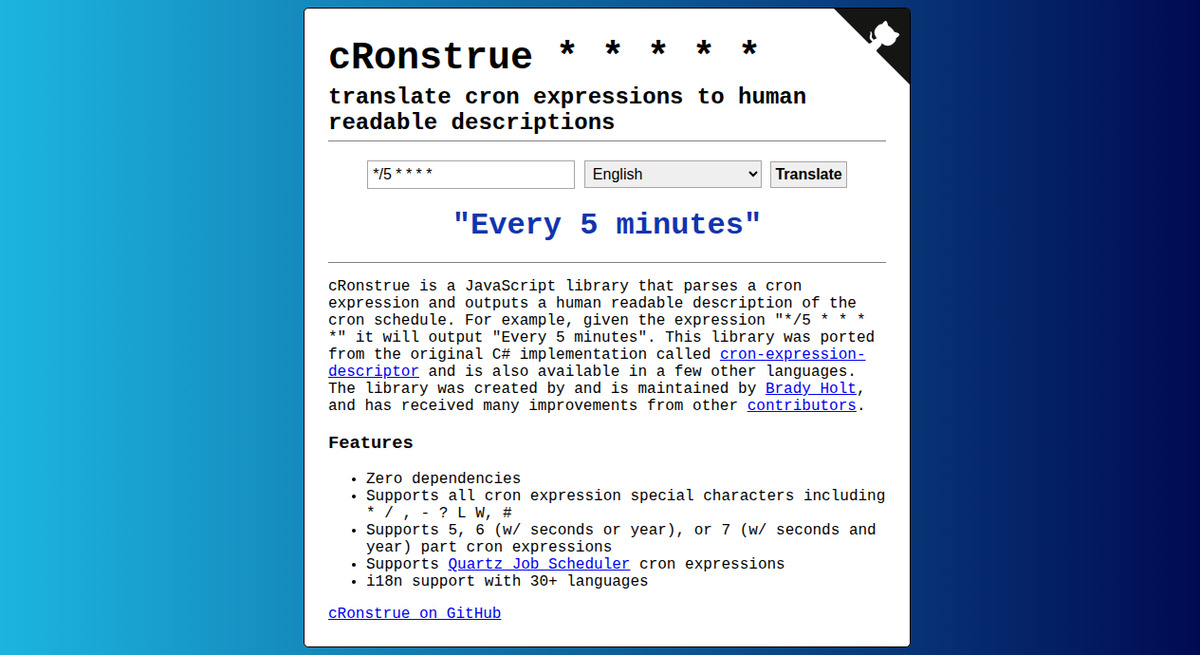
cRonstrue is a JavaScript and TypeScript library that parses a cron expression and returns a human-readable description. It was ported from the original C# cron-expression-descriptor project and now supports 5-, 6- and 7-part expressions, Quartz syntax, and the @yearly / @monthly nicknames.
| |
| |
There is also a CLI, which is genuinely useful for debugging a schedule without opening an editor:
| |
Why it wins: zero runtime dependencies and a 24-hour-clock option ({ use24HourTimeFormat: true }) that most European teams need. Where it loses: it is a describer only. It will happily print “At 11:00 PM, Monday through Friday” for an expression your scheduler will reject.
cron-parser — The Timezone-Aware Iterator
If you need the actual next timestamp, cron-parser is the stronger pick in the JavaScript ecosystem because it carries timezone information and corrects for daylight-saving transitions instead of silently skipping an hour.
| |
| |
It also supports the H (hash) token used by Jenkins to spread load — H * * * * picks a stable random minute per job instead of stampeding every job at minute zero.
| |
Why it wins: timezone plus DST is genuinely hard, and this is the only mainstream JS library that treats it as a first-class concern. Where it loses: Node.js 18+ and TypeScript 5+ are hard requirements, so it will not drop into an old runtime without a transpile step.
cron-utils — The JVM Workhorse and Dialect Translator
cron-utils parses, validates, describes and migrates cron expressions. Its killer feature is not description — it is the ability to move an expression between cron definitions (Unix, Quartz, Spring, cron4j), which makes it the right tool for a platform that has to accept schedules from several upstream systems.
| |
| |
The library also exposes a CronMapper for converting expressions between dialects and a CronBuilder so you never have to remember which field belongs to which provider.
Why it wins: dialect migration and programmable expression construction have no equivalent in the JS or Python libraries. Where it loses: last push was December 2025 — it is stable rather than fast-moving, and it is a heavyweight dependency compared with a two-file parser.
croniter — The Python Iterator Used by Orchestrators
croniter is the Python equivalent of cron-parser: it iterates datetime objects along a cron schedule. It is the library that job frameworks in the Python ecosystem reach for when they need “when does this run next”.
| |
| |
Its most interesting argument is day_or, which controls how the day-of-month and day-of-week fields combine:
| |
That single flag is worth knowing because it is exactly the behaviour that surprises people migrating from cron to a Python scheduler.
cron-descriptor — Localized Descriptions in Python
cron-descriptor is the Python port of the same C# original behind cRonstrue, so the descriptions are near-identical. It exists because Python needed the describer side without pulling in a scheduler.
| |
| |
With roughly 31 locales and configurable casing, it is the right choice when the description is user-facing in more than one language.
cron-expression — The PHP Standard
dragonmantank/cron-expression calculates the next and previous run dates, determines whether an expression is due, and supports the full non-standard character set (W, L, #). It is the fork that the wider PHP community standardized on.
| |
| |
Pitfalls, Migration Traps and Performance Notes
1. Day-of-month OR day-of-week is not a bug. In classic cron, 0 0 1 * MON fires on the 1st of the month and on every Monday. Python’s croniter reproduces this by default and offers day_or=False for the AND behaviour. If you migrate to a scheduler that uses AND semantics, silently different fire times will follow.
2. Five fields is not the same as six. cron-parser and cRonstrue accept 5, 6 or 7 fields (seconds and year are optional), while a Unix crontab is strictly 5. An expression that validates in your UI can still be rejected by cron.
3. Quartz tokens do not travel. ?, L, W and # are Quartz-isms. cron-utils can translate them between definitions; a plain Unix parser cannot, and cron-expression will accept # where a Quartz scheduler would interpret it differently.
4. Describing is not validating. cRonstrue and cron-descriptor will describe an impossible expression without complaint. Always validate with a parser (cron-utils isValid, cron-expression constructor throw, or cron-parser catch) before storing it.
5. Timezone belongs in the parser, not the container. A container running UTC will fire a “02:30 daily” job at a different wall-clock time than the team expected. Pass an explicit timezone to cron-parser rather than relying on the host clock.
6. Descriptors are not free. cRonstrue is compact, but i18n bundles add up. Import only the locales you ship rather than the whole dictionary set in a client bundle.
Frequently Asked Questions
What is the difference between parsing a cron expression and describing it?
Parsing turns the string into fields you can compute with, so you can answer when does this fire next. Describing turns the string into a sentence a human reads, such as “Every 5 minutes”. cRonstrue and cron-descriptor only describe; cron-parser, croniter, cron-utils and cron-expression additionally compute run times.
Which cron library should I use in Node.js?
Use cron-parser when you need next-run timestamps with timezone and DST correctness, and cRonstrue when you need a human-readable label. They complement each other, and using only one of them is the classic source of “the tooltip says daily but the job runs hourly” bugs.
Does croniter support seconds in cron expressions?
Yes. croniter accepts a leading seconds field, so a six-field expression such as */10 * * * * * is valid. Classic five-field crontabs do not support seconds, so the same expression will be rejected by cron.
How do I handle L, W and # in a Unix crontab?
You cannot. Those tokens belong to Quartz-style schedulers. If your platform must accept them, store the expression with a library that understands the dialect (cron-utils on the JVM, cron-expression in PHP) and translate before handing the schedule to a Unix scheduler.
Which library handles daylight-saving changes correctly?
cron-parser is the strongest option in JavaScript because timezone handling is part of its iterator API and it corrects for DST transitions. In Python, pass timezone-aware datetimes into croniter. Naive datetimes plus a container clock set to UTC remain the most common cause of skipped or doubled jobs.
Can I use these libraries to validate Kubernetes CronJob schedules?
Yes — Kubernetes uses standard five-field cron with a few extensions. Validating on the application side with cron-parser or cron-utils before applying a manifest gives you a much friendlier error than a rejected kubectl apply.
Where This Fits in a Larger Scheduling Stack
Expression libraries are the parsing layer, not the scheduler. Once an expression is validated and you know the next fire time, the job still has to run somewhere: distributed cron managers such as Cronicle, go-crond and Ofelia pick up what a single crontab cannot, and container-native runners are compared in our Docker cron scheduler guide. For large fleets with dashboards, retries and dependency graphs, XXL-Job, PowerJob and DolphinScheduler are the platforms to evaluate — and each of them still needs a correct expression parser underneath.
Pick the parser that matches the language you already deploy, keep description and computation separate, and pin the version: cron syntax is stable, but library APIs are not.
💰 想测试你的市场判断力?我用 Polymarket 做预测市场交易——这是全球最大的预测市场平台,从大选结果到技术监管时间线,什么都可以押注。和赌博不同,这是真正的信息市场:你懂的信息越多,胜率越高。我靠预测技术相关事件的走向已经赚了不少。用我的邀请链接注册:Polymarket.com