Tab completion is the cheapest usability upgrade a CLI can ship, and the one most teams never get around to. Users who type kubectl get po<TAB> and get twelve pod names back do not think “nice feature” — they stop reading your --help output entirely. Completion collapses the distance between knowing a command exists and using it correctly.
The engineering problem is that completion is shell-specific. Bash, Zsh, Fish, and PowerShell each have their own protocol, their own file locations, and their own ideas about what a “word” is. Four generators dominate the open-source ecosystem in 2026, and they differ enormously in how much work lands on the CLI author versus the user. This guide compares them using live GitHub data pulled on 2026-10-06 and commands taken from each project’s official documentation.
TL;DR — Quick Verdict
- Carapace if you want the widest shell coverage from one implementation — eleven shells, including Nushell, Elvish, and Xonsh, which almost nothing else supports.
- argcomplete if you write Python
argparseCLIs and want completion with three lines of code. - Cobra’s built-in generator if your Go CLI already uses Cobra — the completion command is free and you should not add a dependency for it.
- clap_complete if you write Rust CLIs with
clap— it generates scripts at build time and supports dynamic completion throughclap_complete::engine.
If you are choosing for a new project: the framework you already use dictates the answer. Nobody should add Cobra just for completion, and nobody should replace their argument parser for it either.
Head-to-Head Comparison
Live GitHub data, fetched 2026-10-06:
| Tool | Language | GitHub Stars | License | Last Update | Shells Supported | Integration Effort |
|---|---|---|---|---|---|---|
| Carapace (library) | Go | 1,455 | Apache-2.0 | 2026-09-30 | 11 (bash, zsh, fish, nushell, elvish, xonsh, oil, ion, powershell, tcsh, cmd) | Medium |
| Carapace-bin (binary) | Go | 1,979 | MIT | 2026-09-30 | Same 11 | Low (per-command setup) |
| argcomplete | Python | 1,584 | Apache-2.0 | 2026-08-17 | bash, zsh (plus fish helpers) | Low |
| Cobra completion | Go | 44,685 | Apache-2.0 | 2026-07-11 | bash, zsh, fish, powershell | Very low (built in) |
| clap_complete | Rust | 16,756 (clap) | Apache-2.0 | 2026-10-04 | bash, zsh, fish, powershell, elvish, nushell | Low |
Read those star counts carefully. Cobra’s 44,685 and clap’s 16,756 are the framework numbers — completion is one subcommand among many, not the reason people adopt them. Carapace and argcomplete, by contrast, exist solely to solve completion, which is why their communities are a fraction of the size.
Scenario Decision Matrix
| Your Use Case | Recommended Tool | Why |
|---|---|---|
Python CLI built on argparse | argcomplete | Three lines of code, no restructuring |
| Go CLI already using Cobra | Cobra completion | Already implemented — just run completion bash |
| Go CLI not using Cobra | Carapace | Brings completion to arbitrary binaries via completer bridges |
Rust CLI using clap | clap_complete | generate_to() in a build script, or a runtime subcommand |
| You want completion for tools you did not write | Carapace-bin | Ships completers for hundreds of existing commands |
| Completion values must come from a live API | Carapace or Cobra | Both support dynamic, callback-driven completion |
Carapace — One Implementation, Eleven Shells
Carapace comes in two pieces. The library (carapace-sh/carapace, 1,455 stars, Apache-2.0, pushed 2026-09-30) lets you add multi-shell completion to a Cobra application. The binary (carapace-sh/carapace-bin, 1,979 stars, MIT, also pushed 2026-09-30) ships pre-built completers for hundreds of popular commands, so you get tab completion for tools you did not write.
The shell support list is the real differentiator: bash, zsh, fish, powershell, and cmd alongside elvish, nushell, oil, ion, tcsh, and xonsh. No other generator in this comparison comes close, and for zsh or fish users who care about completion quality, that breadth is the whole argument.
Setup is a single line in your shell rc file. From the official setup documentation for bash:
| |
That _carapace call registers every available completer at once. The setup docs note you can also load a single completer by replacing _carapace with the command name — carapace chmod, for example — which keeps startup cost low if you only care about a handful of commands.
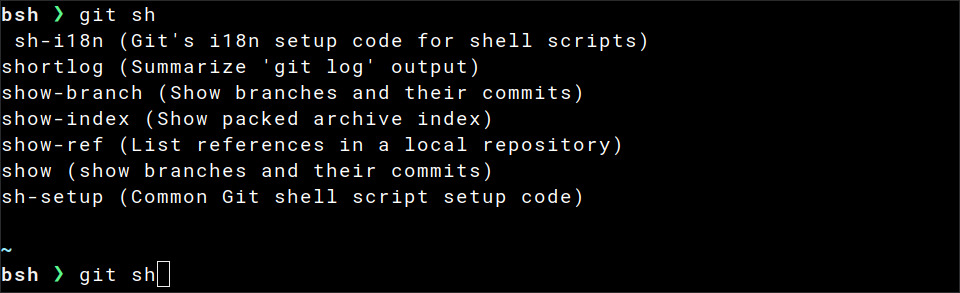
Because Carapace targets Cobra first, a Go project using Cobra can adopt it without inventing a completion model — the argument metadata Cobra already holds is enough for Carapace to generate completions for any of the eleven shells.
Verdict: pick Carapace when shell breadth matters more than ecosystem convenience, or when you want completion for binaries you do not control. The multi-shell promise is real and no competitor matches it.
argcomplete — Completion for argparse in Three Lines
argcomplete (kislyuk/argcomplete, 1,584 stars, Apache-2.0, last pushed 2026-08-17) solves the Python case with almost no ceremony. Its description is exactly accurate: “Bash/zsh tab completion for argparse.”
Install it and enable global completion:
| |
Then modify your CLI. The README is explicit about the required marker and the call site:
| |
The PYTHON_ARGCOMPLETE_OK marker on the first line is what tells argcomplete that this script opts into completion — it greps for it before doing any work, which keeps the cost of loading unrelated scripts at zero.
To register a single application instead of enabling global completion:
| |
argcomplete works by running your program with a special completion environment variable set, then writing candidates and exiting. The README warns that argcomplete.autocomplete() exits the process after emitting completions (using os._exit by default). That has a concrete consequence: any side effect that happens before the autocomplete() call — a database connection, a log line, a temporary file — runs again on every single tab press.

Verdict: the pragmatic choice for any Python CLI already built on argparse. Nothing else integrates this cheaply, and the marker mechanism means you can adopt it incrementally across a suite of scripts.
Cobra Completion — The Free Option in Go
Cobra (spf13/cobra, 44,685 stars, Apache-2.0, pushed 2026-07-11) generates completion scripts for bash, zsh, fish, and PowerShell out of the box. If your Go CLI is built on Cobra, you already have this feature — it is not a dependency you add, it is a subcommand you expose.
The official completions documentation gives the install commands per shell:
| |
Zsh users should note the ${fpath[1]} destination: completion functions must live on the fpath to be discovered, and writing into the wrong directory is the most common reason “it works in bash but not zsh.”
The generated scripts handle command and flag completion automatically. For values — branch names, cluster names, resource IDs — Cobra exposes ValidArgsFunction and RegisterFlagCompletionFunc, which let you return candidates from a function at completion time. That is where CLI completion stops being cosmetic and starts being genuinely useful.
One warning straight from the docs: the Cobra generator may print messages to stdout, for example if your command loads a config file at startup. Any such output corrupts the generated completion script. Guard your main carefully before piping completion output into a file.
Verdict: for a Cobra-based Go CLI, there is no decision to make. Use it. If you want multi-shell coverage beyond the big four, add Carapace on top rather than replacing the built-in generator.
clap_complete — Build-Time Scripts for Rust
clap_complete is the companion crate to clap (clap-rs/clap, 16,756 stars, Apache-2.0, pushed 2026-10-04). It generates completion scripts for bash, zsh, fish, PowerShell, elvish, and nushell, and it can do so either at runtime or during the build.
The runtime form writes a script to stdout:
| |
The build-time form is usually the better fit for distribution, because it lets you ship completion files inside a package instead of asking users to run a command:
| |
For dynamic candidates — completions that depend on runtime state rather than static argument lists — clap_complete ships an engine layer so your completer can query the application itself instead of hard-coding values. A Rust CLI using clap should pair it with clap’s own completion conventions rather than hand-rolling a shell script, which will drift the moment a flag is renamed.
Verdict: if you are on clap, use clap_complete. Generating at build time is the single most important detail — it keeps completion definitions and CLI definitions in the same source of truth.
Pitfalls and Gotchas
stdout pollution silently breaks everything. Completion protocols parse the process’s stdout as candidate data. A single stray println!, a deprecation warning, or a config file that logs on load turns your completions into garbage. Cobra’s own documentation calls this out explicitly; it is the number-one cause of “completion does nothing.”
Side effects run on every tab press. For argcomplete this is stated in the docs (os._exit after emitting candidates), and the same principle applies elsewhere: keep the completion path free of network calls, migrations, and file writes that are not strictly necessary.
Completion files go stale. A generated script encodes your flag names and subcommands at generation time. Rename a flag and the script starts offering a stale value while hiding the new one. Regenerating completion as part of your release build — not by hand every few months — removes an entire class of bug reports.
Zsh needs the right directory. Bash will pick up a completion script from almost anywhere you source it. Zsh requires the file to be discoverable on fpath and named with a leading underscore. Copying a bash script into a zsh setup is the most common install failure.
Slow completions feel broken. Humans tolerate roughly 100 milliseconds before a tab press reads as “nothing happened.” A completer that shells out to a cloud API on every keystroke will feel worse than no completion at all. Cache results, and degrade to a static list when the lookup is slow.
Offering too many candidates is not helpful. A completer that returns 4,000 values has just moved the typing problem one keystroke to the left. Deduplicate, sort by relevance, and keep descriptions short enough to fit a terminal row.
Test completion in a real shell, not by eyeballing the script. Run the generated script in a fresh shell session, press tab, and confirm candidates appear. Scripts can be syntactically valid and functionally useless.
Where This Fits in a Self-Hosted Stack
Completion is the interface layer of the CLI tools that manage self-hosted infrastructure — backup scripts, deploy helpers, database migration runners, and cluster utilities. A team maintaining dozens of internal commands gets a disproportionate return from investing here, because the cost is paid once and the benefit applies to every operator, every day.
If your CLIs are Rust, the argument-parsing layer underneath completion is worth understanding on its own — see our comparison of Rust CLI parsers: clap, argh and bpaf. For the Java ecosystem, the equivalent ground is covered in the Java CLI libraries comparison: picocli, JCommander and Airline.
And once completion makes long command lines cheap to type, the next quality-of-life upgrade is usually shell history — the self-hosted terminal history sync guide covering Atuin, McFly and bash-history explains how to make history searchable from anywhere.
FAQ
Do I need a separate completion library if I already use Cobra or clap?
No, and you should not add one. Cobra ships a completion subcommand that generates scripts for bash, zsh, fish, and PowerShell, and clap_complete is the official companion crate for clap. Reach for a third-party generator only when you need shell coverage those built-ins lack — for example Nushell, Elvish, or Xonsh, which Carapace supports and the built-ins generally do not.
How does argcomplete make Python CLIs completable?
It works through a marker convention. You add # PYTHON_ARGCOMPLETE_OK to the script, call argcomplete.autocomplete(parser) before parser.parse_args(), and register the application with your shell. When the user presses tab, the shell re-invokes your program in a completion context; argcomplete detects that, writes candidate values to stdout, and exits the process immediately so the normal command never runs.
Why does tab completion do nothing after I install a script?
The two most common causes are stdout pollution and installation location. If your program prints anything to stdout before the completion code runs — a banner, a config warning, a log line — the shell receives that text instead of candidates and discards the result. If the script itself is fine, check that it landed where your shell looks: /etc/bash_completion.d/ for bash, a directory on fpath for zsh, and ~/.config/fish/completions/ for fish.
Can completion values be dynamic, for example branch names or container IDs?
Yes, and this is where completion stops being a convenience and starts being a feature. Cobra supports ValidArgsFunction and RegisterFlagCompletionFunc for callback-driven candidates, clap_complete provides an engine for dynamic value completion, and Carapace is built around contextual actions that query the environment. The one hard rule is latency: keep the lookup fast or cache it, because a completion that takes a second is worse than none.
Which generator supports the most shells?
Carapace, by a wide margin — eleven shells including bash, zsh, fish, PowerShell, Nushell, Elvish, Oil, Ion, Xonsh, tcsh, and cmd. Cobra covers four, clap_complete covers six, and argcomplete focuses on bash and zsh. If non-mainstream shell support is a requirement rather than a nice-to-have, Carapace is the only realistic candidate in this comparison.
Should I generate completion scripts at build time or runtime?
Build time, whenever the tooling allows it. Generating during the build keeps completion definitions and CLI definitions in one source of truth, so renaming a flag cannot leave a stale script behind. Runtime generation is fine as a fallback — it is how Cobra’s completion subcommand works — but it depends on the user running the command again after upgrades, which they frequently will not.
💰 想测试你的市场判断力?我用 Polymarket 做预测市场交易——这是全球最大的预测市场平台,从大选结果到技术监管时间线,什么都可以押注。和赌博不同,这是真正的信息市场:你懂的信息越多,胜率越高。我靠预测技术相关事件的走向已经赚了不少。用我的邀请链接注册:Polymarket.com