chroma.js vs culori vs palette vs go-colorful in 2026
Blend red and blue in the naive way most code does it and you get a muddy gray-purple, not the vibrant magenta your designer expected. Generate a 10-step scale from a brand color by nudging lightness in HSL and every third swatch looks wrong. Ship a “dark mode” that fails contrast checks on half your text. These are all the same bug wearing different hats: doing color arithmetic in the wrong color space.
A good color library is the difference between code that happens to produce colors and code that produces correct colors. Four libraries cover this space well in 2026 — chroma.js and culori in JavaScript, palette in Rust, and go-colorful in Go — while TinyColor and Python’s colour serve simpler or older use cases. This guide compares them on live GitHub data, shows working code, and explains the color-science traps that decide which one you should pick.
TL;DR: The 30-second verdict
- Browser or Node tooling that needs a huge space catalog and accessibility helpers? Use chroma.js.
- CSS Color Level 4 work — OKLCH, Display P3, gamut mapping, tree-shakeable functions? Use culori.
- Rust or Go code doing graphics, gradients, or numeric color math? Use palette or go-colorful, and convert to a linear space before you blend.
- You need 2 kB and only hex/HSL conversions? TinyColor still works, but it has been quiet since 2024 — treat it as a maintenance risk.
One rule beats every library comparison: never blend two colors in 8-bit sRGB and expect the midpoint to look right.
Library health and feature comparison
Live GitHub data, October 2026.
| Library | Language | Stars | License | Last commit | Spaces supported | Linear-light blending | Wide gamut |
|---|---|---|---|---|---|---|---|
| chroma.js | JavaScript | 10,594 | Apache-2.0 | 2026-09-14 | RGB, HSL, HSV, Lab, LCh, OKLab, OKLCh, CMYK, GL, temperature | Yes (lrgb is the default mix mode) | Partial |
| TinyColor | JavaScript | 5,252 | MIT | 2024-06-26 | RGB, HSL, HSV, hex names | No (sRGB only) | No |
| go-colorful | Go | 1,259 | MIT | 2026-08-02 | RGB, linear RGB, HSL, HSV, Lab, Luv, LCh, HCL | Yes (explicit blend functions) | No |
| culori | JavaScript | 1,235 | MIT | 2026-07-02 | Full CSS Color 4 set incl. OKLCh, OKLab, P3, Lab, Luv | Yes (configurable interpolation space) | Yes |
| palette | Rust | 839 | Apache-2.0 | 2026-09-05 | sRGB, linear sRGB, HSL, HSV, HWB, Lab, LCh, XYZ, more | Yes (linear types are first-class) | Via XYZ/Lab |
| colour | Python | 331 | BSD-2-Clause | 2023-07-30 | RGB, HSL, web names, binary | No | No |
The pattern is worth internalizing: the actively maintained libraries all give you a way to work in a linear or perceptually uniform space, and the stale ones do not. That is not a coincidence — it reflects what production code actually needs.
Which color library for which job?
| Use case | Recommendation | Why |
|---|---|---|
| Data visualization palettes and ColorBrewer scales | chroma.js | Built-in brewer palettes, limits, and scale generators |
| Design system tokens generated in CSS | culori | OKLCh and Display P3 support plus a gamut mapper |
| Accessibility contrast checks | chroma.js | contrast (WCAG) and contrastAPCA (APCA) built in |
| Rust graphics, shaders, or gradient math | palette | LinSrgb and friends make linear math the default |
| Go image or chart tooling | go-colorful | Explicit BlendLab/BlendLuv/BlendHcl functions |
| Tiny script that only parses hex and HSL | TinyColor | Small and stable, but plan for the stale upstream |
| Scientific color work in Python | colour-science | colour (vaab) is convenient but dormant |
chroma.js: the pragmatic all-rounder
10,594 stars · Apache-2.0 · last commit September 14, 2026
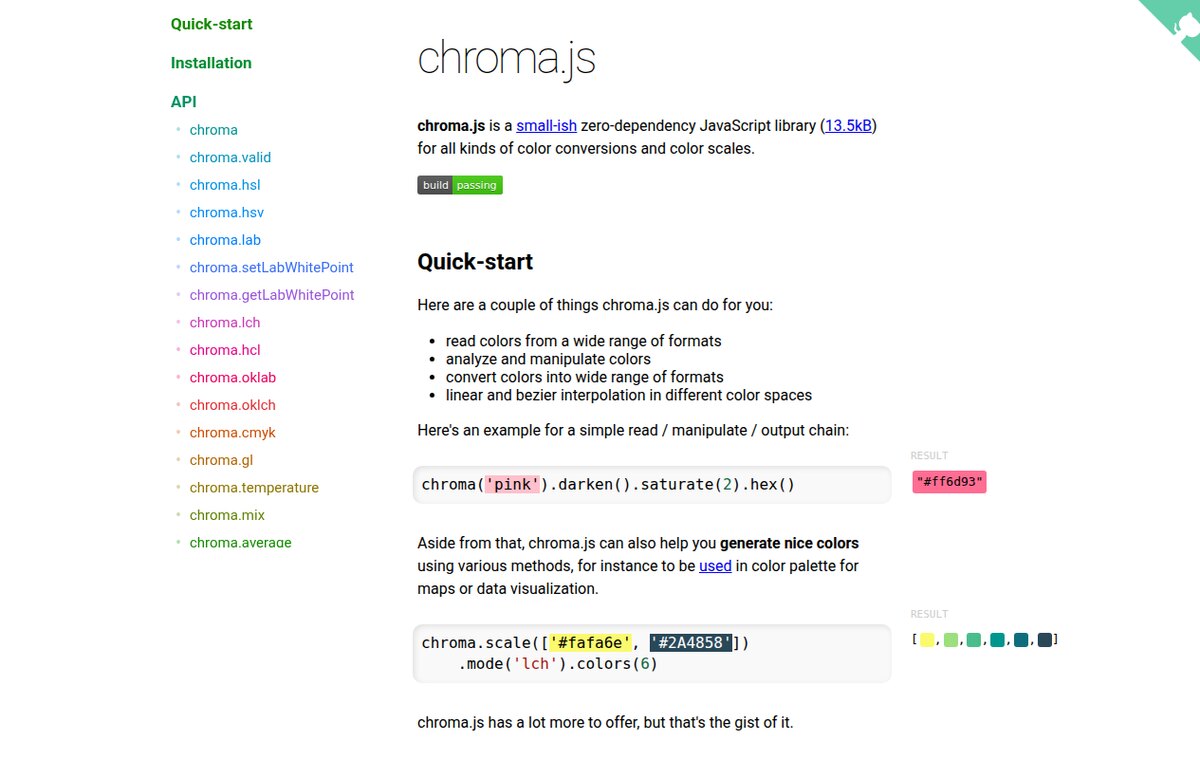
chroma.js is the library that made correct color math convenient for JavaScript developers, and its API is built around one important default: chroma.mix() interpolates in lrgb (linear RGB) unless you say otherwise. That single default is why chroma.js gradients look right when hand-rolled ones do not.
| |
Its space catalog is the broadest of any JavaScript option — RGB, HSL, HSV, Lab, LCh, OKLab, OKLCh, CMYK, and even color temperature via chroma.temperature(K). Pair that with chroma.brewer for ColorBrewer palettes and chroma.limits() for data-driven scales, and it becomes the default choice for dashboards and data visualization. The one thing to verify for your project is wide-gamut output: chroma.js is anchored in sRGB, so Display P3 workflows belong in culori.
culori: built for CSS Color Level 4
1,235 stars · MIT · last commit July 2, 2026
culori is a comprehensive, functional color library whose design target is the modern CSS color specification. If you are generating tokens for oklch(), converting to color(display-p3 …), or gamut-mapping out-of-range colors, culori is the most correct tool in JavaScript today.
| |
culori is deliberately tree-shakeable: import only the spaces and functions you use and the bundle stays small, which matters when a design system is generating thousands of tokens at build time. Its toGamut implementation is the feature most other JavaScript libraries lack, and it is exactly what you need when a user picks a vivid OKLCh color that sRGB cannot represent.
palette: color science as a Rust type system
839 stars · Apache-2.0 · last commit September 5, 2026
palette is the Rust answer, and it encodes correctness in the type system. Instead of one loosely typed color object, you get distinct types — Srgb<u8>, Srgb<f32>, LinSrgb<f32>, Hsl, Lab, Lch, and more — with explicit conversions between them. You cannot accidentally blend gamma-encoded values, because the linear type is a different type.
| |
For a GUI toolkit, game engine, or shader pipeline in Rust, this is the library to reach for. The cost is verbosity: you will name your color spaces explicitly and convert at the boundaries. That is the point — it turns a class of silent bugs into compile-time decisions.
go-colorful: explicit blend functions for Go
1,259 stars · MIT · last commit August 2, 2026
go-colorful takes a different but equally honest approach: rather than hiding the color space, it exposes a blend function per space. You choose whether BlendRgb, BlendLab, BlendLuv, or BlendHcl is correct for your use case, and the library does exactly what you asked.
| |
It also ships a full set of distance metrics — Euclidean, CIE76, CIE94, CIEDE2000, and CMC — which makes it a solid fit for Go tooling that needs to compare or cluster colors rather than just convert them. For a Go service generating chart palettes or image filters, this is the shortest path to correct output.
Pitfalls and migration notes
Blending in sRGB is the classic mistake. Interpolating gamma-encoded 8-bit values darkens midpoints. Convert to linear RGB (LinSrgb, BlendLuv, lrgb) or a perceptual space (oklab) first; the difference is visible immediately on any red-to-blue ramp.
Gamma conversion is not optional. In palette, Srgb::new is gamma-encoded and LinSrgb is linear light — mixing them up produces subtly wrong brightness. Always convert into the linear type before arithmetic and back afterward.
Out-of-gamut colors need mapping, not clipping. Converting OKLCh to sRGB can produce channels below 0 or above 1. Naive clamping shifts hue and flattens saturation; use a gamut mapper such as culori’s toGamut and check chroma.js’s clipped() before writing a value to CSS.
Contrast is two different standards. WCAG’s contrast ratio is the familiar one, and chroma.js exposes it as contrast. APCA is the newer, perceptually motivated model, exposed as contrastAPCA. Pick deliberately — passing WCAG does not guarantee passing APCA, and vice versa.
Do not round-trip through hex. An 8-bit hex string cannot represent most Lab or OKLCh values. Converting to hex and back loses precision, so keep the numeric representation in your pipeline and serialize to hex only at the edge.
Check the maintenance cadence. TinyColor (last commit June 2024) and Python’s colour (July 2023) are stable but quiet. That is acceptable for parsing hex in a small script and a liability for a design system where you need wide-gamut support and gamut mapping. Our Python visualization library comparison covers where color choices show up downstream in charting, and the image optimization library guide is the companion piece for color profiles in image pipelines. If your colors end up as styled terminal output, the terminal UI library comparison shows how those libraries handle true-color escapes.
FAQ
Why do my red-to-blue gradients look gray and muddy in the middle?
Because you are interpolating in gamma-encoded sRGB, where the numeric midpoint is perceptually darker than either endpoint. Interpolate in linear light (lrgb, LinSrgb, BlendLuv) or in a perceptually uniform space such as OKLab. In chroma.js this is a one-word change; in Rust’s palette it means converting with into_linear() first.
What is OKLCh, and should I use it for design tokens?
OKLCh is a perceptually uniform color space where equal numeric steps look like equal visual steps, which makes it excellent for generating consistent lightness ramps and harmonious palettes. It is part of CSS Color Level 4, so modern browsers accept oklch() directly. Use culori or chroma.js to generate it, and gamut-map the result if your target must also render correctly in sRGB.
Which library should I use for accessibility contrast checks?
chroma.js is the most convenient, because it ships both a WCAG contrast() function and an APCA contrastAPCA() implementation in the same package. In Rust or Go you would compute contrast from relative luminance yourself, or use the libraries’ Lab/Luv outputs to reason about perceptual difference instead.
Do these libraries support wide-gamut color like Display P3?
culori does, natively, including conversion and gamut mapping for CSS Color 4 output. palette can reach wide-gamut spaces through XYZ and Lab conversions. chroma.js, TinyColor, and go-colorful are effectively sRGB-centric, so if Display P3 is a hard requirement, culori is the JavaScript choice.
Which color library is best for a Rust or Go backend?
In Rust, palette — its distinct linear and gamma-encoded types prevent an entire class of mistakes at compile time. In Go, go-colorful — its explicit BlendLab, BlendLuv, and CIEDE2000 distance functions cover the gradients, palettes, and color-difference work that backend tooling usually needs.
Are these libraries free for commercial use?
Yes. culori, go-colorful, and TinyColor are MIT; chroma.js and palette are Apache-2.0; and Python’s colour is BSD-2-Clause. All are permissive, so you can embed them in closed-source and commercial products as long as you retain the license notice. Apache-2.0 additionally grants an explicit patent license.
💰 想测试你的市场判断力?我用 Polymarket 做预测市场交易——这是全球最大的预测市场平台,从大选结果到技术监管时间线,什么都可以押注。和赌博不同,这是真正的信息市场:你懂的信息越多,胜率越高。我靠预测技术相关事件的走向已经赚了不少。用我的邀请链接注册:Polymarket.com