Choosing a PCB design suite is not a decision you revisit lightly. Your schematic sheets, footprints, and board files become the single source of truth for every revision you will ever produce, and the libraries you accumulate over the first six months are the real lock-in — not the software license. In 2026 the serious open-source options have narrowed to three: KiCad, LibrePCB, and Horizon EDA. They all produce Gerbers a fab house will accept. They are not remotely the same tool.
TL;DR / Quick Verdict
- Choose KiCad unless you have a specific reason not to. It is the only one of the three with a de facto industry-standard ecosystem, a genuine command-line interface for CI, and a library of community footprints that covers parts you cannot find anywhere else.
- Choose LibrePCB if your history with KiCad-style libraries is a pile of inconsistent, duplicated, half-broken components. Its integrated library and workspace model forces discipline at the cost of a smaller ecosystem.
- Choose Horizon EDA if you script your toolchain. It stores projects as JSON, models the component “pool” as a database, and is the most automation-friendly of the three — with the smallest community and the steepest learning curve.
- Do not choose based on GitHub stars. With 2,992 for KiCad’s mirror, 3,002 for LibrePCB, and 1,319 for Horizon, the numbers are close enough to be meaningless — and KiCad’s real repository lives on GitLab anyway.
Comparison Table: KiCad vs LibrePCB vs Horizon EDA (September 2026)
| Dimension | KiCad | LibrePCB | Horizon EDA |
|---|---|---|---|
| GitHub stars | 2,992 (mirror of GitLab) | 3,002 | 1,319 |
| Last commit | 2026-09-28 | 2026-09-28 | 2026-09-25 |
| License | GPL-3.0 | GPL-3.0 | GPL-3.0 |
| Primary language | C++ | C++ (C++20) + Rust components | C++ |
| Platforms | Linux, Windows, macOS | Linux, Windows, macOS | Linux, Windows, FreeBSD |
| File format | S-expression (.kicad_sch, .kicad_pcb) | S-expression (.lp) | JSON project and database files |
| Library model | Per-project plus global libraries you manage yourself | Integrated workspace with a curated alternative-parts system | A “pool” database shared across all your projects |
| Manufacturing output | Gerber, Excellon drill, IPC-2581, ODB++, STEP, PDF, SVG | Gerber, Excellon drill, pick-and-place, bill of materials | Gerber, Excellon drill, pick-and-place, bill of materials |
| Scripting / automation | First-class kicad-cli binary plus Python scripting API | librepcb-cli for non-interactive project operations | Command-line and file-format-level automation |
| 3D preview | Yes, with STEP export | Yes, integrated 3D viewer with STEP export | Yes, OpenGL board preview |
| Simulation | Integrated ngspice | None built in | None built in |
| Ecosystem maturity | Reference-grade; taught at universities | Growing; strong tutorial workflow | Niche; small but active maintainer team |
| Best fit | Anything you might someday hand to a contract manufacturer | Hobbyists and small teams who want library discipline | Automation-heavy workflows and JSON-native pipelines |
Decision Matrix: Use Case → Recommendation → Why
| Your situation | Recommended | Reason |
|---|---|---|
| Mixed-signal board you will hand to a Chinese fab with a specific stackup | KiCad | The fab almost certainly already accepts KiCad-generated Gerbers, and IPC-2581/ODB++ export removes ambiguity about layer mapping |
| You want to generate Gerbers in CI on every commit | KiCad | kicad-cli is a real, documented, headless binary built into the project |
| Your component library is chaos and you want the tool to enforce order | LibrePCB | The workspace model forces you to define symbols, footprints, and devices as separate approved entities before you can place them |
| You maintain thousands of parts across dozens of boards | Horizon EDA | The pool database is shared, versioned with the project, and designed to scale rather than to be per-project |
| You generate boards programmatically or diff them in Git | Horizon EDA | JSON project files diff and merge far more gracefully than large S-expression blobs |
| You need integrated SPICE simulation without leaving the suite | KiCad | It embeds ngspice directly; the other two have no simulation story |
| You want the gentlest learning curve for a first board | LibrePCB | Its quickstart tutorial walks a complete design end to end and the UI hides the library machinery |
| FreeBSD is your daily driver | Horizon EDA | It ships a FreeBSD package; the other two target Linux, Windows, and macOS |
KiCad — The Default Answer, With Reasons
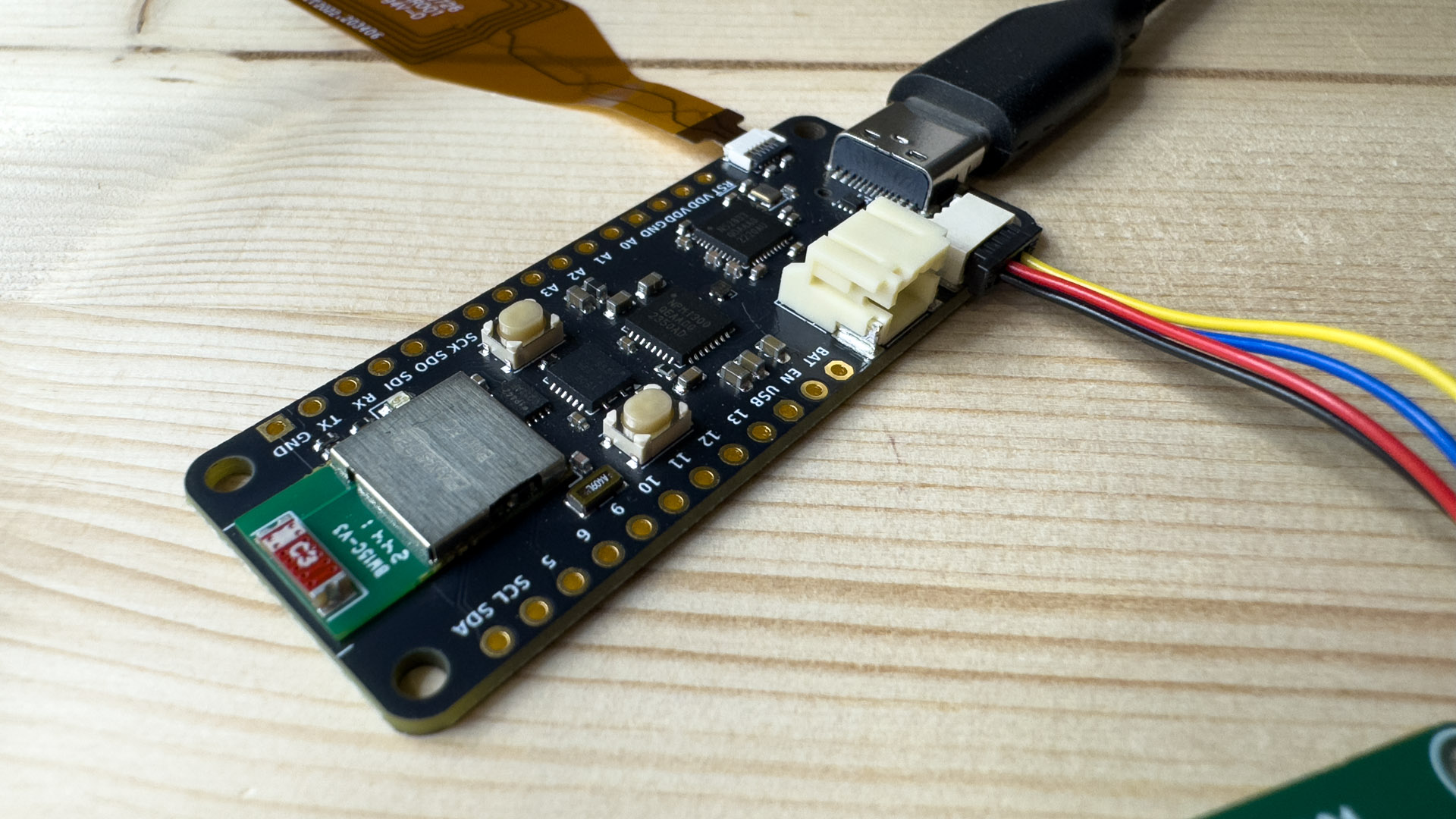
KiCad has been in development for over three decades, and at this point its advantage is not a feature — it is the network around it. Every fab house, assembly broker, and open-hardware project has a KiCad path. When you search for a footprint for an obscure sensor, someone has almost certainly published one. That ecosystem effect compounds: the more useful the libraries become, the more people adopt it, and the more libraries appear.
Its architecture is conventional and comfortable: a project is a schematic file plus a board file plus a project file, all stored in a readable S-expression format. Symbols, footprints, and 3D models are separate entities that you wire together, which is exactly the flexibility that produces library chaos in undisciplined hands — and exactly the flexibility that lets you fix a broken part in thirty seconds.
The feature that matters most for professional workflows in 2026 is kicad-cli. KiCad ships a headless binary that mirrors the GUI’s export operations, which turns “did anyone break the board?” into a CI job:
| |
Because the repository contains dedicated command implementations for exports, BOM generation, Gerber conversion, and even Gerber diffing, a CI job can compare the Gerber output of two commits and fail the build when copper actually moved. That is a capability neither of the other two suites matches today.
The costs are real too. The GUI carries decades of accumulated conventions, some menu paths are longer than they should be, and the library situation means you will spend time curating rather than designing. KiCad gives you rope; nothing stops you from making a mess.
LibrePCB — The Suite That Enforces Discipline

LibrePCB was created specifically to fix the library problems that plague older EDA tools, and that single design decision shapes everything else. In LibrePCB you do not draw a symbol and immediately place it. You create a workspace, then within it a library, then declare symbols, packages, and devices as separate versioned entities. Only then can a schematic reference a device. It sounds bureaucratic. It is, and that is the point: the tool refuses to let you create a component that has no footprint, or two components that claim the same part with conflicting pin mappings.
The second distinguishing feature is the concept of alternative parts: a device can declare approved substitutes, so a board can be assembled during a component shortage without redesigning the schematic. For anyone who lived through a supply-chain crunch, this is not a nice-to-have.
Building from source is documented and explicit about requirements. LibrePCB needs a C++20 compiler, a Rust toolchain (version 1.92 or newer, GNU rather than MSVC), Qt 6.2 or newer including the image-formats plugin, and optionally OpenCASCADE for 3D STEP output:
| |
There is also librepcb-cli in the repository (apps/librepcb-cli), which exposes non-interactive project operations such as --save, --save-to, --board, --variant, and --help-all for scripted flows. It is younger and narrower than kicad-cli, but it exists — which is more than can be said for many open-source EDA projects.
The honest limitation is ecosystem size. LibrePCB has a curated library and community contributions, but if you design with a lot of unusual parts, you will draw more of them yourself than you would in KiCad. The payoff is that the ones you draw will be correct and reusable, because the data model will not let them be anything else.
Horizon EDA — The Automation-Native Option
Horizon EDA is the least known of the three and, for the right user, the most interesting. Its central abstraction is the pool: a database of parts, units, symbols, entities, and packages that all your projects draw from, rather than a library folder each project re-implements. Every project references the pool, so fixing a footprint can propagate across boards instead of requiring edits in five places.
The second opinionated bet is the file format. Horizon stores projects as JSON. Open a board file in a text editor and you can read it; run it through jq and you can query it; diff two revisions and a Git client shows you a change in a net, not a wall of shifted lines. If your workflow treats hardware like software — CI, review, programmatic generation — that property is worth a lot.
Installation reflects its Linux-first, automation-minded community. On Windows there is an MSI installer from GitHub releases; on Debian and Ubuntu the project documentation points at an externally hosted build mirror rather than the distro archives:
| |
Building from source uses CMake and has platform-specific guides for Linux, Windows, and FreeBSD in the official documentation — worth reading before you start, because the dependency set includes GTK, OpenGL, and OpenCASCADE components that vary by distribution.
Where Horizon differs from the others most visibly is in what it expects of you. There is no beginner-friendly quickstart that hides the data model; you learn the pool concept or you fight the tool. The 3D preview is functional but not as polished as KiCad’s, and the community is small enough that an unusual question may go unanswered for days. In exchange you get a suite whose internals are unusually scriptable and whose project files are honest, structured data.
Common Pitfalls When Switching EDA Suites
There is no lossless migration between them. Every one of these tools can import some subset of Gerber or DXF, but that is geometry, not design intent — you get copper shapes, not nets, components, or a schematic. If you have an existing board in another tool and need to keep editing it, plan on redrawing, not importing. Choose your suite before the board you cannot afford to redraw.
Library discipline is the thing that actually bites. The most common expensive mistake is importing a community library wholesale without reviewing it. A footprint with the wrong pad pitch or a mirrored pin assignment produces a board that passes DRC and fails at the assembly house. Generate your own footprints for any part where a mistake means a scrapped panel, and verify the first prototype’s footprint physically against the datasheet before you order volume.
Gerber layer mapping is your responsibility. All three tools export Gerber, and all three will happily export a board whose drill file references a layer your fab does not expect. Always generate a full fabrication package — copper, solder mask, silkscreen, paste, drill, and the stackup notes — and open the Gerbers in an independent viewer before uploading. Do not trust the exporter’s defaults for stackup-dependent parameters.
3D STEP export is not always geometrically exact. STEP models are for mechanical fit checks, and small discrepancies between the electrical footprint and the modeled body are normal. If an enclosure clearance is within a fraction of a millimeter, measure from the mechanical drawing, not from the exported model.
Do not run unstable branches for production work. LibrePCB’s own README warns that its master branch is the unstable development version and that using it with real workspaces can break them. The same caution applies to any nightly build of any suite: keep production designs on tagged releases.
Plan for the day the maintainer is busy. Two of these three are maintained by very small teams. Pin the version you validated your boards on, keep a rendered PDF and a fabrication package archived per revision, and make sure your board can be manufactured from the archived Gerbers alone — because a toolchain that stops building is not a reason to delay a production run.
FAQ
Which of the three is most widely accepted by PCB fabrication houses?
KiCad. Because it is the most widely used open-source suite, fab houses and assembly brokers most often have a documented KiCad path, and they are familiar with the quirks of its Gerber and drill output. LibrePCB and Horizon EDA both produce standard Gerbers, but you may need to state your layer mapping explicitly when ordering.
Can I use these tools in a CI pipeline to generate manufacturing files automatically?
KiCad is the strongest here thanks to kicad-cli, which is a headless binary capable of Gerber, drill, position, and schematic PDF export, plus Gerber diffing between revisions. LibrePCB ships librepcb-cli for non-interactive project operations, and Horizon EDA’s JSON project format makes file-level automation straightforward even without a dedicated CLI.
Is it worth switching away from KiCad to LibrePCB or Horizon EDA?
Switch only for a specific reason you can name. The two honest reasons are library discipline (LibrePCB’s data model prevents component chaos structurally, which KiCad cannot) and file-level automation (Horizon EDA’s JSON projects and shared pool database). If neither applies to you, the ecosystem advantage of KiCad will outweigh any UI preference.
Do any of them include circuit simulation?
KiCad embeds ngspice, so you can simulate a schematic without leaving the suite. LibrePCB and Horizon EDA have no built-in simulator. If simulation is central to your workflow, the other option is a dedicated open-source simulator used alongside your EDA tool — our SPICE circuit simulation comparison covers the options.
What about viewing and sharing finished boards with people who do not have the software?
Export a fabrication package plus a 3D render and a PDF plot for review, and keep the STEP model for mechanical collaborators. For web-based review of existing models, our roundup of 3D CAD web viewers covers browser-based tools that require no installation on the reviewer’s machine.
How do these suites fit into a hardware project alongside mechanical and manufacturing tooling?
Treat the EDA suite as one link in a chain: design and export from it, verify the Gerbers independently, then hand the package to manufacturing. If your project also involves producing physical parts, our 3D printer server comparison covers the self-hosted control layer for the printing side.
💰 想测试你的市场判断力?我用 Polymarket 做预测市场交易——这是全球最大的预测市场平台,从大选结果到技术监管时间线,什么都可以押注。和赌博不同,这是真正的信息市场:你懂的信息越多,胜率越高。我靠预测技术相关事件的走向已经赚了不少。用我的邀请链接注册:Polymarket.com