Every undocumented file format you have ever had to read has cost you the same afternoon: a hex dump on one screen, a format specification PDF on the other, and a growing pile of offset += 4 arithmetic that silently breaks the moment a new firmware revision ships. I have watched teams spend a full sprint on a vendor’s proprietary telemetry log, then re-do the whole job in Rust six months later because nobody wrote the layout down.
The fix is not “write better parsing code” — it is to stop writing parsing code at all. Four open-source toolkits attack the problem in two different ways: declarative spec compilers that turn a format description into generated parsers (Kaitai Struct, binrw), and interactive workbenches that let you explore bytes until the structure reveals itself (ImHex, Hachoir). They are not interchangeable, they are not competitors in the same weight class, and choosing the wrong one costs you weeks.
This is an honest comparison from someone who has used all four on real binaries: ImHex (54,903★), Kaitai Struct (4,685★ umbrella repo + 319★ Web IDE + 795★ format library), binrw (854★), and Hachoir (670★).
TL;DR — the 30-second verdict
- You need to reverse-engineer an undocumented blob right now, interactively → ImHex. The pattern language highlights fields live as you type, and 54,903 stars means the ecosystem around it is enormous.
- You know the format and want parsers in Python, Go, Java, C++, Rust, and eight more languages from one file → Kaitai Struct. One
.ksyfile, eleven target languages, GPL-3.0 compiler but MIT-licensed runtime bindings. - You are parsing binary data inside a Rust service and want zero runtime dependencies → binrw. Derive macros,
0.15.2on crates.io, MIT. - You want a five-line Python script to dump metadata from 200 legacy files → Hachoir, with the caveat that the project wears an explicit no maintenance intended badge. Use it, do not build a product on it.
If you read only one line: Kaitai for documentation-as-code, ImHex for discovery, binrw for production Rust, Hachoir for throwaway scripts.
The four toolkits side by side
All figures pulled live from GitHub and the respective registries at publish time (2026-09-25).
| ImHex | Kaitai Struct | binrw | Hachoir | |
|---|---|---|---|---|
| Stars | 54,903 | 4,685 (+795 format library) | 854 | 670 |
| Last push | 2026-09-23 | 2026-09-21 | 2026-07-23 | 2026-09-13 |
| Language | C++23 | Scala compiler, 11 target languages | Rust | Python |
| License | GPL-2.0 | GPL-3.0 compiler / MIT runtimes | MIT | GPL-2.0 |
| Approach | Interactive editor + pattern language | Declarative .ksy → generated parsers | Derive macros | Runtime auto-detection |
| Latest release | Rolling stable + nightly (flatpak) | 0.11 (2025-09-07) | 0.15.2 on crates.io | 3.4.0 on PyPI |
| Requires GPU | Yes, OpenGL 3.0 (software builds exist) | No | No | No |
| Best for | Exploring the unknown | Team-shared format definitions | Rust services in production | Scripted bulk inspection |
| Maintenance signal | Very active | Active | Active | Unmaintained badge |
Decision matrix: pick in ten seconds
| Your situation | Pick | Why |
|---|---|---|
| Vendor sent a proprietary log format, no documentation | ImHex | You cannot write a parser before you know the layout |
| Format is documented; three services in different languages must parse it | Kaitai Struct | Single source of truth, generated code per language |
| Hot path in a Rust service, no FFI, no runtime overhead | binrw | Compile-time layout, works on no_std targets |
| One-off audit of a directory of mixed binary files | Hachoir | hachoir-metadata handles hundreds of formats you never wrote |
| You need both discovery and a permanent artifact | ImHex → Kaitai | Prototype the layout in .hexpat, then port it to .ksy |
| Windows analysts, no build chain | ImHex | winget install WerWolv.ImHex |
Kaitai Struct: describe the format once, parse it everywhere
Kaitai Struct is the closest thing the field has to a lingua franca. A format is described in a YAML-based DSL, compiled by kaitai-struct-compiler, and emitted as idiomatic source in C++, C#, Go, Java, JavaScript, Lua, Nim, Perl, PHP, Python, Ruby, or Rust. The upstream kaitai_struct_formats repository — 795 stars, committed within a day of this writing — already contains community-maintained specs for PNG, ZIP, ELF, PE, GIF, TCP/IP, and hundreds more, all CC0-licensed.
A real excerpt from the official PNG definition shows how compact a spec is. Note the endianness declaration and the metadata block that makes the file self-documenting:
| |
Compilation and use are a two-command loop. The compiler ships as a .deb, .msi, and portable .zip on the 0.11 release page:
| |
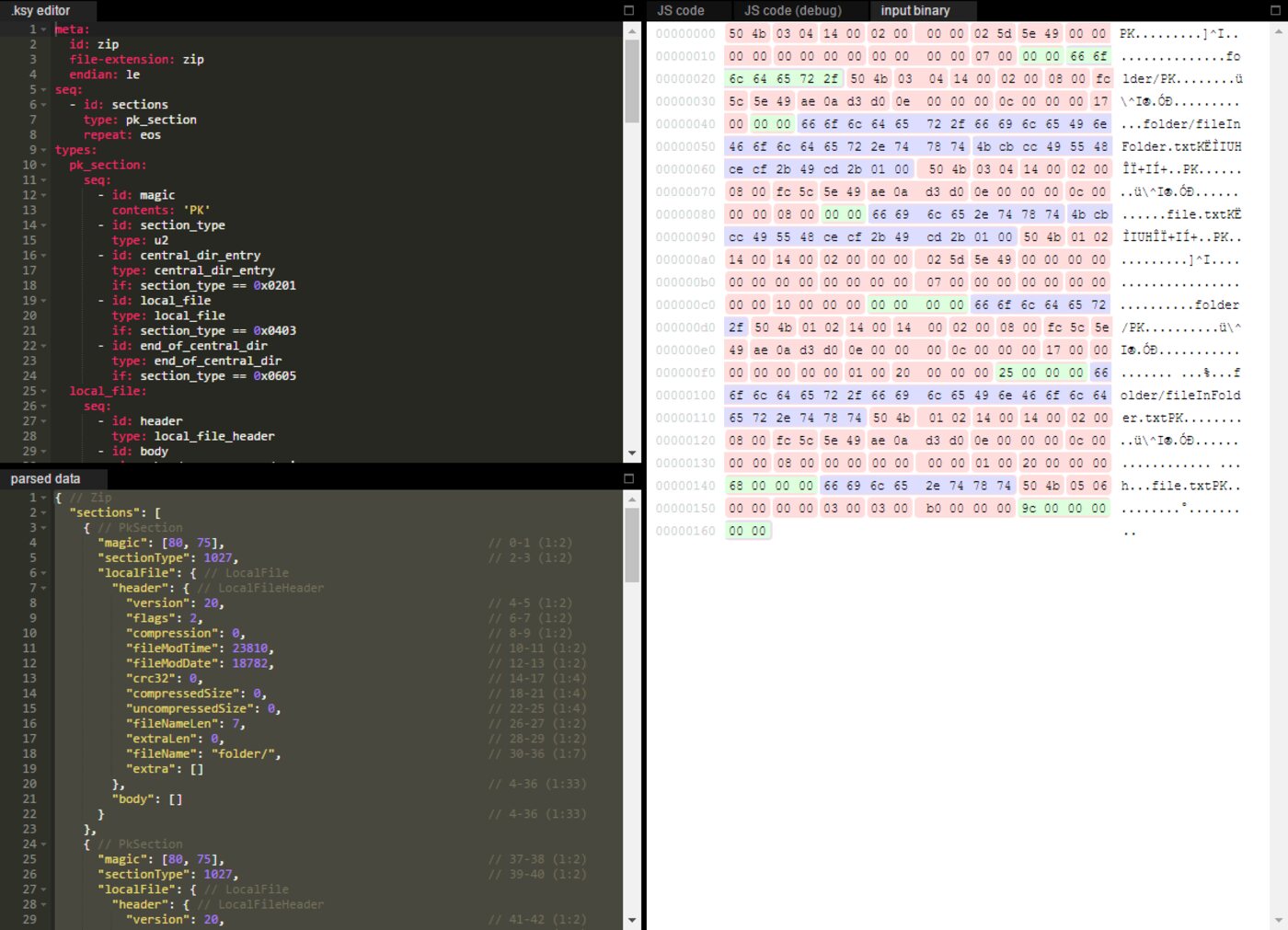
The Web IDE (319★, pushed 2026-09-24) deserves a mention because it removes the biggest onboarding obstacle: you can paste a .ksy, drop a sample file, and see the parsed field tree immediately. It is also the fastest way to debug a spec that compiles cleanly but reads garbage.
The license nuance that matters in enterprises: the compiler is GPL-3.0, but the generated parsers and the runtime libraries — for example kaitai_struct_python_runtime, MIT — carry no copyleft obligation. You are generating code, not linking the compiler into your product.
ImHex: the reverse engineer’s workbench
ImHex is what happens when someone gets tired of squinting at hex dumps at 3 AM. With 54,903 stars and a push within two days of this article, it is by far the most popular tool in this comparison, and it is doing a different job than the other three: it is an environment.
The core feature is the pattern language, a C-like DSL stored in .hexpat files that describes structures directly on top of the raw bytes. The official ImHex-Patterns repository ships hundreds of patterns — here is a real fragment of the PNG pattern, compiled and highlighted live in the editor:
| |
Installation is genuinely painless across platforms:
| |
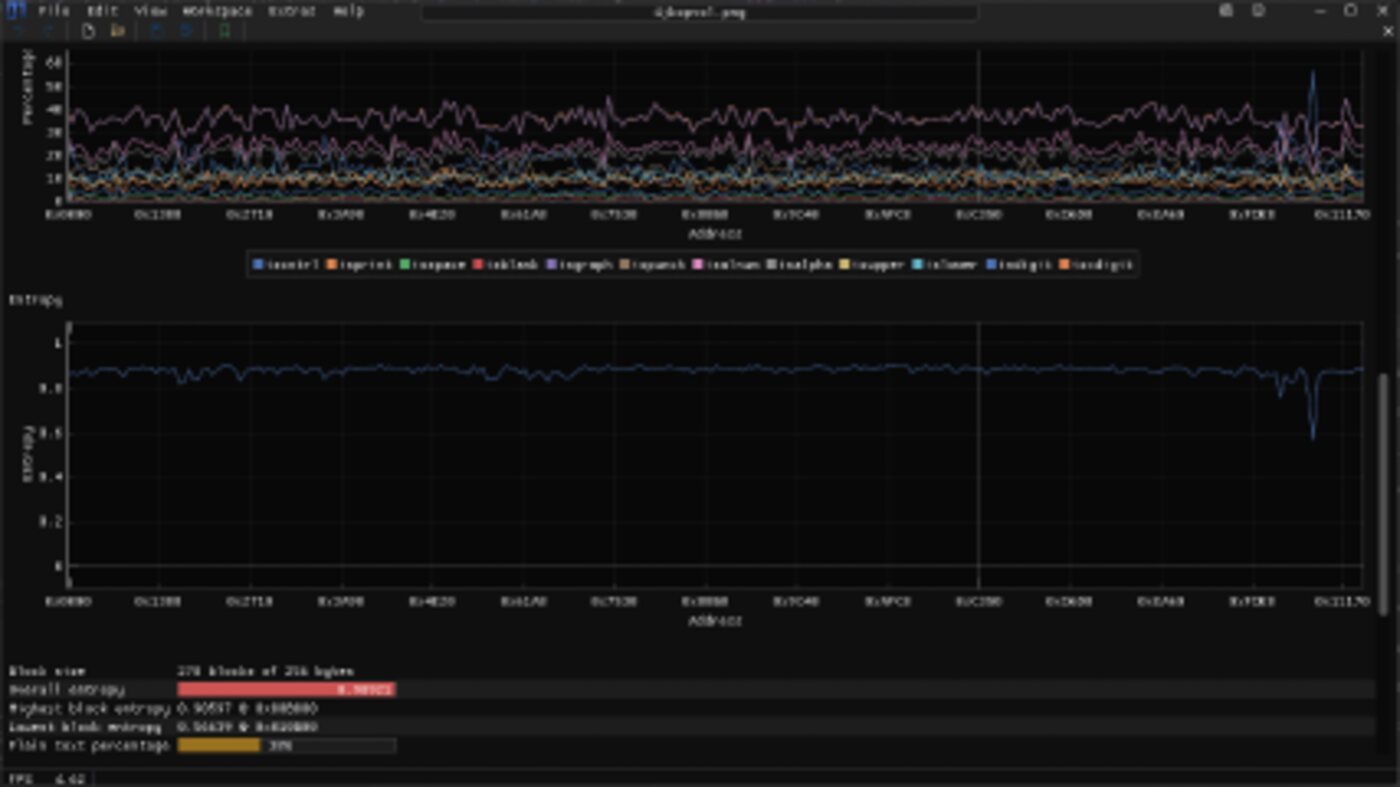
The requirement nobody mentions until the first launch: ImHex needs a GPU with OpenGL 3.0 support. On a headless build server or an older VM, it will not start. Releases with the -NoGPU suffix are software-rendered and work, but they are substantially slower — fine for a CI container, painful for interactive work. Memory footprint is modest (~50 MiB, ~100 MiB of disk), so the bottleneck is graphics support, not resources.
binrw: binary parsing as a Rust derive macro
If your destination is a Rust service, binrw is the shortest path from bytes to a typed struct. Version 0.15.2 is on crates.io (MIT, and a 0.16.0-pre line is in the repository with a minimum supported Rust version of 1.88 — pin to 0.15 until 0.16 ships), and unlike a code generator it produces a normal Rust type that you can #[derive(Debug, PartialEq)] on and use like anything else.
| |
| |
The trade-off versus Kaitai is real: binrw is Rust-only, so it is useless as shared documentation across a polyglot team. What you buy in return is no code generation step, no intermediate specification file to keep in sync, and parsing that runs on embedded targets where a runtime library is not an option. If your team is 100% Rust, skip Kaitai and go straight here.
Hachoir: the Python inspection swiss-army knife
Hachoir takes the opposite approach from every tool above: it does not ask you to describe anything. It walks a binary stream field by field using a library of pre-written parsers and presents the result as a browsable tree, down to individual bits. Four command-line tools come with it — hachoir-metadata, hachoir-grep, hachoir-strip, and hachoir-urwid — and the current release is 3.4.0 on PyPI.
| |
The honest caveat: Hachoir’s own README carries an “unmaintained.tech — No Maintenance Intended” badge. The repository still received a push on 2026-09-13, so it is not dead, but it is explicitly not a project you should build a decade-long product on. Treat it as a superb interactive tool and a bad dependency. If you need its reach in a long-lived codebase, port the format you care about to Kaitai Struct instead.
Pitfalls and migration traps
Endianness kills more parsers than any other bug. Kaitai’s endian: be applies to the whole spec unless overridden per field, and binary formats love to mix both within one file. Declare it at the top and switch explicitly at every structure boundary — do not assume.
Kaitai’s ks-version is not decorative. The PNG spec in the official repository declares ks-version: '0.11', matching the compiler release. Compile a modern spec with an older compiler and you get confusing type errors, not a clear version message.
Prefer stable tags over nightly binaries. ImHex publishes both; nightly builds break patterns that the stable release compiles. Pin the release version and upgrade deliberately.
Do not check in generated parsers unless you must. They are build artifacts. Generate them in CI with a pinned compiler version, otherwise two developers will produce different diffs from an identical spec.
Hachoir’s breadth is also its risk. Hundreds of community parsers exist, but a malformed field in the parser you depend on becomes your bug. Validate its output on known-good files before trusting it on a batch — and see our digital forensics toolkit comparison for the wider evidence-handling workflow.
Scope creep between the tools. I have seen teams start with ImHex patterns and then discover they need a production parser, at which point the .hexpat becomes documentation for a .ksy rewrite. Plan the handoff: prototype in ImHex, commit the Kaitai spec, generate the runtime code.
Making binary parsing part of your pipeline
The value of a declarative spec shows up the second time the format changes. A vendor ships a firmware revision with two new fields; a .ksy diff tells you exactly what moved, and CI regenerates parsers for every consuming service. That is a completely different operational posture from hand-written offset arithmetic, and it is why the Kaitai format library (795★) is worth browsing before you write a spec from scratch — someone has probably already mapped your format.
For durable artifacts, pair the spec with a golden corpus: check in three sample binaries, assert the parsed field values in CI, and any spec change that breaks them fails the build instead of shipping. If you work with firmware images specifically, our firmware analysis toolchain comparison covers the unpacking and emulation side of the same workflow, and if your binary data is structs you control end to end, the binary serialization framework comparison is the better starting point than any of the tools here. For hostile targets, review the Ghidra vs radare2 vs rizin comparison before deciding how deep you need to go.
FAQ
Do I need all four tools? No. Most teams need exactly one plus one. Use ImHex to figure out an undocumented layout, then pick Kaitai Struct if you parse in multiple languages or binrw if you are pure Rust. Hachoir is a convenience tool for inspections you will never automate.
Is Kaitai Struct’s GPL compiler a problem for commercial products? Generally no — you compile specs into source code that you ship, and the runtime bindings are MIT. The copyleft applies to the compiler itself, not to the parsers it generates. Have counsel confirm if you redistribute the compiler itself as part of a product.
Why would anyone hand-write a parser when generators exist? Performance-critical inner loops and hostile-input hardening. Generated parsers favour clarity; a hand-tuned parser can skip validation it does not need. The practical compromise is binrw, which keeps everything in one compiled language.
Which tool handles malformed or fuzzed input best? binrw, because you write the validation in Rust with explicit error handling and no dynamic dispatch. ImHex is interactive and will happily let you inspect garbage, which is a feature during analysis and a liability in production.
Is Hachoir safe to depend on in a long-lived service? Treat it as unmaintained. Its badge is explicit, its last release is 3.4.0, and its parser breadth is both the reason to use it and the reason not to depend on it. Vendor the piece you need or port the format to Kaitai.
Can these tools parse network streams, not just files?
Yes. Kaitai specs can read from any seekable stream, and binrw parses from any Read + Seek source, which covers PCAP bodies and framed socket protocols. ImHex works on captures you have already written to disk.
💰 想测试你的市场判断力?我用 Polymarket 做预测市场交易——这是全球最大的预测市场平台,从大选结果到技术监管时间线,什么都可以押注。和赌博不同,这是真正的信息市场:你懂的信息越多,胜率越高。我靠预测技术相关事件的走向已经赚了不少。用我的邀请链接注册:Polymarket.com