Your Rust service starts life with a single tokio::time::interval(Duration::from_secs(60)) and a hardcoded 60-second cadence. Six months later you have fifteen background tasks, three of them need to run at 03:20 in a specific timezone, two must be cancellable from an admin endpoint, and the nightly reconciliation job just ran twice because you deployed during a rolling restart. That is the exact point where hand-rolled timers stop being “good enough” and you start shopping for a scheduling library.
The problem is that “Rust scheduler” is an overloaded term. Some crates are cron parsers, some are full async schedulers with persistence backends, and one of the most popular ones does not use cron syntax at all. Picking the wrong layer means rewriting your job wiring later.
TL;DR — Quick Verdict
If you are on Tokio and want cron strings with real persistence, take tokio-cron-scheduler (742 stars, last pushed October 2025) — it is the only one of the three with PostgreSQL and NATS metadata stores. If your jobs must be added, cancelled and rate-limited at runtime, take delay-timer (329 stars), whose time-wheel design lets you cancel a running task instance through a handle. If you want the most readable scheduling code and a plain background thread, take clokwerk (372 stars) — but pin the version, because its last release was in 2023. If none of your jobs survive a restart and none need persistence, you may not need a crate at all.
| Dimension | tokio-cron-scheduler | delay-timer | clokwerk |
|---|---|---|---|
| GitHub stars | 742 | 329 | 372 |
| Last commit | Oct 2025 | May 2024 | May 2023 |
| Schedule syntax | cron strings via croner, plus english feature ("every 4 seconds") | cron strings plus frequency keywords such as @secondly | fluent DSL — .every(10.minutes()).plus(30.seconds()) |
| Async model | native Tokio (Job::new_async) | own time wheel; smol by default, can share a Tokio runtime | synchronous scheduler plus a separate AsyncScheduler since 0.4 |
| Persistence | PostgreSQL, NATS, or custom MetadataStore / NotificationStore traits | none built in | none built in |
| Runtime add / remove | yes, via JobScheduler handle | yes, plus cancelling a running instance | effectively build-time; run_pending() loop model |
| Cancellable running job | remove job, in-flight future is not interrupted | yes — task_instance.cancel_with_wait() | no |
| Timezone support | Job::new_async_tz and JobBuilder::with_timezone(chrono_tz::…) | local timezone of the process | Scheduler::with_tz(chrono::Utc) |
| License | MIT / Apache-2.0 | MIT / Apache-2.0 | MIT |
| Best fit | services needing durable, cron-shaped jobs | long-lived agents with dynamic job graphs | small services, CLIs, read-my-code-in-30-seconds workloads |
Decision Matrix: Pick in Ten Seconds
| Your situation | Use this | Why |
|---|---|---|
| Tokio service, jobs must survive a pod restart | tokio-cron-scheduler + Postgres store | only option here with a real metadata store |
| Jobs are created by user input at runtime and must be cancellable mid-run | delay-timer | per-instance cancel handles and a parallel-run cap |
| Cron syntax feels like line noise, cadence is “every 10 minutes plus 30 seconds” | clokwerk | readable interval DSL with no parser layer |
| You only need a parser because you already own the loop | the cron crate (449 stars) + tokio::spawn | smallest possible dependency surface |
| You just need one fixed interval | tokio::time::interval | a crate is overhead, not infrastructure |
tokio-cron-scheduler — Cron Strings on Tokio
This is the closest thing Rust has to a drop-in Quartz/Hangfire replacement. Jobs are defined with the Job and JobBuilder API and registered on a JobScheduler. Add the dependency:
| |
A scheduler that mixes cron jobs, async jobs, one-shot jobs and repeating jobs looks like this (trimmed from the project README):
| |
The scheduling format is six fields, not five — sec min hour day-of-month month day-of-week — and it is evaluated in UTC unless you use a timezone-aware constructor. The README is explicit about this: “Time is specified for UTC and not your local timezone… if you want your timezone, append _tz to the job creation calls (for instance Job::new_async vs Job::new_async_tz)”. Timezone-aware jobs use JobBuilder:
| |
Durability is the differentiator. Enabling the postgres_storage feature swaps the default in-memory SimpleMetadataStore for PostgresMetadataStore and PostgresNotificationStore, and the has_bytes feature (a dependency of the Postgres and NATS stores) is required for those backends. If neither backend fits, both MetadataStore and NotificationStore are traits you can implement yourself. There is also a signal feature giving you shutdown_on_ctrl_c() and a shutdown handler hook, so a SIGTERM from Kubernetes stops the scheduler cleanly instead of leaving half-run jobs behind.
delay-timer — A Time Wheel With Cancellable Instances
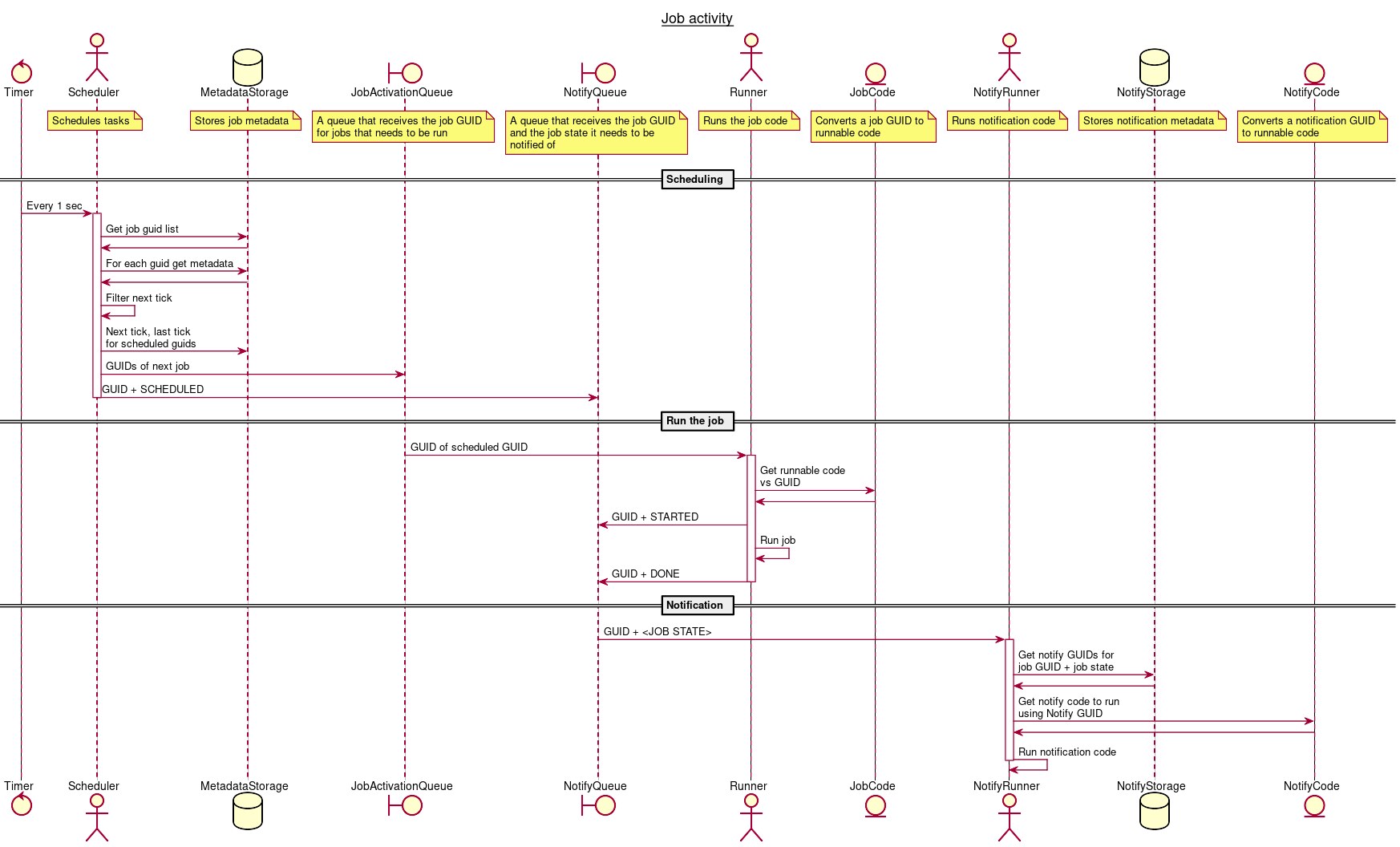
delay-timer inverts the model. Instead of “register a job, then start the runtime”, you build a DelayTimer and insert tasks into it, and every insertion returns a chain of running instances you can address individually. Its scheduler is a time-wheel implementation, which is why cancelling a running job instance is a first-class operation rather than a hopeful flag.
| |
Two details matter operationally. First, set_maximum_parallel_runnable_num(2) is a per-task concurrency cap — useful when a slow API upstream means ten overlapping runs are worse than one delayed run. Second, the runtime: delay-timer ships with smol by default and can share a Tokio runtime instead, via DelayTimerBuilder::tokio_runtime. If your service is already all-Tokio, wire that explicitly or you will be running two executors in one process. The trade-off is durability: there is no persistence layer here, so a restart loses the schedule and you rebuild it in code.
clokwerk — Readable Cadence, No Cron Parser
clokwerk is the anti-cron option. Its DSL is inspired by Python’s schedule and Ruby’s clockwork, and the README is honest that it does not parse cron strings at all:
| |
The run_pending() loop is the giveaway: clokwerk does not own a runtime. You either drive it from your own loop or let watch_thread() own a thread for you, and the scheduler stops when the returned handle drops. Since 0.4 there is also an AsyncScheduler for concurrent async tasks. It is excellent for a CLI that needs a couple of timed housekeeping jobs, and a poor fit for anything that must be coordinated, persisted or cancelled mid-flight.
The Pitfalls Nobody Mentions Until Production
Five-field crontab strings silently fail. tokio-cron-scheduler expects sec min hour dom month dow. A copied crontab line like */5 * * * * is four fields plus a star short of the expected shape and will not do what you meant. Write 0 */5 * * * * for “every five minutes”.
UTC is the default, always. A job that should run at 02:00 local time runs at 02:00 UTC unless you build it with a timezone. In a container that is almost never what the team expects, and the bug only shows up during a DST shift.
Missed fires have no catch-up semantics. None of these three crates implement “if the process was down at 03:00, run the job when it comes back”. If your reconciliation job must run exactly once per day, track the last successful run in your database and make the job idempotent — do not rely on the scheduler.
Every replica schedules the same job. Three pods with the same code means three nightly runs. Persistence in tokio-cron-scheduler stores metadata; it does not elect a leader. Take an advisory lock, use a leader election primitive, or run the scheduler as its own single-replica deployment. Our distributed cron management comparison covers the cluster-safe patterns in more detail.
Holding a lock across an await. Jobs routinely touch shared state. A std::sync::Mutex guard held across .await inside Job::new_async is a deadlock waiting for a busy scheduler tick; use tokio::sync::Mutex or scope the guard tightly.
Dependency churn. clokwerk’s last push was May 2023, and delay-timer’s was May 2024. Pin exact versions and read the changelogs before a major bump — these are libraries whose maintainers are volunteers, and the surrounding async ecosystem moves quickly. If you need clean error handling around job bodies, our Rust error handling guide covers the anyhow versus thiserror split that shows up in every job runner, and configuration loading is where your schedule strings should live rather than hardcoded in main.
Not everything needs a crate. If you are comparing this decision in a polyglot stack, the same trade-offs show up in C# job scheduling with Hangfire, Quartz.NET and Coravel — the language changes, the operational questions do not.
FAQ
Which Rust scheduler should I use for a web service? Use tokio-cron-scheduler if you are already on Tokio and want cron-shaped jobs with an option to persist metadata to PostgreSQL or NATS. Use delay-timer instead when the job set is dynamic and individual runs must be cancellable. Use clokwerk only when the cadence is irregular enough that cron syntax hurts readability and you do not need persistence.
Does tokio-cron-scheduler accept standard 5-field crontab syntax?
No. It uses six fields — seconds, minutes, hours, day of month, month, day of week — parsed by the croner crate. A standard crontab line will not behave as written. Convert */10 * * * * to 0 */10 * * * *.
Can I add or remove jobs while the scheduler is running?
Yes for tokio-cron-scheduler — sched.add(job) and sched.remove(&uuid) operate on a live JobScheduler. Yes for delay-timer — insert_task(), remove_task(id) and per-instance cancel_with_wait(), including cancelling a job that is currently executing. clokwerk is the outlier: its model is “build the schedule, then drive run_pending()”, so dynamic job graphs are awkward.
What happens to jobs missed during a restart or deploy? Nothing runs. All three crates fire on the live schedule only; there is no built-in backfill. tokio-cron-scheduler’s Postgres and NATS stores persist job metadata and notifications, not a missed-execution ledger. Make the job itself idempotent and record the last successful run in your own table.
Do I need scheduled jobs in every instance of a horizontally scaled service? No — that is the fastest way to run your nightly job N times. Either run the scheduler in a single dedicated replica, or guard the job body with an advisory lock or leader election so only one instance proceeds.
Is a scheduler crate overkill for one recurring task?
Often yes. tokio::time::interval plus a spawned task handles a single fixed cadence with no dependency. Reach for these crates when you need cron expressions, dynamic registration, cancellation, concurrency caps or persistence.
💰 想测试你的市场判断力?我用 Polymarket 做预测市场交易——这是全球最大的预测市场平台,从大选结果到技术监管时间线,什么都可以押注。和赌博不同,这是真正的信息市场:你懂的信息越多,胜率越高。我靠预测技术相关事件的走向已经赚了不少。用我的邀请链接注册:Polymarket.com