Your ops tool started as a flag-parsing binary that prints to stdout, and it worked — until the day someone asked for “a little dashboard” with a refresh button, a list that filters as you type, and colors that don’t look like 1995. That’s the exact moment Go developers discover that terminal user interfaces are a completely different discipline from CLI argument parsing. Three frameworks dominate the conversation: Bubble Tea (the functional, Elm-architecture darling with 44.8k stars), tview (the widget toolbox behind production tools like k9s and lazygit), and termui (the veteran dashboard grid). Each one will shape your codebase’s architecture differently — pick wrong and you’ll fight the framework instead of shipping the dashboard.
TL;DR: If you want a declarative, testable, functional architecture with a huge component ecosystem, choose Bubble Tea — v2 landed with the charm.land/bubbletea/v2 import path, a cell-based renderer, and built-in mouse/clipboard support; it’s the best fit for apps where state logic matters (forms, wizards, interactive workflows). If you want rich widgets fast — tables, forms, tree views, modals, grid/flex layouts — with an imperative API and zero architectural opinions, tview is the pragmatic default (it’s what lazygit and k9s use). If you need a simple dashboard grid for live metrics and your team already knows termui’s model, termui v3 still works but has been in slow-maintenance mode since 2025 — fine for internal dashboards, risky for new products. For most new 2026 projects: Bubble Tea for interactive apps, tview for data-dense dashboards.
The 2026 Landscape at a Glance
| Bubble Tea (v2) | tview | termui (v3) | |
|---|---|---|---|
| GitHub stars | 44,864 | 14,089 | 13,581 |
| Last push | 2026-09-01 | 2026-08-11 | 2025-07-10 (slow cadence) |
| License | MIT | MIT | MIT |
| Architecture | The Elm Architecture (Model-Update-View) | Imperative widgets on tcell | Imperative widgets + grid layout |
| Renderer | High-performance cell-based, built-in color downsampling | tcell-based (full-screen apps) | Cell buffer + canvas-style grid |
| Input | High-fidelity keyboard + mouse, native clipboard | Keyboard, mouse (tcell) | Keyboard + mouse events |
| Component ecosystem | Bubbles library (textinput, list, table, spinner, paginator…), Lip Gloss styling | Built-in: form, table, treeview, textview, dropdown, modal, pages, flex/grid | Widgets: paragraph, bar chart, line chart, gauge, table, list |
| Famous users | Charm ecosystem tools | lazygit, k9s | Ops/academic dashboards |
| Async story | tea.Cmd for every side effect — first-class | Goroutines + app.QueueUpdateDraw | PollEvents loop |
| Testing | Model logic is pure functions — trivially unit-testable | Widget state testable, rendering needs terminal | Manual |
| v2/2026 status | v2 released with charm.land/bubbletea/v2 vanity import | Active, stable API | Maintenance mode (last real activity 2025) |
Verdict by use case:
| Use case | Recommendation | Why |
|---|---|---|
| Interactive form/wizard/chat-like TUI in a CLI tool | Bubble Tea | State = data; every keypress is a message; undo/redo, persistence, and testing all fall out of the pure Model-Update loop |
| Ops dashboard: live tables, logs, K8s-style viewers | tview | Table/TreeView/TextView widgets with real borders, colors, and mouse — the exact stack lazygit and k9s are built on |
| Embedded live metrics grid (CPU/mem/network graphs) | termui or tview | termui’s bar/line charts are one-liners; tview if you need interactivity beyond graphs |
| Full-screen app that must handle resize, mouse, clipboard | Bubble Tea v2 | Built-in alt-screen, mouse tracking, clipboard, color downsampling for legacy terminals |
| You must ship today, team knows no TUI architecture | tview | tview.NewApplication().SetRoot(widget, true).Run() — 15 minutes to first working screen |
| Building a reusable component library | Bubble Tea | Model-View separation makes composable, embeddable components natural (see the Bubbles library) |
Bubble Tea v2 — The Functional Future
Bubble Tea is the framework that made terminal apps fun again. It implements The Elm Architecture: your whole UI is a pure function of a Model (your state), messages (tea.Msg) describe what happened, and the runtime handles rendering and diffing. You never tell the screen what to redraw — you return state and let the framework compute the view. The project hit 44,864 stars with commits as recent as September 1, 2026, and v2 (now imported as charm.land/bubbletea/v2) added a high-performance cell-based renderer, color downsampling for legacy terminals, high-fidelity keyboard and mouse handling, and native clipboard support.
The architecture is three methods on your model — Init, Update, View. From the official tutorial (a shopping-list app), Update is where every keypress lands as a typed message:
| |
Init returns the startup command (usually nil — “no I/O right now”), and View renders the model as a tea.View string. Side effects — timers, HTTP calls, subprocess output — are all wrapped as tea.Cmds that deliver messages back into Update, which keeps every state transition synchronous and replayable. That’s why Bubble Tea apps are dramatically easier to test than imperative TUIs: your entire application logic is pure data-in/data-out.
Beyond the core, the Charm ecosystem gives you Bubbles (ready-made components: text input, list, table, spinner, paginator, file picker), Lip Gloss for styling, and BubbleZone for mouse hit-testing. If you’re building a tool where users interact (select, type, confirm, retry), Bubble Tea’s model will save you from the spaghetti of hand-rolled input state machines.
tview — Widgets You Can Ship Today
tview sits at the opposite end of the spectrum: instead of an architecture, it gives you a toolbox of widgets on top of tcell, and it’s the engine behind tools you already use — the lazygit Git TUI and the k9s Kubernetes explorer both render through it. With 14,089 stars and active maintenance (last push August 2026), it’s the boring, reliable choice for data-dense screens.
The canonical hello world from the official demo (demos/box/main.go) shows the whole model — build a widget, set it as root, run:
| |
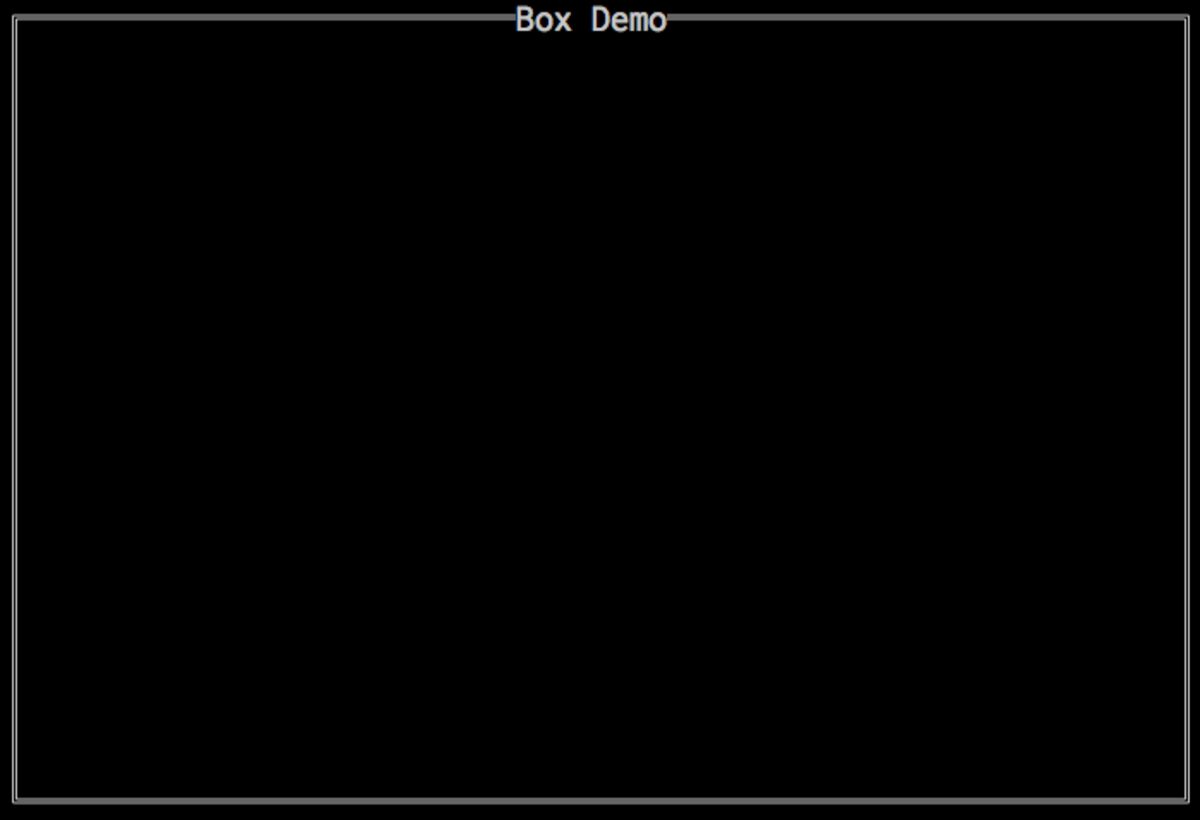
That inline color-tag syntax ([red], [::bu] for bold underline, background swaps like [black:red]) is tview’s secret weapon — you get rich styling inside plain strings without a separate styling DSL. Where tview shines is the widget catalog: tview.Table with sortable, selectable rows; tview.TreeView for file/namespace explorers; tview.Form with input fields, dropdowns, checkboxes, and password boxes; tview.TextView for logs with SetDynamicColors; plus layout primitives (Flex, Grid, Pages) and tview.Modal confirmations.
Interactive updates follow the goroutine-friendly pattern: any background worker can call app.QueueUpdateDraw(func() { ... }) to mutate widgets from outside the event loop without races — the pattern lazygit uses to stream git log output into a live view. If your screen is mostly read-only data with occasional input, tview is the least-code path to a professional result, and its Git terminal UI cousins prove the ceiling of what it can render.
termui v3 — The Dashboard Veteran
termui predates both competitors and carries the torch for a specific niche: live terminal dashboards — think htop-style grids of charts and gauges. Its API is built around widgets and a grid layout: you create widgets, place them with SetRect or in a Grid, then loop over ui.PollEvents() to react to keys. The hello-world from the official README:
| |
termui v3 ships chart widgets that are genuinely hard to beat for quick dashboards: widgets.BarChart, widgets.LineChart, widgets.Gauge, widgets.Plot, alongside Paragraph, Table, List, and Tree. With 13,581 stars it’s still widely referenced — but the honest caveat is maintenance: the repo’s last push was July 2025, so expect slow issue responses and no roadmap. For a throwaway internal metrics screen it’s perfectly fine (the API is small and stable); for a product you’ll maintain for years, tview’s activity or Bubble Tea’s momentum are safer bets.
Architecture Traps and Migration Pitfalls
- Bubble Tea v1 → v2 changed the message API. In v2, key events arrive as typed
tea.KeyPressMsg(see the switch above) instead of the older generic message shapes, and the import path moved to the vanity domaincharm.land/bubbletea/v2. Oldgithub.com/charmbracelet/bubbleteav1 code needs the official upgrade guide — do not assume drop-in compatibility when copying v1 snippets. - tview’s
QueueUpdateDrawis mandatory from goroutines. Mutating widgets directly from a background goroutine is a data race, full stop. Every async update must go throughapp.QueueUpdateDraw. The good news: the framework is thread-safe when you follow this one rule. - Full-screen vs inline TUIs change your escape story. Bubble Tea supports inline rendering (printing a TUI in the middle of a normal log stream) as well as the alt-screen. With tview, you’re committing to
Run()owning the terminal until exit. Decide which mode your CLI needs before picking — a tool that must interleave with CI logs has different constraints than a dedicated dashboard. - Terminal capability assumptions bite in 2026. TrueColor, mouse tracking, and clipboard need a capable terminal emulator. All three frameworks degrade — Bubble Tea’s color downsampling exists precisely for this — but test inside your actual deployment target: an SSH jump host or an old
screensession changes everything. Our terminal emulator comparison is a good primer on what modern terminals support. - Don’t confuse TUI frameworks with CLI frameworks. Cobra/urfave/cli parse arguments and print help; they are not TUIs. Bubble Tea occasionally shows up in “CLI library” roundups (as in our Go CLI libraries guide), but if your app needs interactive screens you want one of the three frameworks here — many production tools combine both layers: Cobra for the entry point, Bubble Tea or tview for the interactive mode.
- Test strategy differs by framework. Bubble Tea’s pure
Updatemakes table-driven tests trivial (feed messages, assert state). tview widgets are testable but rendering assertions need a screen buffer. termui has no first-class test story — keep it out of anything with strict CI coverage requirements. - Watch out for
SetRectvs layout containers. termui’s absoluteSetRectcoordinates feel fine in demos and become a maintenance nightmare at 10 widgets on variable-size terminals; use itsGrid(and tview’sFlex/Grid) so layouts respond to resize. Every “my dashboard looks broken on smaller screens” bug traces back to absolute rects.
FAQ
Is Bubble Tea v2 backward compatible with v1?
No — the upgrade guide in the repository is explicit: the module path changed to charm.land/bubbletea/v2, and message handling moved to typed messages such as tea.KeyPressMsg. Plan a migration pass for v1 codebases rather than a find-and-replace.
What is the difference between tcell, tview, and termui? tcell is the low-level terminal cell library (input, output, events) that tview is built on. tview adds high-level widgets (tables, forms, trees) on top of tcell. termui is a separate, older framework with its own event loop and widget grid, not built on tcell.
Which framework do lazygit and k9s use? lazygit and k9s both render through tview — concrete proof that tview scales to complex, data-dense, production-grade TUIs.
Does Bubble Tea work for non-interactive/scripted use? Yes — Bubble Tea programs are just Go programs; you can drive them with injected messages in tests, and the framework supports inline (non-fullscreen) rendering for tools that share the terminal with regular logs.
Can I mix a TUI framework with Cobra or urfave/cli? Commonly yes: parse flags with Cobra, then launch the TUI for interactive subcommands. Many Charm ecosystem tools follow this pattern. Just be careful that global flags and the TUI’s own key handling don’t fight over stdin.
Which is best for a simple live metrics dashboard in 2026? For a quick internal grid of charts, termui v3 is still the fastest path but is in maintenance mode. For something you’ll keep improving (interactive filtering, drill-down tables), start with tview — its Table + TextView + Grid stack is built for exactly that, and it’s actively maintained.
How do I unit-test Bubble Tea applications?
Because Update is a pure function of (Model, Msg) → (Model, Cmd), tests are table-driven: construct a model, send messages, assert the resulting state. Commands can be captured and asserted without executing their I/O, which keeps coverage fast and deterministic.
💰 想测试你的市场判断力?我用 Polymarket 做预测市场交易——这是全球最大的预测市场平台,从大选结果到技术监管时间线,什么都可以押注。和赌博不同,这是真正的信息市场:你懂的信息越多,胜率越高。我靠预测技术相关事件的走向已经赚了不少。用我的邀请链接注册:Polymarket.com