You have a Python tool that ops teams love, and now someone wants a button for it. Every Python developer hits this wall: the standard library ships tkinter, the internet recommends PySide6, and a new wave of frameworks promises to render your UI in the browser with zero JavaScript. Picking wrong means months of rework, so this guide compares the three realistic options in 2026 — tkinter (Python’s built-in), PySide6 (the official Qt bindings), and Flet (16,627 stars, Apache-2.0, Flutter-powered) — with real code and real trade-offs.
TL;DR — Quick Verdict
Build internal tools and quick scripts with tkinter — it is in every Python install, and “good enough” is the correct standard for a tool three people use. Build a professional desktop product with PySide6 — it is the only one of the three with native-quality widgets, Model/View architecture, and a real widget ecosystem, at the cost of a steep learning curve and LGPL compliance homework. Build one app that must run on desktop, web, and mobile with Flet — it renders with Flutter’s engine from pure Python, and its dev server with hot reload makes iteration dramatically faster. If you cannot decide, PySide6 is the safe default for anything customer-facing.
Quick Comparison Table
| Criterion | tkinter (stdlib) | PySide6 (Qt for Python) | Flet |
|---|---|---|---|
| License | PSF (Tk) | LGPLv3 / GPLv3 / commercial | Apache-2.0 |
| GitHub stars | — (Python stdlib) | mirror repo only (112) | 16,627 |
| Maintenance signal | ships with CPython | active (pushed 2026-08-28) | active (pushed 2026-08-29) |
| Rendering engine | native Tk widgets | native Qt widgets | Flutter (Skia/Impeller) |
| Target platforms | desktop | desktop, mobile (QML) | desktop, web, mobile |
| UI definition | Python callbacks | Python + optional QML | pure Python, reactive |
| Hot reload | no | no (QML has live editing) | yes — built-in dev server |
| Widget ecosystem | minimal | huge (Qt Charts, QTableModel…) | growing (100+ controls) |
| Install size | included with Python | ~100–150 MB wheels | wheel + Flutter engine download |
| Learning curve | low | high | medium |
Decision Matrix — Pick in 10 Seconds
| Use Case | Recommended | Why |
|---|---|---|
| Internal ops tool, one-off script | tkinter | Zero install, ships with Python, no packaging drama |
| Customer-facing desktop product | PySide6 | Native look, Model/View, tables that handle 100k rows |
| One app for web + desktop + mobile | Flet | Single Python codebase, Flutter rendering everywhere |
| Scientific/data-heavy desktop app | PySide6 | Qt Charts, QTableModel, OpenGL widgets |
| Small team, no frontend experience | Flet | Reactive controls in pure Python, no HTML/CSS/JS |
| Internal tool that will be screenshotted by executives | PySide6 | It will look like a real application |
tkinter — The Zero-Dependency Workhorse
tkinter has been bundled with CPython since 1991, which makes it the only GUI toolkit you can use without installing anything. A window with a label and a button is six lines:
| |
The ttk (themed tkinter) widgets are a genuine improvement over the 90s-era look of raw Tk, and grid/pack geometry managers cover most layouts. Where tkinter shines: it is already there, the event loop is a single mainloop() call, and subprocess + threading integration is well documented.
Where it hurts: the widget set is small (no native table with sorting, no chart widgets), the look is unmistakably utilitarian, and everything happens on one thread — a long-running task inside a callback freezes the UI unless you schedule work with .after() or push it to a thread. High-DPI displays on Windows need explicit scaling work. For internal tools with a short expected lifespan, that is an acceptable price. For anything a customer will see, it is not.
PySide6 — The Professional Choice
PySide6 is the official Qt for Python project, maintained by The Qt Company itself. Qt is the same framework behind Autodesk, VirtualBox, and hundreds of enterprise products, and PySide6 exposes nearly all of it: signals and slots, Model/View for huge datasets, Qt Charts, Qt WebEngine, and QML for declarative UIs. The canonical hello world:
| |
The real power shows in medium-sized apps. The Model/View architecture means a 500,000-row table renders smoothly via QAbstractTableModel instead of shoving widgets into a grid. Signals and slots keep components decoupled — a worker thread emits finished(result), the UI slot updates the label, no manual locking needed for that hop. QML lets design-minded teams define interfaces declaratively while Python stays in the logic layer.
The costs are real. The learning curve is the steepest of the three: concepts like the event loop, object ownership, and the QObject hierarchy take time. The wheels are huge (100–150 MB for the full bindings), which matters for distribution. And the license requires attention: PySide6 is LGPLv3/GPLv3 with a commercial option. LGPL means you can use it in closed-source apps if you dynamically link Qt and comply with the license terms — your own code stays yours, but you must allow relinking against modified Qt libraries. This is routine for industry, but a legal review is mandatory before shipping commercial software.
Flet — Flutter’s Engine, Pure Python
Flet takes a different bet: keep the developer in Python, let Flutter do the rendering. Your code describes a tree of controls (ft.Text, ft.TextField, ft.Row, ft.ElevatedButton), and Flet renders it natively on desktop or in the browser — the same codebase ships as a macOS/Windows/Linux app, a web app, and a mobile app. The official counter example from the README:
| |
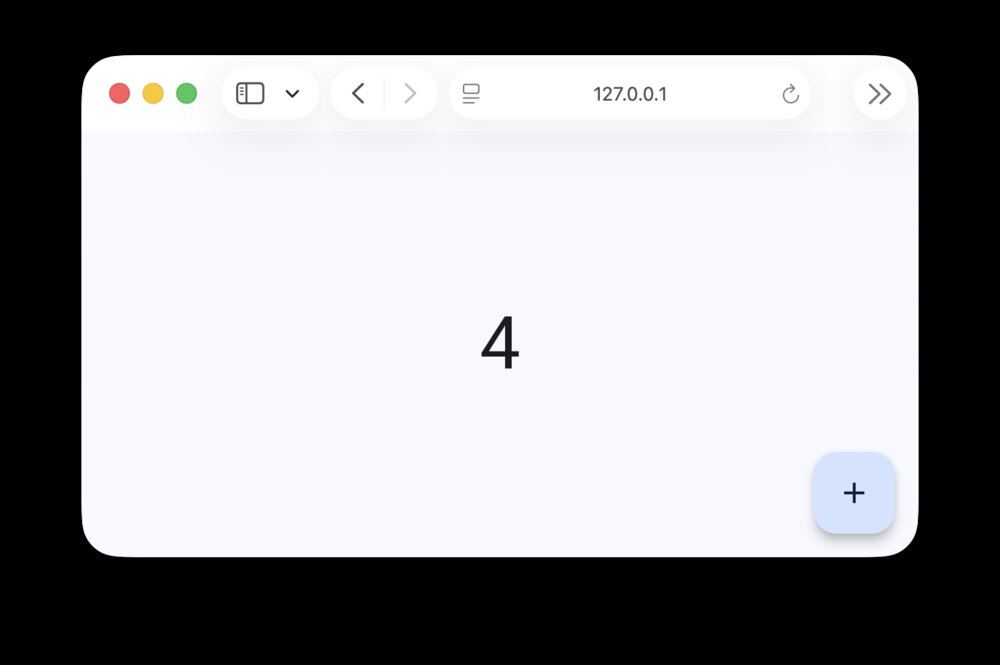
The state model is refreshingly simple for Python developers: controls are objects with mutable properties, and assigning input.value triggers a re-render. No HTML, no CSS, no JavaScript, no frontend build pipeline. The built-in dev server gives you hot reload — edit, save, watch the UI update — which makes GUI iteration feel like web development. The Flutter engine gives you buttery animations and a consistent, modern look on every platform.
The trade-offs: the Flutter engine downloads on first run (network dependency, bigger startup), very heavy data grids are not yet Qt-class, and because the web mode runs a server process, “web app” means you host it rather than static files. Flet is also the youngest project of the three — moving fast, but with an API that has broken compatibility between minor versions in the past. Pin your version.
Pitfalls — What Actually Breaks in Production
- The frozen-UI trap (all three). Blocking work on the UI thread freezes the window. tkinter: use
.after()or threads. PySide6: move work toQThread/QRunnableand signal results back — never touch widgets from a worker thread. Flet: long synchronous handlers block the page; usepage.run_threador async handlers. - PySide6 threading rules. UI updates from a non-main thread cause crashes or silent corruption. The pattern is: worker emits a signal → slot runs on the main thread → widget updates there. This is the #1 bug source for Qt newcomers.
- PySide6 LGPL compliance. Dynamic linking is fine; static linking of LGPL Qt into a closed-source app creates obligations. Do the license homework before architecture decisions, not at release time.
- tkinter’s
.pack()vs.grid(). Mixing both geometry managers in one container raisesTclError. Pick one per frame. Also: long-running callbacks blockmainloop()— schedule withroot.after(100, task). - Flet version churn. The API moved between 0.21 and 0.26 (e.g.,
page.update()becoming implicit in newer releases). Pinflet>=x,<yinpyproject.tomland read the changelog before upgrading. - Packaging. tkinter apps pack small but look dated; PySide6 apps need PyInstaller with the right hidden imports (test on a clean machine); Flet desktop apps bundle the Flutter engine — expect a 100+ MB artifact. macOS: all three need code-signing for smooth distribution outside the developer’s machine.
- High-DPI. On Windows with 150% scaling, tkinter text can look blurry; enable
root.tk.call('tk', 'scaling', 1.5)or move to PySide6/Flet, which handle scaling natively.
FAQ
Is tkinter dead?
No — it is maintained as part of CPython and receives fixes with every Python release. What it is not is evolving: the widget set is essentially frozen, and the visual style is dated. For internal tools it remains a perfectly sensible zero-dependency choice in 2026.
Do I need to worry about PySide6’s license?
Yes, briefly. PySide6 is LGPLv3/GPLv3 with a commercial license from The Qt Company. For closed-source applications, LGPLv3 allows dynamic linking (the normal case with pip-installed wheels) as long as you comply with the license — including allowing users to relink against modified Qt. Open-source projects use it under GPL freely. Get a legal review if this is a commercial product; the rules are well-trodden, not scary.
Can Flet apps work offline as desktop apps?
Yes. ft.app(main) opens a native desktop window (macOS/Windows/Linux) with the Flutter engine embedded — no server required after the initial engine download. The same code also runs as a web app, where a Python server (FastAPI/ASGI) serves the page and WebSocket channel.
Which framework is best for internal tools?
tkinter, unless you need tables or charts — then PySide6. Internal tools rarely need multi-platform reach, so the zero-install convenience of tkinter wins. If your internal tool has to handle 100k-row datasets, PySide6’s Model/View beats tkinter’s widget-per-row approach by an order of magnitude.
Can I use Flet without knowing Flutter or JavaScript?
Yes — that is the entire point. Flet exposes Flutter’s controls as Python objects with Pythonic properties (ft.TextField(value=...)), and state changes are plain Python attribute assignments. You never write Dart, HTML, CSS, or JavaScript. The Flutter engine is an implementation detail.
How do I distribute a PySide6 app to non-technical users?
Use PyInstaller with --windowed, test on a clean virtual machine (hidden imports like PySide6.QtCore and Qt plugins are the classic failure), expect a ~100–150 MB bundle, and sign it on macOS. Alternatives: briefcase (BeeWare) for cross-platform packaging, or nuitka for compiled single binaries.
For more Python ecosystem comparisons, see our Python terminal UI libraries guide, the Python logging libraries comparison, and our Python configuration library guide.
💰 想测试你的市场判断力?我用 Polymarket 做预测市场交易——这是全球最大的预测市场平台,从大选结果到技术监管时间线,什么都可以押注。和赌博不同,这是真正的信息市场:你懂的信息越多,胜率越高。我靠预测技术相关事件的走向已经赚了不少。用我的邀请链接注册:Polymarket.com