Every year someone declares the terminal dead, and every year it comes back stronger. lazygit, bottom, zellij, and helix are not niche toys — they are some of the most-starred developer tools on GitHub, and nearly all of them render their interfaces with Rust. If you have ever wanted to build a dashboard that runs in an SSH session, a log viewer with live charts, or a configuration wizard that works over a serial console, you need a TUI framework. The problem is choosing one: Ratatui, Cursive, and Crossterm are the three names you will see everywhere, and they are not interchangeable.
TL;DR — Quick Verdict: If you want to ship a modern dashboard-style app with charts, tables, and tabs, pick Ratatui (22,404 stars, pushed 2026-08-24) — it is the default choice for new Rust TUIs and the ecosystem leader. If you prefer a retained-mode, callback-driven API that feels like classic ncurses applications and you prioritize stability over speed of iteration, pick Cursive (4,841 stars). If you need raw terminal control — colors, cursor movement, raw mode, mouse events — with zero framework opinions, Crossterm (4,193 stars) is the low-level foundation you build on, and it is literally the backend that Ratatui and Cursive use under the hood.
The Three Paradigms, Explained in 30 Seconds
The single most important thing to understand before picking a framework is that these three crates operate at completely different levels of abstraction.
Immediate mode (Ratatui) means your application redraws the entire screen on every frame, every time something changes. You describe what the screen should look like right now, the library diffs it against the previous frame, and only the changed cells are written to the terminal. This makes complex, animated, data-driven interfaces surprisingly easy — your render function is a pure function of state.
Retained mode (Cursive) means you build a tree of views once, register callbacks for events, and the library decides when to redraw. This is how classic GUI toolkits work, and it is excellent for form-heavy applications with buttons, dialogs, and focus management, but it makes dynamic layouts more awkward.
Raw terminal manipulation (Crossterm) means there is no framework at all. You get cross-platform primitives for cursor control, colors, input events, and the alternate screen buffer. You write your own event loop and your own rendering. In exchange, you get total control and a tiny dependency tree.
Quick Comparison Table
| Ratatui | Cursive | Crossterm | |
|---|---|---|---|
| GitHub stars | 22,404 | 4,841 | 4,193 |
| Last push | 2026-08-24 | 2026-08-01 | 2026-08-21 |
| Paradigm | Immediate mode | Retained mode | Low-level backend |
| License | MIT | MIT | MIT |
| Widgets/views built-in | 40+ (charts, tables, gauges, tabs) | ~25 views (dialogs, menus, selects) | None — raw primitives |
| Event handling | Event loop you control | Callback system | Poll/read API + event-stream |
| Async (Tokio) support | First-class via event-stream | Limited | event-stream feature flag |
| Rendering | Diff-based per frame | On-demand redraw | Manual, full control |
| Mouse support | Yes | Yes (built into views) | Yes (raw events) |
| Unicode/TrueColor | Full | Full | Full |
Decision Matrix — Pick in 10 Seconds
| Use case | Recommended | Why |
|---|---|---|
| Dashboard with live charts, tables, tabs | Ratatui | Immediate mode makes animated data views trivial; biggest widget catalog |
| Form/dialog-heavy app (wizards, menus) | Cursive | Retained mode + callbacks handle focus and user flow naturally |
| Embed terminal control into another tool | Crossterm | Zero opinions, just primitives; used by both frameworks above |
| Async app with Tokio (e.g., streaming logs) | Ratatui | First-class event-stream integration with async event loops |
| Classic ncurses-style TUI, maximum stability | Cursive | API stable for years, no per-frame redraw surprises |
| Maximum performance, minimal deps | Crossterm | ~4 dependencies, pure Rust, full control of the output buffer |
Ratatui — The Default Choice for New Projects
Ratatui is a fork of the unmaintained tui-rs crate, and it has become the de facto standard for Rust terminal applications. With 22,404 stars and activity as recent as 2026-08-24, it is not just alive — it is the most actively developed TUI ecosystem in Rust. The library was originally designed for the tui-rs “Rust & TUI” tutorials, and it now powers tools like lazydocker-style containers, network monitors, and even full database clients.
The core model is simple: you initialize a terminal, run a loop that draws a frame on every iteration, and handle events. The official README example is the entire API surface you need to start:
| |
What makes Ratatui powerful is what comes after “hello world”: a layout engine based on flexbox-style constraints (Constraint::Percentage, Length, Min, Max), widgets for charts (Chart), tables (Table), gauges (Gauge), sparklines, calendars, and tabs, plus a theming system. The immediate-mode philosophy means a widget is just a struct with a render method — if the built-ins do not fit, you write your own in a few dozen lines.
When to choose Ratatui: You are building anything data-dense — dashboards, log viewers, monitoring tools, file managers. The ecosystem around it (templates, examples, and community widgets) means most problems are already solved. The main cost is the mental shift: you redraw everything every frame, so you need to keep your render function fast (usually trivial, since the terminal diff is cheap).
Cursive — Retained-Mode Stability
Cursive, with 4,841 stars and its latest activity on 2026-08-01, takes the opposite approach: you construct a tree of views, attach callbacks, and let the framework manage redraws. If you have written ncurses applications or any classic GUI, Cursive will feel instantly familiar — and that is exactly its strength. Its own README shows how quickly a dialog app comes together:
| |
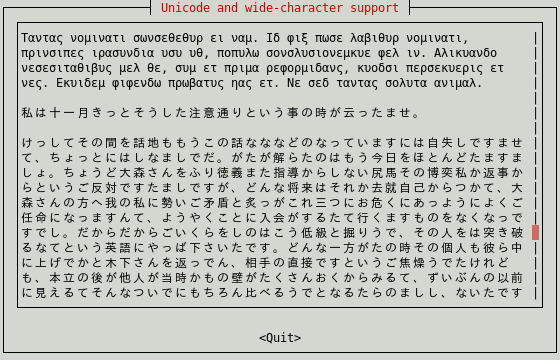
Cursive ships views for dialogs, menus, selects, checkboxes, sliders, progress bars, and even an embedded terminal view. It has built-in support for themes, mouse interaction, and multiple backends (Crossterm by default, with ncurses and termion options). Because the view tree persists between frames, state management is natural: you mutate a view’s state through callbacks and the library redraws only what changed.
When to choose Cursive: Form-heavy applications where focus management and user flow matter more than raw data density — configuration wizards, menu-driven admin tools, text-based games. Its slower development cadence is a feature if you want an API that does not churn under you. The trade-off: complex dynamic layouts (resizable panes, live-updating tables) are more work than in Ratatui, and async integration requires more manual plumbing.
Crossterm — The Foundation Everything Else Sits On
Crossterm, with 4,193 stars and activity through 2026-08-21, is not a framework — it is the cross-platform terminal abstraction layer that Ratatui and Cursive themselves depend on. It handles the messy reality of terminals: ANSI escape sequences on Unix, WinAPI/ConPTY on Windows (back to Windows 7), raw mode, the alternate screen buffer, cursor positioning, styled output, and a unified event system for keyboard, mouse, and terminal-resize events.
A minimal Crossterm program shows how direct the API is:
| |
You get full control over the output buffer, multi-threaded send/sync support, and an event API with advanced modifier support (SHIFT, ALT, CTRL) for both mouse and keyboard. There is no rendering engine — you are responsible for diffing, layout, and redraw — which is precisely why performance-sensitive tools or framework authors choose it.
When to choose Crossterm: You are writing your own TUI framework, you need only a small piece of terminal functionality (e.g., colored output in a CLI), or you want the absolute minimum dependency footprint. If your goal is a full application, you will end up reimplementing layout and widgets — in practice, that is only worth it for a handful of specialized use cases.
Pitfalls and Migration Notes
1. The immediate-mode mindset is the #1 Ratatui mistake. Newcomers try to “update” widgets imperatively, or cache rendered output. Instead, store state in your app struct and rebuild the frame description every draw. If rendering feels slow, measure — terminal diffing means most frames are cheap, but large tables with complex styling every keystroke can add up.
2. Raw mode and alternate screen leaks. Both Ratatui’s init()/restore() pair and Cursive’s run() handle setup and teardown for you — but if you mix backends or drop the terminal mid-run, you can leave the user’s terminal in raw mode with a dead prompt. Always use the provided init/restore helpers, and consider a panic handler that restores the terminal on unwind.
3. Terminal resizes and reflow. Handling resize events is a classic source of bugs. In Ratatui, re-render on resize is automatic (your layout is recomputed each frame), but text you wrap manually will not reflow. In Cursive, enable autorefresh and test resize paths explicitly. In Crossterm, you must listen for Event::Resize yourself.
4. Async event loops. If your app streams data (WebSocket feeds, log tailing, HTTP polling), you need to merge your async stream with terminal events. Ratatui’s crossterm::event::EventStream integrates with Tokio; Cursive has a cb-sink mechanism for pushing events from other threads. Both work, but the Ratatui+Tokio combination is the path of least resistance.
5. TrueColor and Unicode fallbacks. Modern terminals handle 24-bit color and wide glyphs, but not all do. Both frameworks expose color detection; if you target old terminals or SSH sessions over slow links, respect NO_COLOR and fall back from RGB to 256-color or 16-color palettes. Also remember: box-drawing characters render differently on Windows Console versus ConPTY.
6. Migrating from tui-rs. If you maintain an app built on the original tui-rs, Ratatui is a drop-in fork: the crate is ratatui with the same core API, plus a tui re-export compatibility feature. Most apps migrate with a rename of the dependency and a few API tweaks. Cursive is a different architecture — migrating from Cursive to Ratatui (or vice versa) is a rewrite, not a port.
7. Keep the event loop out of the render path. Read events, update state, then draw. If you draw inside event handlers or block on network I/O inside the draw call, your UI will stutter and drop input. The poll() API lets you drain events without blocking.
Why Build Terminal Interfaces at All?
Terminal UIs are the most durable form of software interface: they run over SSH, work on minimal servers, consume negligible resources, and are scriptable. A well-built TUI can serve as the control plane for a self-hosted service without any web stack. If you are already shipping server software, pairing it with a Ratatui-based admin client is often cheaper and more reliable than building a web dashboard.
For related reading, see our Go CLI libraries comparison covering Bubble Tea — the leading TUI framework in Go — and the Rust logging libraries guide for the observability half of a terminal app. If you are building progress indicators rather than full interfaces, our CLI progress bar comparison covers indicatif, the Rust progress-bar crate that pairs naturally with any of these frameworks.
FAQ
Q: Is Ratatui a fork of tui-rs?
A: Yes. Ratatui is a maintained fork of the original tui-rs crate, which was unmaintained after its author stepped away. Ratatui kept the core API, added a compatibility layer, and has since shipped layout improvements, new widgets, and async event support. The migration path from tui-rs to Ratatui is intentionally smooth.
Q: Can I use Ratatui without Crossterm?
A: Ratatui uses Crossterm as its default backend, but it supports alternative backends including Termion and a backend for embedded systems via ratatui::backend. For the vast majority of applications, the default Crossterm backend is the right choice because it gives you the same cross-platform guarantees on Windows and Unix.
Q: Which framework is best for a dashboard with live-updating charts? A: Ratatui. Its immediate-mode rendering means charts, gauges, and tables recompute from state every frame, so live data feeds are straightforward. Cursive can do it, but you will fight the retained-mode model for constantly changing data. Crossterm leaves you to build the charting yourself.
Q: Do these frameworks support mouse events? A: All three do. Cursive has mouse support built into its views (buttons, selects, menus). Ratatui supports mouse capture and position events through the underlying Crossterm event system. Crossterm provides raw mouse events with button, position, and drag information, plus advanced modifier support.
Q: Are there Windows-specific issues? A: Crossterm explicitly supports Windows down to Windows 7, including the legacy Console Host and modern ConPTY. Ratatui and Cursive inherit that support through their backends. The main caveats are historical: legacy Windows Console lacks TrueColor and has different box-drawing glyph rendering, so test on your actual deployment target.
Q: What is the performance difference between immediate and retained mode? A: For typical TUIs, both are fast enough — you are writing to a terminal, after all. Ratatui diffs each frame and only writes changed cells, so a 60fps animation of a small dashboard is cheap. Cursive redraws on demand, which is efficient for form apps. Crossterm gives you raw buffer control, so it is the fastest option for specialized rendering, at the cost of doing all the work yourself.
💰 想测试你的市场判断力?我用 Polymarket 做预测市场交易——这是全球最大的预测市场平台,从大选结果到技术监管时间线,什么都可以押注。和赌博不同,这是真正的信息市场:你懂的信息越多,胜率越高。我靠预测技术相关事件的走向已经赚了不少。用我的邀请链接注册:Polymarket.com