Whiteboard apps, diagram editors, image annotation tools, floor planners — every one of them starts with the same painful decision: which HTML5 Canvas library do you build on? Pick wrong and you will re-architect your rendering layer six months in, when selection, hit-testing, and undo suddenly become impossible to bolt on. The three serious contenders are Konva (14,709 stars), Fabric.js (31,403 stars), and Paper.js (15,065 stars), and they are not interchangeable: each one encodes a different mental model of what a canvas app is.
TL;DR — Quick Verdict
Building an interactive, event-driven app (whiteboard, node editor, game-like UI) → use Konva. Building a document-style editor where users select, move, resize, group, and export objects → use Fabric.js, it ships the object model and serialization you would otherwise write yourself. Doing vector graphics, geometry, or generative art where coordinates and math matter more than widgets → use Paper.js, but budget for its slow maintenance cadence (last push July 2024). If you are on React, Konva’s official react-konva bindings win outright. There is no wrong answer among the three — only a wrong match.
Feature Comparison: Konva vs Fabric.js vs Paper.js (2026)
| Criterion | Konva | Fabric.js | Paper.js |
|---|---|---|---|
| GitHub stars | 14,709 | 31,403 | 15,065 |
| Last push | 2026-08-20 | 2026-08-18 | 2024-07-23 |
| License | MIT | MIT | MIT |
| Scene graph | ✅ Explicit Stage → Layer → Node | ✅ Object model on canvas | ✅ Hierarchical projects/layers |
| Built-in selection/transform | ✅ (Konva.Transformer) | ✅ Core feature (groups, controls) | ❌ Build your own |
| SVG import/export | Partial (manual) | ✅ Native (loadSVGFromURL, toSVG) | ✅ Native (importSVG, exportSVG) |
| Serialization | ✅ toJSON()/toObject() | ✅ JSON + SVG round-trip | ✅ JSON + SVG |
| React bindings | ✅ react-konva (official) | ⚠️ Community (react-fabricjs) | ❌ None official |
| Animation support | ✅ Konva.Animation, tweens | ⚠️ Manual (requestAnimationFrame) | ✅ Full animation model |
| Touch/pointer events | ✅ Built-in | ✅ Built-in | ⚠️ Partial |
| Node.js/headless | ⚠️ Limited | ✅ @fabricjs/node (official) | ✅ Works in Node |
| Best for | Interactive apps, drag-and-drop UIs | Object editors, design tools | Vector art, geometry, generative graphics |
Use-Case Decision Matrix
| Use Case | Recommended Tool | Why |
|---|---|---|
| Whiteboard / collaborative canvas app | Konva | Scene graph + transformer handles + built-in drag events = 80% less glue code |
| Diagram editor with selectable, resizable nodes | Fabric.js | Object selection, grouping, and JSON serialization are core features, not add-ons |
| Image annotation / photo markup tool | Fabric.js | Perfect pixel positioning, layers, and export to SVG/JSON out of the box |
| React dashboard with canvas widgets | Konva | react-konva declaratively mirrors the scene graph into React components |
| Generative art / data visualization with heavy geometry | Paper.js | The richest vector math API: paths, compound paths, boolean operations, point math |
| Node.js server-side canvas rendering | Fabric.js | Official @fabricjs/node package with new fabric.Canvas(null, {width, height}) |
| Simple custom-drawn chart on a budget | None (plain canvas) | For one-off drawings, a native context loop beats any library’s abstraction |
Konva — The Interactive-App Workhorse
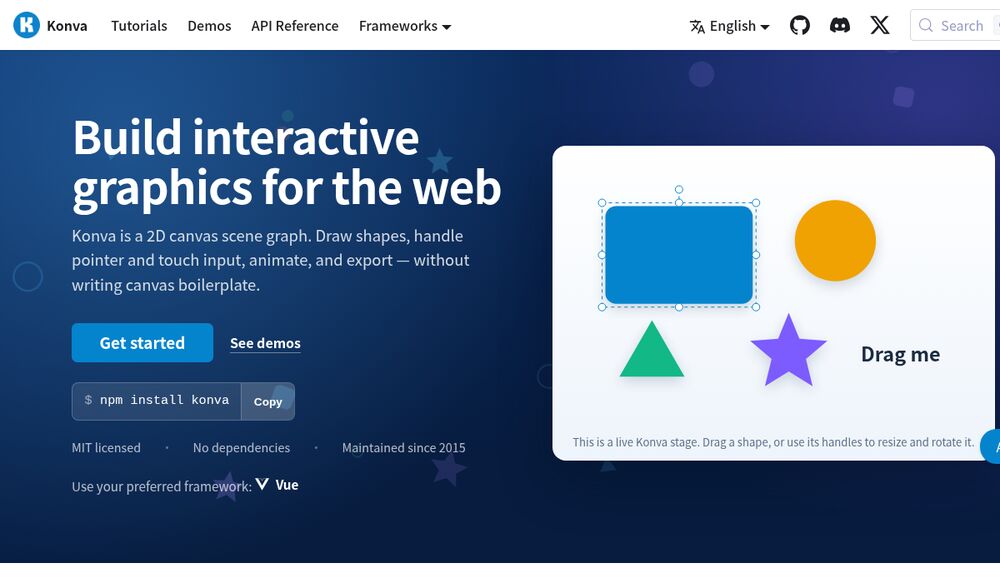
Konva (formerly KineticJS) is built around one insight: canvas apps are event-driven. Instead of you managing a redraw loop and manually hit-testing mouse coordinates against shapes, Konva gives you a scene graph — a tree of Stage, Layer, and shape nodes — where every node can emit events, be animated, and be dragged with three lines of code. Its Konva.Transformer widget gives you production-grade rotate/scale/resize handles without writing a single control-drag handler.
| |
The draggable: true flag is the whole pitch: Konva handles pointer capture, move, and drop events internally. Add dragend listeners for coordinate snapping, attach a Konva.Transformer to box, and you have the interaction core of a diagram editor in under 30 lines. The library is actively maintained (last push August 2026), tree-shakeable, and has an official React binding that maps scene-graph nodes to JSX components:
| |
Watch out for: Konva is not a document model. If your product needs multi-select, grouping, z-order management, and full app-state serialization, you build that yourself (or reach for Fabric). Konva also renders at the device pixel ratio by default in many setups — blurry shapes on high-DPI screens unless you explicitly scale the stage.
Fabric.js — The Object Editor You Don’t Have to Build
Fabric.js solves the problem Konva deliberately leaves alone: objects as first-class citizens. Every shape you add becomes an object that can be selected with a click, dragged by its center, resized by corner handles, rotated, grouped with others, and serialized to JSON or SVG — all built in. That object model is why Fabric remains the default for image annotation tools, product-configurators, and print-on-demand editors despite being the oldest of the three.
| |
| |
Version 7 (released 2025) modernized the package layout — @fabricjs/browser and @fabricjs/node replace the old single fabric import, and the classic new fabric.Canvas('canvas') still works for the web. The killer feature set remains serialization: canvas.toJSON() round-trips the entire editor state, which makes save/load, undo/redo, and multi-user sync trivial to implement — you are serializing a document, not reconstructing a render.
Watch out for: Fabric’s API surface is enormous and carries two decades of legacy; the docs are thorough but dense. Performance degrades with thousands of objects — batch heavy scenes into Groups or switch to Object.render caching. Also, Fabric’s default selection controls (uniform scaling off, per-corner actions) differ from what users expect from modern tools, so budget time to customize controls.
Paper.js — Vector Art and Geometry, Beautifully Done
Paper.js descends from Scriptographer, a legendary Illustrator scripting plugin, and it shows: the library is a full vector-graphics programming environment with a mathematically rich API — paths, compound paths, boolean geometry operations, hit-testing, and a hierarchical project/activation model. It is the strongest choice when your application is the drawing, not an editor wrapped around shapes.
| |
This example is lifted straight from the official repo’s examples/Animated/AnimatedStar.html — note the text/paperscript script type, which runs Paper.js code directly against a named canvas with the paper.install(window) global. Point math (offset.angle, offset.length) and path.smooth() are the tools generative artists and data-visualization teams reach for.
Watch out for: Paper.js is the riskiest pick of the trio in 2026. The last commit to paperjs/paper.js was July 2024 — nearly two years of quiet, with open issues accumulating. It works, it is stable, and its geometry API is unmatched, but you are adopting a project in slow-maintenance mode: no ESM-first distribution, no official React integration, and TypeScript types lag behind. Choose it only when the vector-math payoff justifies owning that risk, or pin a fork.
Pitfalls and Migration Gotchas
- Blurry rendering on high-DPI screens. All three libraries default to CSS-pixel coordinates; on a Retina display you must scale by
window.devicePixelRatio(Konva hasstage.scale, Fabric hascanvas.setDimensionswithbackstoreOnly, Paper hasview.zoom). Test on a physical 2x screen before shipping. - The React re-render trap. With Konva/Fabric, re-mounting components on every state change recreates the entire canvas. Keep the stage/canvas instance in a ref, mutate nodes imperatively, and let React own everything around the canvas — not the canvas itself.
- Thousands of objects = jank. Konva handles ~1k draggable shapes fine; beyond that, layer aggressively (static shapes on a background layer never re-render). Fabric’s object model is heavier still — group static geometry and cache renders.
- Text rendering differs from the DOM. Canvas text has no
line-height/letter-spacingDOM semantics; multi-line text needs manual measurement (ctx.measureText) or the library’s text wrappers. Font loading races (FOIT on canvas) are a classic bug — wait fordocument.fonts.readybefore first paint. - Export ≠ screenshot. Users expect “download as image” to include interactions (filters, overlays, zoom). Konva’s
stage.toDataURL()captures the scene graph, Fabric’stoDataURL()respects the object model, but custom drawn elements (e.g., background grids) must be part of the scene or they vanish from exports. - SSR and tests. None of the three work in Node without a canvas shim (
node-canvas); Fabric’s official@fabricjs/nodeis the only first-party answer. For unit tests, mock the canvas context or run headless Chromium.
For more browser-tech deep dives, see our comparison of browser code editors, the WebGL engine showdown, and our React drag-and-drop library guide.
FAQ
Which canvas library is easiest to learn?
Konva has the gentlest learning curve if you are coming from DOM/React mental models: shapes are nodes, events are DOM-like, and react-konva makes it declarative. Fabric.js is easy to start (add a rect, drag it) but its full object model takes weeks to master. Paper.js assumes comfort with vector math and has the steepest onboarding of the three.
Can I use Fabric.js in Node.js for server-side rendering?
Yes — Fabric 7 ships the official @fabricjs/node package. You can new fabric.Canvas(null, { width: 100, height: 100 }) without a DOM, add objects, and export PNGs/SVGs server-side. Konva and Paper.js require a canvas shim like node-canvas in Node.
Is Paper.js abandoned?
Not officially abandoned, but effectively in slow-maintenance mode: the last push to paperjs/paper.js was July 2024. The API is stable and the project still works, but there is no active release cadence, and issues accumulate. For long-lived commercial products, Konva or Fabric.js are safer bets; choose Paper.js for its unmatched geometry API and accept the maintenance risk.
Which library handles SVG import/export best?
Fabric.js and Paper.js both have first-class SVG support — load SVG into editable objects (Fabric) or vectors (Paper) and export back to SVG. Konva has no built-in SVG importer; you must parse SVG yourself and construct nodes manually.
Do these libraries support React, Vue, or Angular?
Konva has official react-konva bindings. Fabric.js has community wrappers (react-fabricjs, vue-fabric) but no first-party integration. Paper.js has no official framework bindings — you manage it imperatively.
Which library is best for an image annotation tool?
Fabric.js is the standard answer: selection, per-object controls, JSON serialization for annotation state, and export to image/SVG cover the whole annotation workflow out of the box. Konva works too but you assemble selection and serialization yourself.
💰 想测试你的市场判断力?我用 Polymarket 做预测市场交易——这是全球最大的预测市场平台,从大选结果到技术监管时间线,什么都可以押注。和赌博不同,这是真正的信息市场:你懂的信息越多,胜率越高。我靠预测技术相关事件的走向已经赚了不少。用我的邀请链接注册:Polymarket.com